- App Store
- Launch
- iOS
How to get featured on the App Store: featuring nominations, In-App Events and timing
How to get featured on the App Store: submit a featuring nomination three weeks to three months ahead, add In-App Events, and what to do on Google Play.
AppRanker team12 min read
On this page
If you want to know how to get featured on the App Store, the honest answer starts with one form that many developers never open: Featuring Nominations in App Store Connect. Apple's editors pick the stories on the Today tab and the curated collections on the Apps and Games tabs, and nobody can pay for a spot. But Apple does ask developers to tell it what is coming, and it publishes what its editors look for. Most apps that never get featured simply never told anyone.
The timing matters right now. Apple asks for at least three weeks of notice and recommends up to three months for wider consideration. A launch, update or event you want seen in the holiday weeks of late November and December is already inside that window. This guide covers how nominations work, how to write one, how In-App Events fit in, what Google Play offers instead, and a checklist to finish this week.
Can you pay to get featured on the App Store?
No. Featuring is editorial. The paid placements on the App Store are Apple Ads, which are labelled as ads and appear in places such as search results, the Search and Today tabs and product pages, never inside editorial stories. As one developer put it in a long-running Hacker News thread, "Nobody can pay to be featured. Apple decides what apps they want to feature on their own."
What you can do is make the editors' job easy: tell them early, tell them specifically, and make sure the app and its product page hold up when they look.
What Apple's editors look for
Apple's Getting featured on the App Store page lists the qualities its editors consider for every app:
- User experience: "cohesive, efficient, and valuable functionality that's helpful and easy to use".
- UI design: usability, appeal and overall quality.
- Innovation: new technologies that solve a unique problem.
- Uniqueness: a fresh approach to a familiar category.
- Accessibility: a great experience for a broad range of users.
- Localization: high-quality support for multiple languages, with culturally relevant content.
- App Store product page: "compelling screenshots, app previews, and descriptions, as well as positive ratings and reviews".
Games get an extra list: gameplay, art and animation, controls, story, replayability, sound, technical performance and overall value.
Two of those deserve attention because small teams skip them. Accessibility and localization are named as criteria, not nice-to-haves. Supporting Dynamic Type, VoiceOver labels and a few well-translated locales is often a faster route to an editor's shortlist than another feature. And the product page is judged too, so the listing has to be ready before the nomination goes in. Our guide to writing a store listing that converts walks through the name, icon, description and screenshots in order.
How to submit a featuring nomination in App Store Connect
You need the Account Holder, Admin, App Manager or Marketing role. Apple's step-by-step help page describes the flow:
- In App Store Connect, open Apps and select your app.
- In the sidebar, under Featuring, click Nominations.
- Click the + button and choose Create Nomination.
- Give the nomination a name you will recognise later, then click Next.
- Pick the nomination type and click Next.
- Write a detailed description, then click Next.
- Choose the date or time frame you want the featuring to run, then click Save.
- Review the details and fill in the optional fields (more on those below).
- Click Submit Nomination and confirm.
If you manage several apps or a run of updates, you can Import Nominations from a CSV template instead. Be careful: CSV nominations are submitted the moment you upload them and cannot be saved as drafts, although you can edit them afterwards.
The three nomination types
App Store Connect offers three types:
- App Launch: the launch or pre-order of a new app or game.
- App Enhancements: new features, functionality or other significant updates.
- New Content: new content, offers or events inside your app or game.
A common worry on the Apple Developer Forums goes like this: "it appears that I would have had to submitted the app before it went live." That is only true of the App Launch type. An app that is already live can still be nominated for a meaningful update or new content, and most apps will spend most of their life in those two types.
The optional fields that make a nomination useful
After the basics, App Store Connect lets you add:
- Related apps: up to 10 apps from the same developer account.
- Platforms: which of your platforms the nomination covers.
- Countries or regions and localizations: filled in from your app's availability, and worth trimming to where the news actually matters.
- In-App Events: attach approved or published events (iPhone and iPad only).
- Supplemental materials: up to 5 URLs, such as a TestFlight link, a press kit, art assets or a short video.
- Helpful details: accessibility work, inclusivity, priority level, or anything else unique.
Fill these in. A TestFlight link lets an editor try the feature you are describing instead of imagining it.
When to nominate: three weeks minimum, three months ideal
Apple gives two numbers, and they differ slightly between its pages. The App Store Connect help says to submit "as early as possible, with a minimum lead time of 3 weeks". The Getting featured page asks for "a minimum of two weeks notice" and recommends "submitting a nomination up to three months in advance" for wider consideration. Plan on the stricter one: three weeks is the floor, three months is the target.
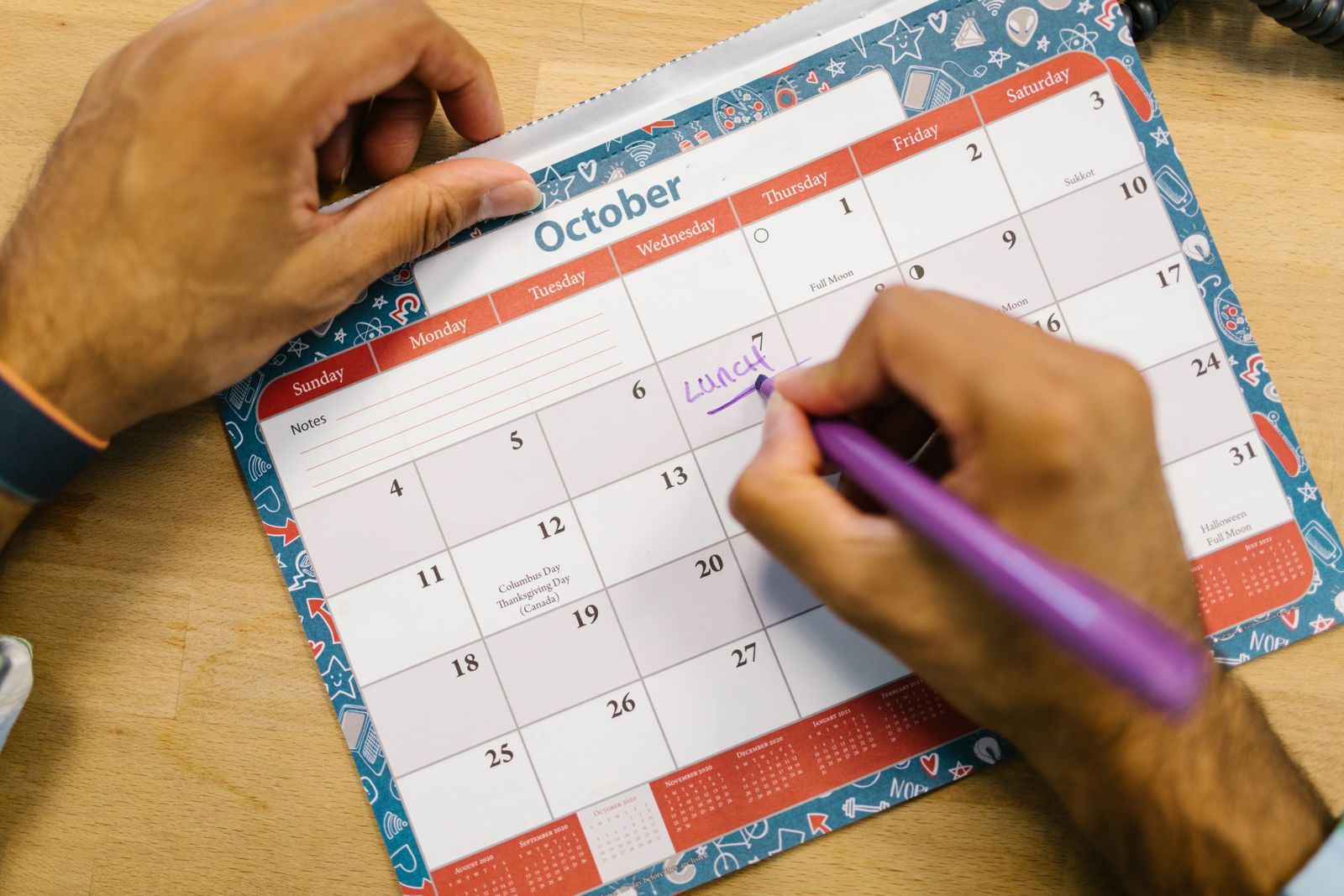
Count back from the date you want to be seen, not from the date the build is ready. Photo: RDNE Stock project / Pexels
For the end of 2026, that means:
| You want to be seen | Nominate by (3-week minimum) | Ideal (about 3 months ahead) |
|---|---|---|
| Week of November 23 | November 2 | Already passed: submit now |
| Week of December 7 | November 16 | Already passed: submit now |
| Week of December 21 | November 30 | Late September: submit now |
| Early January 2027 | Mid-December | Early October: this week |
Two practical notes. First, the nomination is about the date you want featuring to run, so the build must be approved and live by then. Leave room for App Review, and if your launch depends on new hardware or a new OS version, such as the iPhone Duo release on October 23, make sure the build that supports it is the one you nominate. Second, if you are being considered, Apple may email people on your team with the Admin, App Manager or Marketing role to ask for promotional artwork. Make sure those addresses are monitored, and read Apple's promotional artwork guidelines before anyone asks.
How to write a nomination an editor can use
Editors read a lot of nominations. Write yours as a short brief, not a press release. A structure that works:
- One sentence on what is new. "Version 3.0 adds offline maps for 40 national parks."
- Who it is for and why now. "Built for the winter hiking season, with trail closures updated daily."
- What makes it unusual. A technology you adopted, a design decision, a problem nobody else solved.
- Accessibility and localization. Name what you support: VoiceOver, Dynamic Type, the languages you translated, and anything you did for specific regions.
- Proof. A TestFlight link, a short screen recording, and a link to your press kit in the supplemental materials.
Here is a compact example for an App Enhancements nomination:
Name: Trailhead 3.0 offline maps (Dec 2026)
Type: App Enhancements
Timing: December 1 to December 31, 2026

Trailhead 3.0 adds offline topographic maps for 40 US and Canadian
national parks, so hikers keep turn-by-turn guidance with no signal.
Released for the winter season, with trail closure data refreshed daily.
Built with MapKit and SwiftData; maps download in the background and
use under 300 MB per park.
Accessibility: full VoiceOver support for route steps, Dynamic Type
throughout, haptic cues at each turn.
Localized in English, French (Canada) and Spanish (US).
TestFlight and a 40-second screen recording are attached.
Avoid superlatives, competitor names and download counts. Editors care about what the app does for people, and the nomination is not the place for marketing copy.
One nomination per real milestone: a launch, a major update, a seasonal event. Photo: RDNE Stock project / Pexels
In-App Events: the featuring surface you control
You cannot choose to be featured, but you can publish an In-App Event, and events show up in places editors also use. According to Apple's In-App Events page, events appear:
- on your product page,
- in search results, as an event card for people who already have your app, and as their own search result,
- in editorially curated selections and personalized recommendations on the Today, Games and Apps tabs.
The limits worth knowing:
| Rule | Limit |
|---|---|
| Published events per app at once | 10 |
| Approved events in App Store Connect at once | 15 |
| Longest event | 31 days |
| Promotion before the start date | Up to 14 days |
| Event name | 30 characters |
| Short description | 50 characters |
| Long description | 120 characters |
Events are reviewed independently of app versions, so you do not need a new build to run one. Apple offers seven badges: Challenge, Competition, Live Event, Major Update, New Season, Premiere and Special Event. A Major Update event for a big release, attached to an App Enhancements nomination, gives an editor a ready-made card to place.
Two habits help. Schedule the event to start promoting the full 14 days before it begins, since that is free exposure on your product page and in search. And keep one event live most of the time if your app has anything time-based to say, because a product page with an event looks maintained.
What about Google Play?
Google Play has no general nomination form like Apple's. The closest equivalent is promotional content (formerly LiveOps) in Play Console, which puts offers, events and major updates on your listing and in Play's surfaces, and lets you request featuring.
According to Google's promotional content help page:
- you can submit an event up to 60 days before it starts,
- review can take up to four days, so submit at least four days ahead,
- an event with featuring requested must be submitted at least 14 days before its start date,
- events run up to four weeks, major updates have a fixed 28-day duration, and pre-registration announcements one week,
- images must not contain text, including logos or the app's name.
The catch is eligibility. Promotional content is one of Google's premium growth tools, which are mostly reserved for large apps, with thresholds in the millions of monthly users or tens of thousands of dollars of monthly spend. The exception helps small teams: "Eligible new title launches automatically get access to select premium growth tools for a minimum of 2 quarters after launch." If you launch a new app on Play, put your first two quarters of updates and events on a calendar so you use that access while you have it.
For an Android launch, the other lever is building a list of people who are waiting for you. Our guide to Google Play pre-registration covers how to set that up, including the 90-day limit that catches people out.
How to tell if you were featured
Apple does not always tell you in advance. The signal is in App Store Connect Analytics, under acquisition sources. Apple defines App Store browse as people who "viewed your app or tapped to download it while browsing the App Store (for example, in the Today, Games, or Apps sections)", separate from App Store search, app referrers and web referrers (Apple's definitions). A sudden jump in browse impressions, without a matching change in search, usually means an editorial placement.
Featuring also tends to lift your position in the charts for a few days. If you want to know where you stand, our guide to App Store top charts includes a small script that checks your rank in Apple's public chart feeds.
How to get featured on the App Store: a checklist
- The product page is ready: current screenshots, a clear subtitle, a preview video if you have one.
- Accessibility basics are in: VoiceOver labels, Dynamic Type, sufficient contrast.
- At least the locales where you have users are properly translated.
- A nomination is submitted for every real milestone, at least 3 weeks ahead, ideally up to 3 months.
- The nomination names what is new, who it is for, what is unusual, and your accessibility and localization work.
- A TestFlight link and press kit are in the supplemental materials.
- An In-App Event is scheduled for the same milestone, set to promote 14 days before it starts.
- The Admin, App Manager and Marketing email addresses on your team are monitored for artwork requests.
- On Google Play, any eligible promotional content with featuring requested is submitted 14 days ahead.
- You know where to look in Analytics to see a browse spike.
Featuring is a bonus, not a plan
Editorial featuring can change an app's month, but it is not something you can schedule. Plan the launch as if it will not happen, and treat a feature as a bonus on top. Our launch-week visibility checklist covers the parts you control, from fixing the store page first to lining up links and communities.
One of those parts is a place where your position does not depend on an editor at all. On AppRanker, an iOS or Android app's rank is a plain sort on what each listing has paid, and every row links straight to your App Store or Google Play page. If you want guaranteed visibility while you wait for an editor's answer, list your app on the AppRanker leaderboard: paste its store link and every position shows its price before you pay.
FAQ
How do I get my app featured on the App Store?
Submit a featuring nomination in App Store Connect (Apps, then Featuring, then Nominations) at least three weeks before the date you want, and ideally up to three months ahead. Make sure the app is polished, accessible and localized, and that the product page has strong screenshots and reviews, since Apple's editors judge all of these.
Can I nominate my app for featuring after it has launched?
Yes. The App Launch type is for new apps and pre-orders, but live apps can be nominated with the App Enhancements type for significant updates or the New Content type for new content, offers or events.
How far in advance should I submit an App Store featuring nomination?
Apple's App Store Connect help asks for a minimum lead time of three weeks, and its Getting featured page recommends submitting up to three months in advance for wider consideration. For holiday featuring in December, that means submitting in October or early November.
Does Apple reply to featuring nominations?
Not always. Apple does not promise a response to every nomination. If your app is being considered, Apple may email team members with the Admin, App Manager or Marketing role to request promotional assets. Otherwise, check App Store browse traffic in App Store Connect Analytics around your requested dates.
Can you get featured on Google Play?
Google Play has no general nomination form. Apps with access to promotional content in Play Console can request featuring for an event or offer, submitted at least 14 days before it starts. New apps get access to select premium growth tools for at least two quarters after launch.
Image credits
- Cover, App Store icon with a notification badge: photo by Brett Jordan on Pexels, Pexels License. Cropped to 1200x630.
- October calendar being marked: photo by RDNE Stock project on Pexels, Pexels License. Resized.
- Writing a plan on a desk calendar: photo by RDNE Stock project on Pexels, Pexels License. Resized.