- Google Play
- Launch
- Android
Google Play pre-registration: how to set it up and launch with users already waiting
Google Play pre-registration step by step: requirements, the 90-day limit, auto-install, rewards, promoting the listing, and the App Store pre-order equivalent.
AppRanker team11 min read
On this page
Google Play pre-registration lets people sign up for your Android app before it exists on the store. When you launch, every one of them gets a notification from Google Play, and on eligible phones the app installs itself on launch day. For a new app, that turns weeks of pre-launch promotion into a first day that does not start from zero.
It is also one of the easier Play Console features to get wrong. The campaign has a hard 90-day clock, it cannot be started once an app is in production, testers do not get the launch notification, and a reward, once created, can never be edited. Developers ask about each of these on Stack Overflow every year. This guide walks through Google Play pre-registration step by step, with the rules from Google's own documentation, the changes Play made in 2026, and the App Store equivalent for iOS.
What Google Play pre-registration does
According to Google's pre-registration help page, once your app is available for pre-registration:
- people can open your store listing and tap Pre-register instead of Install,
- when you publish to production, "all pre-registered users receive a push notification from Google Play to install it",
- "eligible devices also have the app or game auto installed on the day it launches".
That last point is the reason to bother. Auto-install means a share of your sign-ups become installs without anyone having to act on a notification.
What changed in 2026
Google has kept tuning the user side of pre-registration. Google's system release notes list two changes this year:
- Play Store v51.7 (June 1, 2026): "pre-registration and auto-install use a single flow." Pre-registering and opting in to auto-install are now one step for the user, which removes a drop-off point.
- Play Store v53.3 (September 21, 2026): "You can add a pre-registered paid title to your wishlist once it's published." For paid games and apps, a pre-registration can now carry on into the wishlist, which notifies people about price changes.
Nothing about the Play Console setup changed, but both updates make a pre-registration campaign more likely to end in an install.
Before you start: the requirements
Check these before you plan a launch date around pre-registration:
- A test track first. Google "strongly recommend[s] rolling out a release to a test track and testing your app before starting pre-registration."
- App content declarations. You cannot use pre-registration until you have filled in the app content section (privacy policy, ads, content rating, target audience and so on).
- New personal accounts must pass closed testing. Personal developer accounts created after November 13, 2023 must meet the testing requirement before they can publish, and therefore before pre-registration: "at least 12 testers must be opted in to your closed test when you apply for production access, and they must have been opted in continuously for the preceding 14 days." Budget those 14 days into your timeline.
- Two campaigns at a time. A developer account can have up to two apps or games in pre-registration at once.
- Before production, not after. Pre-registration is for apps that are not yet live in a country. Once you have launched there, the country shows as "In production", and developers on Stack Overflow report that there is no way back to pre-registration after a production release.
The 90-day rule that catches people out
"Pre-registration campaigns can only last 90 days, after which you need to launch your app to production." The clock starts per country, the first time you make pre-registration available there. Pausing a campaign does not stop it: an inactive campaign still counts against the 90 days.
The part that is easy to miss is further down the same page: "If you haven't launched within 90 days in any of these countries, your pre-registration campaign will be terminated in all countries and new pre-registration campaigns can't be started." One forgotten country can end the campaign everywhere. A developer on Stack Overflow who let an app pass the 90-day mark reported that the listing was removed from the Play Store until they pushed to production.
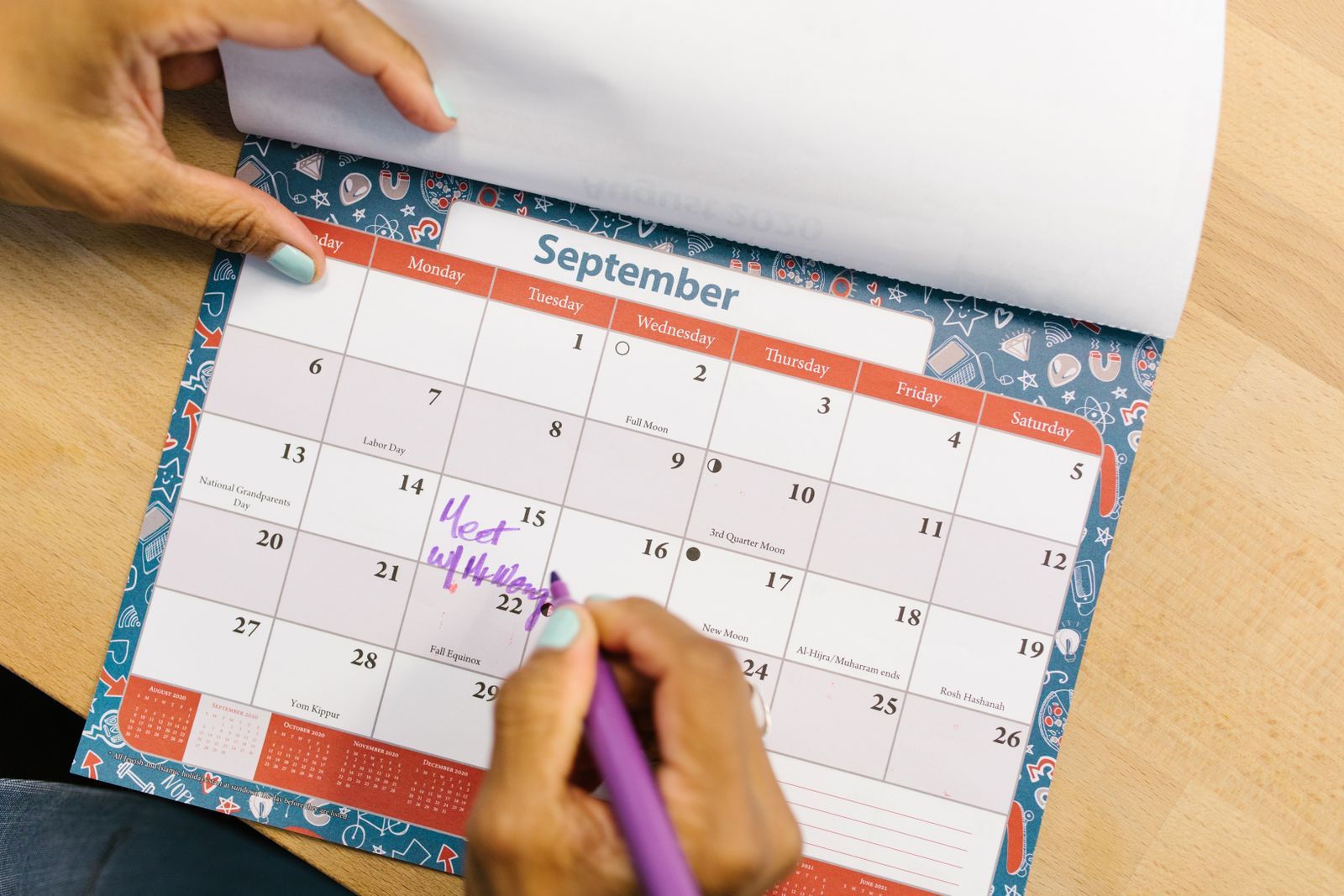
Write the 90-day deadline for each country on the calendar the day you switch it on. Photo: RDNE Stock project / Pexels
So pick the launch date first, then start pre-registration inside the 90 days before it, and add countries only when you are sure you can launch there in time.
How to set up Google Play pre-registration, step by step
Everything lives in Play Console under Test and release > Pre-registration.
Step 1: Make the app eligible for auto-install
Do this first, because it decides whether sign-ups become automatic installs. Google lists two requirements for the app:
- Declare whether your app contains ads, in the app content section.
- If your app sells one-time products, the app bundle on your pre-registration track must include the billing permission in its manifest:
<uses-permission android:name="com.android.vending.BILLING" />
Google also recommends starting pre-registration only when your declarations and configuration are "as close to your intended production version as possible", which keeps the app eligible for auto-install and makes sure sign-ups get the launch notification.
Auto-install itself depends on the user and the app size:
| App size | Auto-install |
|---|---|
| 200 MB or less | Over Wi-Fi and mobile data |
| Over 200 MB, up to 2 GB | Over Wi-Fi only |
| Over 2 GB | Not available |
Users need Android M or later and Play Store 19.2 or later. Accounts of children under 13 and managed enterprise accounts are not eligible. Ineligible devices still get the launch notification, and Play retries auto-install when the device qualifies. If your app is close to 200 MB, it is worth trimming it: our guide to enabling R8 covers one of the quickest ways to shrink a cross-platform build.
Step 2: Upload app bundles to set supported devices
Open the Supported devices tab and upload your .aab. Play Console reads the manifest to decide which devices can pre-register. These bundles are only used for device targeting and "won't be released to users". If you sell one-time products, at least one bundle must include the Google Play Billing Library.
Step 3: Choose countries and regions
On the Countries/regions tab, add the places where people can pre-register. These are the countries where the user's Google Play account is registered, not where they physically are. You can add countries later, and each one starts its own 90-day clock.
Step 4: Decide on a reward (optional, and permanent)
A pre-registration reward gives everyone who pre-registers a free one-time product, such as an in-game item, a character or a currency pack. The rules are strict:
- You can create one reward for the lifetime of the campaign, and "after you create a pre-registration reward, it can't be edited or deleted."
- It must be a new, active one-time product created for this purpose. Subscriptions are not allowed.
- It has to be set up before the campaign starts.
- Your app must handle the delivery like a promotion, including purchases without
developerPayloadororderId, and tell users about the reward with in-app messaging. - "Failure to deliver pre-registration rewards to users may result in suspension of your app from the Play Store."
Test delivery before launch by generating and redeeming a promo code for the reward product. If you are not sure you will ship the delivery code in time, skip the reward: a campaign without one is far safer than a promise you cannot keep.
Step 5: Start pre-registration
Select Start pre-registration. The Track summary fills in with the status of each country (Draft or In review, Active, Inactive, Expired or In production), the sign-up count, supported devices and countries.
Your pre-registration listing uses the same URL your app will have after launch:
https://play.google.com/store/apps/details?id=com.example.yourapp
That is convenient: every link you share during pre-registration keeps working after launch.
The pre-registration URL is the same as the final listing URL, so links shared now keep working after launch. Photo: Czapp Árpád / Pexels
How to promote a pre-registration campaign
A pre-registration listing gets almost no organic traffic on its own. Google's advice is to drive people to it "using deep links on third-party websites, social media, press articles, and email newsletters". In practice:
- Use the official badge. Google provides a pre-registration badge for your site and posts.
- Finish the listing first. Google recommends a complete store listing with graphics and translations before you start, because "this can increase the likelihood that pre-registered users will install". Our guide to writing a store listing that converts covers the essentials, and Google Play ASO in 2026 covers how Play's AI features read your listing.
- Pick your words now. The title and short description you write for pre-registration are what people search for at launch. Our free ASO keyword research guide shows how to choose them with free data.
- Consider paid reach. Google Ads has App campaigns for pre-registration for Android apps and games.
- Announce it on Play itself, if you can. New launches get access to select premium growth tools for at least two quarters, and promotional content includes a pre-registration announcement type that runs for one week.
Tracking sign-ups, and why the number may say zero
In Play Console, open Statistics and build a report with the two pre-registration metrics:
- Pre-registered users: how many people have signed up.
- Conversions: pre-registered users who installed "within 14 days of the app becoming available for them", including people who installed through early access or testing.
If your count is stuck at zero, you are not alone: it is one of the most common pre-registration questions on Stack Overflow. A developer there quoted Google support: "For privacy reasons, Google doesn't display pre-registration sign-up data when there are a low number of users." The numbers appear once you pass the threshold.
Two more details from Google's page. People who already have a test version installed "won't receive a push notification" at launch. And if you start an open or closed test in a country that is already in pre-registration, opted-in testers get the pre-registration notification when the test is released, and no second notification when you launch to production. Keep your testers and your launch audience apart if the launch notification matters to you.
Launch day
When you are ready, open Test and release > Production, add the countries on the Countries/regions tab, and publish the production release. Pre-registered users get the Play notification, and eligible devices install the app.
Make the first week count. Reviews written in the first days set the tone of your listing, and the install spike from pre-registration is the moment to ask your community to share it. Our launch-week visibility checklist covers what to line up so every link you share lands on a ready page.
The App Store equivalent: pre-orders
On iOS the same idea is called a pre-order, and it works a little differently. According to Apple's App Store Connect help:
| Google Play pre-registration | App Store pre-order | |
|---|---|---|
| How long | Up to 90 days per country | Release date 2 to 180 days ahead for a first release; 2 to 365 days for new regions of an app already live elsewhere |
| Paid apps | Supported | Supported; customers are charged on release, at the lower of the pre-order and release prices |
| On launch day | Notification, plus auto-install on eligible devices | Notification, and the app downloads automatically to the device used to pre-order |
| Rewards | One optional in-app reward | In-app purchases cannot be pre-ordered |
You can change an App Store pre-order release date until it has passed in a given country. And because the App Launch nomination type covers pre-orders too, a pre-order is a natural moment to submit a featuring nomination. Our guide on how to get featured on the App Store explains the timing.
Your pre-registration checklist
- Launch date chosen, with a 90-day deadline written down for every country.
- New personal account: 12 testers opted in for 14 continuous days, done before you need production access.
- App content declarations complete, including whether the app contains ads.
- Billing permission in the manifest if you sell one-time products.
- App size checked against the 200 MB and 2 GB auto-install limits.
- Store listing complete, with graphics and translations.
- Reward decided: either a new, active one-time product with tested delivery, or no reward at all.
- Pre-registration badge and listing URL on your site, social profiles and newsletter.
- Testers and launch audience kept apart.
- A Statistics report saved for pre-registered users and conversions.
- Production launch planned before the first country's 90 days run out.
Beyond the store
Pre-registration gives your launch a running start, but the list only grows as fast as the traffic you send to it. Once you are live, it helps to have somewhere your app sits in plain view regardless of search rank. On AppRanker, an Android app's rank is a plain sort on what each listing has paid, and every row links straight to your Google Play page. To see what a launch-week position would cost, paste your Google Play link on the AppRanker home page: every rank shows its price before you pay.
FAQ
How long can a Google Play pre-registration campaign run?
Up to 90 days per country, counted from the first time pre-registration is made available there. Pausing the campaign does not stop the clock. If you have not launched within 90 days in any country, Google terminates the campaign in all countries.
Can I use pre-registration for an app that is already published?
No. Pre-registration is for countries where the app has not launched to production. Once a country shows as In production, you cannot switch it back to pre-registration.
Why does my pre-registration count show zero in Play Console?
Google does not show pre-registration sign-up numbers while they are very low, for privacy reasons. The figures appear once the campaign passes Google's threshold.
Do people who pre-register get the app automatically?
On eligible devices, yes: Google Play auto-installs the app on launch day for users who opted in, as long as the app is no larger than 2 GB (Wi-Fi only above 200 MB). Everyone else gets a push notification to install.
What is the iOS equivalent of Google Play pre-registration?
App Store pre-orders. You can offer a free or paid app for pre-order with a release date 2 to 180 days ahead, or up to 365 days for new regions of an app that is already live. On release, the app downloads automatically to the device used to pre-order it.
Image credits
- Cover, hand holding an Android phone with Google Play open: photo by Andrey Matveev on Pexels, Pexels License. Cropped to 1200x630.
- September calendar being marked: photo by RDNE Stock project on Pexels, Pexels License. Resized.
- Android phone with a Google apps folder: photo by Czapp Árpád on Pexels, Pexels License. Resized.