- Google Play
- ASO
- Android
Google Play description: limits, formatting and keywords
Google Play description guide: the 4,000-character limit, formatting that works, how keywords help search, policy rules and what 23 Best of 2026 winners do.
AppRanker team13 min read
On this page
Your Google Play description (Play Console calls it the full description) is the longest piece of text on your store listing: up to 4,000 characters behind the About this app arrow. Unlike the App Store, where the description is not used for search, Google tells developers to "use SEO best practices" in it. That makes it one of the main ASO levers on Android, and also one of the easiest ways to break the metadata policy.
This guide covers the limits, what formatting actually renders, how keywords in the description help search, the rules that get listings rejected, and a step-by-step way to write one. It also includes original data: on November 17, 2026, the day Google announced its Best of 2026 awards, we read the full descriptions of all 23 winning apps and games to see what well-run listings actually do. There is a small script to check your own draft before you upload it.
Key takeaways
- The full description allows 4,000 characters. The title allows 30 and the short description 80.
- Google Play reads the description for search, so the words people search for belong in it, in natural sentences. Repetitive or irrelevant keywords can get the app suspended.
- The 23 Best of 2026 winners used a median of 2,513 characters. Only 2 of 23 used bold text, 17 used bullet-style lists, and none repeated their short description.
- Ranking claims ("#1", "Best of Play 20XX"), prices and unattributed testimonials are on Google's list of things listings should not include.
- Users who read your listing in a language you have not translated can choose an automated translation, so write sentences that survive one.
Google Play description limits
Play Console's setup help page lists the text fields of a store listing:
| Field | Limit | What it is |
|---|---|---|
| App name | 30 characters | The name on Google Play, one per language |
| Short description | 80 characters | "The first text users see when looking at your app's detail page" |
| Full description | 4,000 characters | "Your app's description on Google Play" |
The same page adds a warning worth reading twice: "Repetitive or irrelevant keyword usage in your app name, short description, or full description can create an unpleasant user experience and result in app suspension."
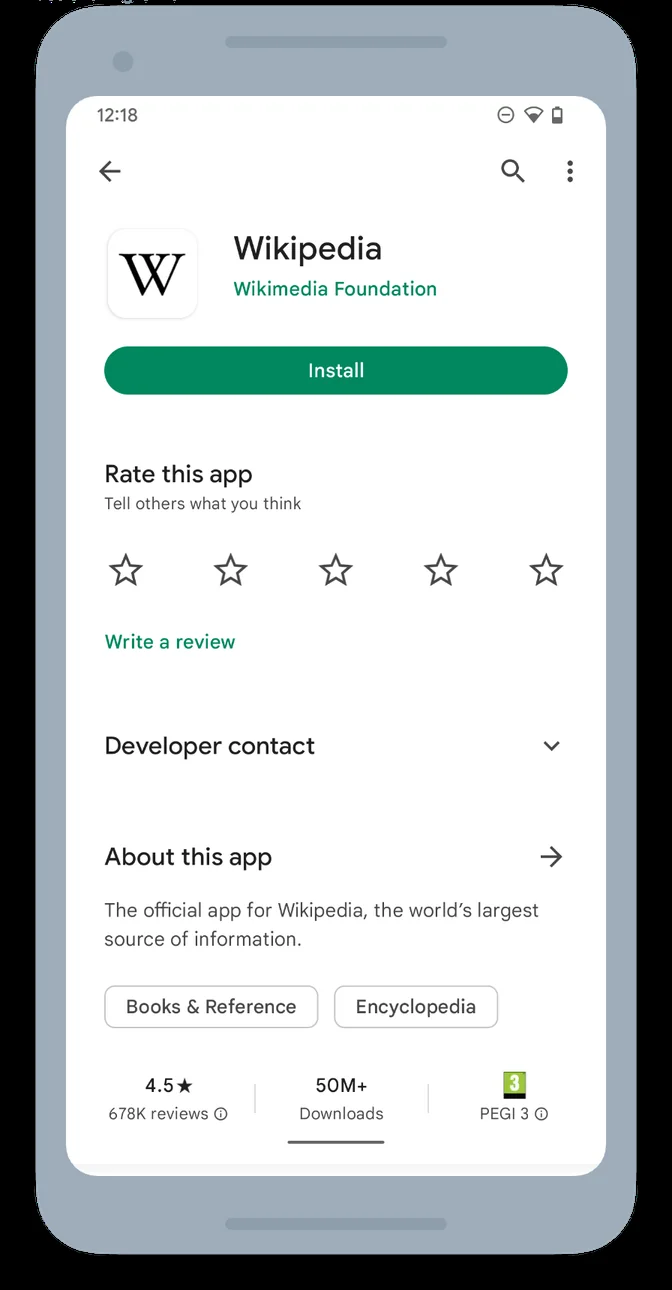
The short description sits under About this app; tapping the arrow opens the full description. Image: RWambua-WMF / Wikimedia Commons, CC BY-SA 4.0
On a phone, people see the short description first. The full description opens when they tap About this app. Google's store listing best practices put it plainly: "Users may only read the first few sentences." Write as if the first paragraph is the only one most people will read, because it is.
Does the description affect Google Play search?
Yes. Google Play has no hidden keyword field, so the visible text is what search has to work with. Play Console's guide to getting discovered on Google Play search says to "use SEO best practices in your 'Description,'" while staying within the policies on spam, and names keyword spamming as the thing to avoid. The same page says apps are ranked on "a combination of ratings, reviews, downloads, and other factors," so the description helps you match a search; it does not win the ranking on its own.
In practice that means:
- Use the exact phrases your users type (for example "budget planner", "offline maps", "habit tracker"), each in a sentence that would read fine without the keyword in mind.
- Cover the phrases your title and short description had no room for. The description is where secondary features and use cases get found.
- Do not write keyword lists. Google's metadata policy names "word blocks and word lists arranged vertically or horizontally" as a violation.
Our guide to free ASO keyword research shows how to find the phrases with Play Console's own search terms report.
What 23 Best of 2026 winners do with their descriptions
We downloaded the US English listing page of every app and game Google named in its Best of 2026 awards (16 apps, including the Top Trending picks, and 7 games), took the full description, converted line breaks to new lines, removed the HTML and counted.
| What we measured | Result |
|---|---|
| Median length | 2,513 characters |
| Shortest and longest | 970 (Riley: Emotion & Mood Tracker) and 4,000 (Pocket FM) |
| 3,000 characters or more | 9 of 23 |
| Within 10 characters of the limit | 2 of 23 |
| Under 1,500 characters | 4 of 23 |
| Bullet-style lists (lines starting with •, -, a number or a symbol) | 17 of 23 |
| Section headers in capitals | 10 of 23 |
| Bold text | 2 of 23 (Strava, FotMob) |
| Any emoji | 4 of 23 |
| Link to a website or social account | 13 of 23 |
| Short description repeated in the full description | 0 of 23 |
| Mention of the new Best of 2026 award | 5 of 23, four of them in the first line |
Three patterns stand out.
Long enough to cover the features, not padded to the limit. Half the winners used under about 2,500 characters. The ones near 4,000 are apps with many surfaces to explain: Wispr Flow (3,998) and Pocket FM (4,000).
The core term repeats, in sentences. Pocket Casts uses "podcast" 17 times and "podcasts" 7 times in 2,360 characters; Sofascore uses "live" 16 times and "scores" 11 times. Each one sits in a sentence about a feature, which is the difference between keyword use and keyword stuffing.
Structure is plain. Short paragraphs, a list of features and a closing block of links. Almost nobody uses bold, and only four use any emoji.
The award mentions are a special case. Within a day of the announcement, Spark, Riley, Strava and Wispr Flow opened their descriptions with the award, and Notability added it further down. Google's own best-practice page lists "Best of Play 20XX", "#1" and "App of the year" as text that listings shouldn't include, so treat this as the winners' call rather than a pattern to copy. If you win an award, our guide to mobile app awards covers where it is safe to say so.
Formatting: what works in a Google Play description
Play Console takes plain text with a small amount of HTML. Google does not publish a list of supported tags, so this is what developers report and what the winners' listings show:
- Paragraphs. A blank line starts a new paragraph. The most-voted answer on the Stack Overflow question Google Play app description formatting adds that single line breaks can be ignored, so leave a blank line between blocks.
- Bold, italic and underline.
<b>,<i>and<u>render, as do<br>line breaks. Strava's listing uses<b>for its section titles. Use it for a few headings at most; two of the 23 winners use it at all. - Bullets. Paste a bullet character (•) or start lines with a hyphen. There is no list tag.
- Links. Plain URLs become clickable. Several answers report that
<a>tags break the formatting, so paste the bare URL. - Emoji. The metadata policy bans emoji in the title, icon and developer name. The description is not on that list, but keep them rare: they look like decoration to a reader and like noise to a translator.
Formatting can differ between the Play Store app and the website, so preview the listing on a phone after you publish it.
The rules that get descriptions rejected
Google's metadata policy and best-practice page give a short list:
- Repetitive or unrelated keywords, including lists of words or of other apps' names.
- Unattributed or anonymous testimonials. A quote needs a clear source.
- Ranking and performance claims such as "#1", "App of the year", "Best of Play 20XX" or "Popular".
- Price and promotion text such as "10% off".
- Misleading or irrelevant references to other apps or products.
- Language that is not suitable for a general audience.
The policy applies to every translation, not just your default language. Store listing changes go through review, and our guide to Google Play review times covers how long that takes and what to do when it stalls.
How to write a Google Play description, step by step

Draft outside Play Console, where you can check length and repetition first. Photo: George Milton / Pexels
- Pick three to five search phrases. One main phrase (your category in users' words) and a few feature or use-case phrases.
- Write the opening sentence for a human. Say what the app does and for whom, with the main phrase in it. The winners' median first line was about 200 characters.
- Add a short paragraph on why it is different. One concrete claim you can back up beats three adjectives.
- List the features. Five to ten bullets, each a sentence fragment with a verb and a benefit, using your secondary phrases where they fit naturally.
- Add proof with a source. A press quote with the publication's name, or an award with its year, if it complies with the rules above.
- Explain the paid part. What is free, what a subscription unlocks, and that it renews until cancelled. If you run win-back or trial offers on iOS, describe the plans, not the discount.
- Close with support and links. A website, a help address or a community link; 13 of the 23 winners do this.
- Run the checker below, then read the result aloud. If a sentence sounds like it was written for a search engine, rewrite it.
Here is the shape of an opening that works:
Stride is a habit tracker for people who keep forgetting the small things. Pick a habit, set a reminder, and watch your streak grow.
What you can do • Start from 40 ready-made routines, or write your own • Get a reminder at the time and place you choose • See weekly and monthly charts of what you kept up
Check your draft before you upload it
This Python script (standard library only, Python 3.9 or later) flags the problems above: the length, an opening paragraph that runs too long, a word that makes up too much of the text, ranking and price claims, capitalized lines, emoji, quotes with no source, and a repeated short description. Save your draft as description.txt and run python3 check_play_description.py description.txt "your short description".
import re
import sys
from collections import Counter

LIMIT = 4000
STOP = set("a an and the of to for in on with your you our is are it its this that or as at by from be can".split())
CLAIMS = [r"#\s?1\b", r"\bnumber one\b", r"\bbest app\b", r"\bapp of the year\b", r"\bbest of play\b",
          r"\btop[- ]rated\b", r"\beditors'? choice\b", r"\b\d+% off\b", r"\bsale\b", r"\bdiscount\b"]
EMOJI = re.compile("[\U0001F300-\U0001FAFF☀-➿]")


def check(text, short=""):
    problems = []
    if len(text) > LIMIT:
        problems.append(f"{len(text)} characters, {len(text) - LIMIT} over the {LIMIT} limit")
    lines = [line.strip() for line in text.splitlines() if line.strip()]
    if lines and len(lines[0]) > 250:
        problems.append(f"opening paragraph is {len(lines[0])} characters; most readers only see the first lines")
    words = [w for w in re.findall(r"[a-z][a-z'-]+", text.lower()) if w not in STOP]
    for word, count in Counter(words).most_common(3):
        share = count / max(len(words), 1)
        if count >= 8 and share > 0.04:
            problems.append(f'"{word}" is {share:.0%} of all words ({count} times); reads as keyword stuffing')
    for pattern in CLAIMS:
        hit = re.search(pattern, text, re.I)
        if hit:
            problems.append(f'claim or promotion "{hit.group(0)}": Google lists ranking and price claims as text to avoid')
    for line in lines:
        letters = re.sub(r"[^A-Za-z]", "", line)
        if len(letters) >= 8 and letters.isupper():
            problems.append(f'ALL CAPS line: "{line[:40]}"')
    if EMOJI.search(text):
        problems.append("contains emoji: allowed in the description, but keep them few and never as bullets for every line")
    for line in lines:
        if line[0] in '"“' and not re.search(r'["”]\s*[-–—]\s*\w', line):
            problems.append(f'quote with no source: {line[:40]}... (unattributed testimonials break the policy)')
    if short and short.lower().strip(". ") in text.lower():
        problems.append("repeats the short description: Google says not to")
    return problems


if __name__ == "__main__":
    body = open(sys.argv[1], encoding="utf-8").read()
    short = sys.argv[2] if len(sys.argv) > 2 else ""
    found = check(body, short)
    print(f"{len(body)} characters")
    print("\n".join(f" - {p}" for p in found) if found else " no problems found")
We tested it on two drafts for the same habit app. A stuffed version ("The #1 habit app!", a "HOW IT WORKS" header, an anonymous five-star quote and a closing word list) returned:
417 characters
 - "habit" is 30% of all words (16 times); reads as keyword stuffing
 - claim or promotion "#1": Google lists ranking and price claims as text to avoid
 - ALL CAPS line: "HOW IT WORKS"
 - quote with no source: "Best habit tracker I have ever used!"... (unattributed testimonials break the policy)
The rewritten version (the opening above, plus a user quote with a name and a plain subscription note) returned no problems found. The thresholds are deliberately rough. A capitalized header is a style choice that 10 of the 23 winners made, so treat that line as a prompt to look, not a rule.
Localize it, and expect automated translations
Play Console lets you add your own translations, buy human translations, or apply free machine translations to your store listing. If you do none of these, Google's translation help page says users who visit in another language "can choose to view an automated translation of your app's page," with a notice that it was translated automatically.
Two consequences for the description. First, short, literal sentences survive machine translation better than puns and idioms. Second, an automated translation is not localized ASO: people search in their own words, so for your largest markets, write the description in that language around the phrases people there type. Our guide to App Store localization covers how to choose those markets for both stores.
Your Google Play description checklist
- Under 4,000 characters, with the first paragraph readable on its own
- Main search phrase in the first sentence; secondary phrases in feature lines
- No keyword lists, no other apps' names
- No "#1", "best", award, price or discount claims
- Testimonials and press quotes attributed to a real source
- Short description not repeated
- Paid features and renewal explained in plain words
- Blank lines between blocks, bullets for features, bold used sparingly if at all
- Own translations for your biggest markets
- Previewed on a phone after publishing
To test two versions against each other, use a store listing experiment; our A/B testing guide covers the setup. For the iOS side, see our App Store description guide, which works differently because Apple does not index the description for search.
Your description travels beyond Google Play
The opening of your store copy gets reused. When you list your Android app on AppRanker, its listing page shows a one-line summary taken from your store copy, trimmed to 160 characters with formatting removed, and the same line feeds the page's search snippet.
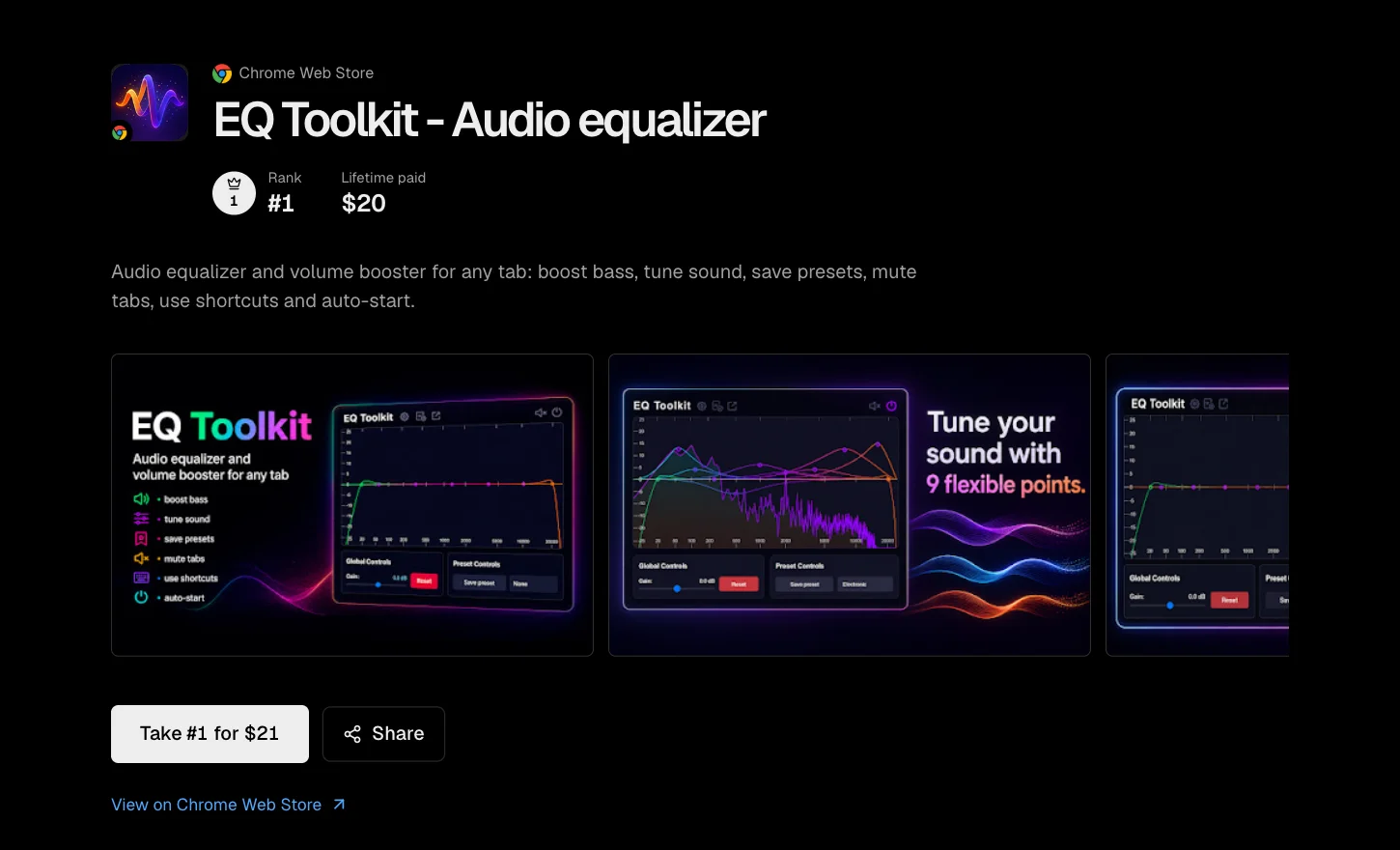
An AppRanker listing page: the summary under the rank comes from the store listing, not from anything typed into AppRanker.
AppRanker is a pay-to-rank board for App Store and Google Play apps, and rank is a plain sort on what each listing has paid. A clear first sentence works there the same way it works on Play: it is what people read before they decide to tap through. Our guide to writing a store listing that converts covers the rest of the listing.
FAQ
What is the character limit for a Google Play description?
The full description can be up to 4,000 characters. The short description is limited to 80 characters and the app name to 30.
Does the Google Play description affect search ranking?
It affects which searches your app can appear for: Google tells developers to use SEO best practices in the description. Ranking itself depends on a combination of ratings, reviews, downloads and other factors, and repetitive keywords can get the app suspended.
Can I use bold text or HTML in a Google Play description?
A few tags work, mainly <b>, <i>, <u> and <br>, and blank lines create paragraphs. Google does not document the supported tags, so preview the listing after publishing. Of the 23 Best of 2026 winners, only 2 used bold.
Can I use emoji in my Google Play description?
The metadata policy bans emoji in the app title, icon and developer name, not in the description. Use them sparingly; only 4 of the 23 Best of 2026 winners used any.
Should my full description repeat the short description?
No. Google's best-practice page says not to repeat the short description, and none of the 23 winners did. Use the full description to cover what the short one had no room for.
Can I stop Google Play from auto-translating my description?
Users choose to view an automated translation when you have not provided one for their language, and the page says it was translated automatically. To control what they read, add your own translation for that language in Play Console.
Image credits
- Cover, Google Play Store on an Android phone: photo by Mika Baumeister on Unsplash, Unsplash License. Cropped to 1200x630.
- Wikipedia app Google Play listing: image by RWambua-WMF, via Wikimedia Commons, CC BY-SA 4.0. Cropped and resized.
- Typing next to a notebook: photo by George Milton on Pexels, Pexels License. Cropped.