- Google Play
- ASO
- Android
Google Play short description: limits, rules and examples
Google Play short description guide: the 80-character limit, Google's rules, how it affects search, before and after examples and a script to lint each locale.
AppRanker team11 min read

On this page
The Google Play short description is the 80 characters that sit between your screenshots and the "About this app" link. Google calls it "the first text users see when looking at your app's detail page on the Play Store app," and it is one of only three text fields, along with the title and the full description, that you control on your listing. Most developers write it once, at launch, and never touch it again.
That is a missed opportunity. The short description helps people decide whether to install, it is read by Google's systems, and it travels further than your listing: Google says it "can appear in locations beyond your store listing." This guide covers the exact limits, Google's rules and the words that get listings flagged, how much it matters for search, a simple formula with before and after examples, and a small script that checks every language before you upload. The rules are quoted from Google's preview assets help page, its store listing best practices and the metadata policy.
Key takeaways
- The Google Play short description has an 80-character limit. It is the first text on your detail page and can appear elsewhere on Play.
- Google recommends summarizing your app's core function in plain language and avoiding "Best," "#1," "Top," calls to action, emojis, symbols and caps for emphasis.
- It helps search, but it does not replace the title. Write for people first, with your main keyword placed naturally.
- Each custom store listing and localized experiment can carry its own short description, so you can test and target it.
- Lint every locale before you upload: length, banned words, emojis and repetition are easy to check automatically.
What the short description is and where it appears
Every Google Play listing has three text fields:
| Field | Limit | What it does |
|---|---|---|
| App name (title) | 30 characters | Your name and the strongest relevance signal |
| Short description | 80 characters | The first text on the detail page; expands into the full description |
| Full description | 4,000 characters | The detail people read after tapping "About this app" |
Google's preview assets page explains that the short description "can be expanded by users to view your app's full description," and that it "can appear in locations beyond your store listing, so any user should understand the core purpose of your app from it." In other words, it has to work without your screenshots or icon next to it.
That matters more in 2026 than it used to. Google now summarizes listings with Ask Play and recommends apps in Gemini, and both read the text you write. Our posts on Google Play ASO in 2026 and getting your app recommended in Gemini and Ask Play explain how. A short description that says plainly what the app does is easier for a person and a model to repeat correctly.
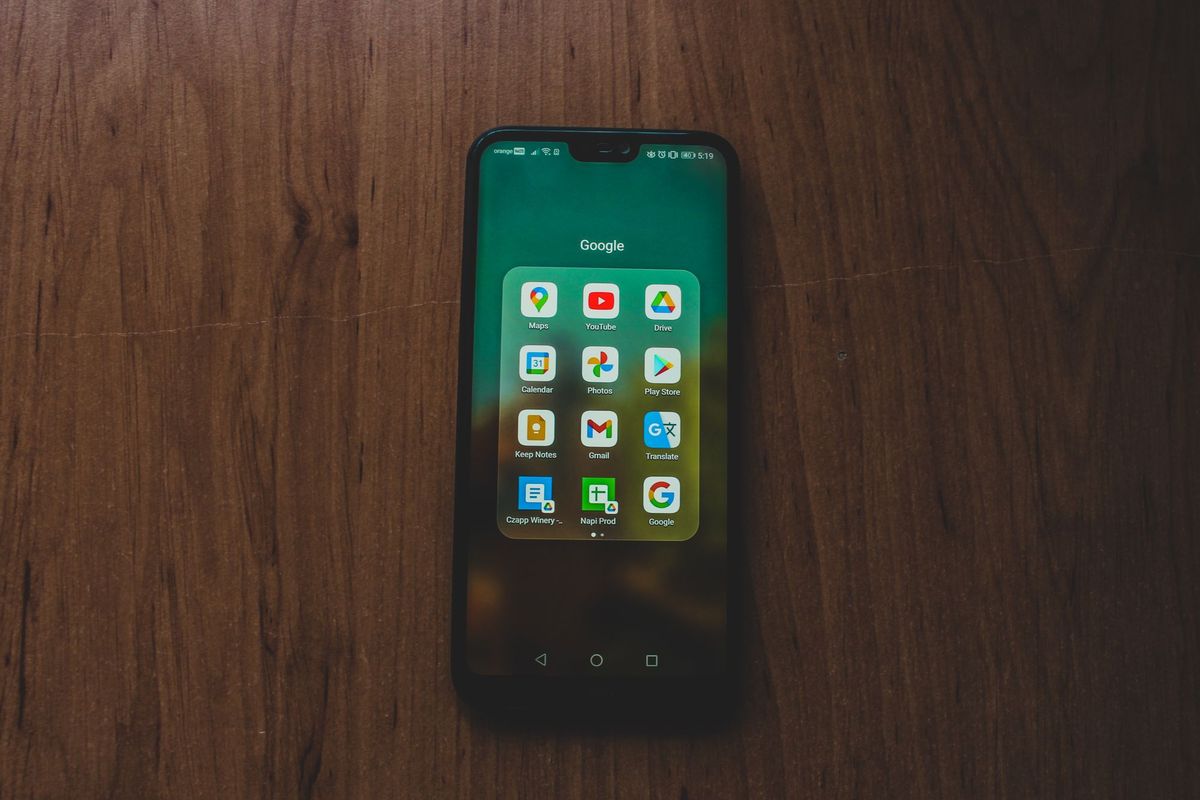
Most people read your short description on a phone, right under the screenshots, so write for a small screen. Photo: Czapp Árpád / Pexels
Google Play short description length and rules
The only hard requirement is the 80-character limit. Play Console counts characters, not words, and spaces and punctuation count. Everything else is guidance, but some of it is backed by policy, and listings that ignore it can be rejected or flagged.
What Google recommends
From the preview assets page, Google "highly recommends" that you:
- Summarize the core function or purpose of the app "in simple and concise language, highlighting any aspects that make it unique."
- Avoid duplicating messaging across the short description, screenshots, feature graphic or video.
- Avoid "language that reflects or suggests Google Play performance, ranking, accolades or awards," such as "Best," "#1" or "Top."
- Avoid calls to action such as "download now" or "try now."
- Only use periods at the end of sentences if the text contains more than one sentence.
- Avoid emojis, symbols and repeated punctuation, and do not capitalize words for emphasis.
- Localize the description for different markets and languages.
The store listing best practices page adds one more: "Don't repeat your short description in your full description."
What the metadata policy prohibits
The metadata policy applies to all listing text. Its list of common violations includes:
- "Images or text that indicate store performance or ranking, such as 'App of the year,' '#1,' 'Best of Play 20XX,' 'Popular,'"
- "Images or text that indicate price and promotional information, such as '10% off,' '$50 cash back,' 'free for limited time only,'"
- "Images or text that indicate Google Play programs, such as 'Editor's choice,' 'New,'"
- "Use of emojis, emoticons (including kaomojis), and special characters"
- "ALL CAPS although not part of brand name"
- "Word blocks and vertical/horizontal word lists"
- "Unattributed or Anonymous User testimonials"
Google's own example of what not to do is a keyword list: "Car racing, car driving, race cars, car races, race track, driving, drive, race, cars, vehicles, automobiles, trucks." If your short description reads like a tag cloud, rewrite it.
Does the short description affect Google Play search?
Google does not publish how much each field counts. Its help page on how search works in Google Play says results depend on relevance to "your search terms," your device and your country, and on quality signals such as the in-app experience and "store listing quality." The App Discovery and Ranking page adds that search results "are heavily influenced by relevance to the user's query."
ASO practitioners agree the short description is read for search. AppRadar, for example, describes it as indexed and "the second most crucial metadata element" after the title. Treat that as informed observation, not a published rule.
The practical takeaway: put your most important keyword in the title, use the short description to cover the main use case in the words people search for, and never trade clarity for an extra keyword. A clear sentence also lifts conversion, and installs from search are part of what Play learns from. If you are not sure which words people use, our guide to ASO keyword research without paid tools shows how to pull them from Google's own suggestions, and the keyword ranking guide shows how to check whether a change moved you.
How to write a Google Play short description
A formula that works for most apps:
[What the app does] + [for whom or in what situation] + [one detail that makes it different]
- Start with the job. Lead with a verb or the category people search for: "Track expenses," "Plan meals," "Learn Spanish."
- Add the outcome or context. "...and see where your money goes," "...for the week," "...in 10-minute lessons."
- Add one differentiator, if it fits. Offline mode, a specific integration, an audience. One, not three.
- Read it without your screenshots. Google says it can appear on its own. Would a stranger know what the app is?
- Check it against the rules. No ranking claims, prices, calls to action, emojis or caps.
- Count the characters. Aim for 65 to 80 so you use the space without cramming.
Before and after examples
| Weak | Why it fails | Better |
|---|---|---|
| BEST budget app #1 - FREE download now!!! | Ranking claim, price, call to action, caps, repeated punctuation | Track every expense, set monthly budgets and see where your money goes. (71) |
| Budget, budget planner, expense tracker, money manager, finance, savings | A keyword list, which the policy calls a word block | Expense tracker and budget planner: set limits, scan receipts, see trends. (74) |
| The app that changes how you think about money. | Says nothing about what the app does | Scan receipts, split bills with friends and settle up in one tap. (65) |
A few more that follow the formula:
- Plan meals for the week, build a shopping list and cook with what you have. (75)
- Learn Spanish in 10-minute lessons with speech practice and offline review. (75)
- Turn photos into clean PDF scans, sign documents and share them in seconds. (75)
Notice what they have in common: a concrete job, the words a person would type, and no adjectives that a reviewer or a reader would discount.

Write five versions, read them aloud, and keep the one a stranger would understand fastest. Photo: George Milton / Pexels
Localize it, target it, test it
You do not need one short description for the whole world.
- Translations. Add a translated short description for each language you support, written by a person or at least reviewed by one. A literal translation of a keyword-heavy English line rarely matches what people search in another language. Our store localization guide covers how to choose languages.
- Custom store listings. Google lets you create "up to 50 custom store listing pages," each with its own name, icon, short and full description, and graphics. You can target them by country, pre-registration, Google Ads campaigns, a unique URL, lapsed or churned users, and specific search keywords. A listing for people searching "receipt scanner" can lead with receipts.
- Experiments. Store listing experiments can test text: Google's A/B testing help page says localized experiments can test "your app's descriptions" in up to five languages, with up to two variants against your current listing. Our A/B testing guide explains how long to run one.
While you are in Grow users > Store presence > Main store listing, check the other assets too. The feature graphic guide covers the 1024 x 500 banner that sits on the same page.
Check every locale before you upload
Once you have more than two languages, mistakes creep in: a translation that runs to 84 characters, an emoji pasted by a marketer, an English call to action left in the German listing. If you keep your listing text in a fastlane supply metadata folder (one folder per locale with short_description.txt and full_description.txt), this Node.js script checks every file before you upload:
// check-short-descriptions.mjs
// Usage: node check-short-descriptions.mjs [fastlane/metadata/android]
import { readdirSync, readFileSync, existsSync } from 'node:fs';
import { join } from 'node:path';

const root = process.argv[2] ?? 'fastlane/metadata/android';
const MAX = 80;
const RULES = [
  [/\b(best|top|number one)\b|#1/i, 'ranking or accolade claim'],
  [/\b(free|discount|sale|\d+% off|cheap)\b/i, 'price or promotion wording'],
  [/\b(download|install|try|get it) (now|today)\b/i, 'call to action'],
  [/[\p{Extended_Pictographic}\u2600-\u27BF]/u, 'emoji or symbol'],
  [/([!?.])\1|[!?]{2,}/, 'repeated punctuation'],
  [/\b[A-Z]{4,}\b/, 'word in ALL CAPS (fine only if it is your brand)'],
];

let problems = 0;
for (const locale of readdirSync(root).sort()) {
  const file = join(root, locale, 'short_description.txt');
  if (!existsSync(file)) continue;
  const text = readFileSync(file, 'utf8').trim();
  const length = [...text].length; // count characters, not UTF-16 units
  const issues = [];
  if (length > MAX) issues.push(`${length} characters, limit is ${MAX}`);
  for (const [pattern, label] of RULES) if (pattern.test(text)) issues.push(label);
  const full = join(root, locale, 'full_description.txt');
  if (existsSync(full) && readFileSync(full, 'utf8').trim().startsWith(text)) {
    issues.push('full description repeats the short description');
  }
  problems += issues.length;
  console.log(`${issues.length ? 'FAIL' : 'ok  '} ${locale} (${length}/${MAX}) ${text}`);
  for (const issue of issues) console.log(`     - ${issue}`);
}
process.exitCode = problems ? 1 : 0;
Run against a folder with one bad and one good locale, it prints:
FAIL de-DE (79/80) BEST meal planner app #1 - download now!!! ★ Free recipes, shopping lists, more
     - ranking or accolade claim
     - price or promotion wording
     - call to action
     - emoji or symbol
     - repeated punctuation
     - word in ALL CAPS (fine only if it is your brand)
ok   fr-FR (76/80) Planifiez vos repas de la semaine et faites vos courses en quelques minutes.
The word lists are English, so add the equivalents for your other languages, and treat a match as a prompt to look, not an automatic failure: "top up" in a prepaid card app is not a ranking claim. It exits with code 1 when anything fails, so it can run in CI before fastlane supply. If you update listings through the Google Play Developer API instead, the same text lives in each listing's shortDescription field.
Your Google Play short description checklist
- 80 characters or fewer, ideally 65 to 80.
- Says what the app does in the first few words.
- Uses the words people actually search, once and naturally.
- No "Best," "#1," "Top," "New," "Free," prices or discounts.
- No "download now," "try now" or other calls to action.
- No emojis, symbols, repeated punctuation or caps for emphasis.
- Not a keyword list, and not repeated as the first line of the full description.
- Translated and reviewed for every supported language.
- Tailored versions on custom store listings where an audience or keyword is different.
- Tested with a localized store listing experiment before a big change goes everywhere.
Get the words in front of people beyond Play
A sharp short description does double duty. The same line works as your one-sentence pitch on launch sites, directories and social posts. You can list your Android app on the AppRanker leaderboard, where position is a plain sort on what each listing has paid and every row links straight to your Google Play page; our list of where to submit your app covers the free places worth adding too. If you also ship on iOS, the new App Store creative assets are the visual equivalent of this exercise, and if your Android app sells anything, check the Google Play Billing Library 8 deadline before your next release.
FAQ
How long can a Google Play short description be?
80 characters, including spaces and punctuation. The title is limited to 30 characters and the full description to 4,000.
Where does the short description appear on Google Play?
It is the first text on your app's detail page in the Play Store app, and people can expand it to read the full description. Google says it can also appear in other places on Play, so it should make sense on its own.
Does the short description affect ranking on Google Play?
Google does not publish field weights. It says search results depend heavily on relevance to the query, and ASO practitioners treat the short description as indexed. Put your main keyword in the title and describe your main use case in the short description.
Can I use emojis in my Google Play short description?
You should not. Google recommends avoiding emojis, symbols and repeated punctuation, and its metadata policy lists emojis and emoticons among common violations.
How do I change my short description?
In Play Console, go to Grow users > Store presence > Main store listing, edit the text, save, and send the change for review from Publishing overview. You can also update it with fastlane supply or the Google Play Developer API.
Can I have different short descriptions for different countries?
Yes. Translations cover different languages, and custom store listings let you show a different short description by country, search keyword, ad campaign or user group.
Image credits
- Cover, typing on a laptop beside a notebook: photo by William Fortunato on Pexels, Pexels License. Cropped to 1200x630.
- Android phone with Google apps: photo by Czapp Árpád on Pexels, Pexels License. Cropped.
- Typing next to a notebook: photo by George Milton on Pexels, Pexels License. Cropped.