- App promotion
- App Store
- iOS
Apple Search Ads on a small budget: how indie developers can run Apple Ads without wasting money
Apple Search Ads on a small budget: Basic vs Advanced, Maximize Conversions vs Manage Bids, a simple campaign setup, bids worked out from your own numbers.
AppRanker team11 min read
On this page
Apple Search Ads is the first paid channel most indie iOS developers try, and the one they are most likely to give up on. Matt Corey, an indie developer, put the common experience plainly in a post on his own ad spending: Apple Search Ads "seems like the default 'paid acquisition' route for the Indie developer", yet it "has always felt like a black hole, with expensive clicks." Others, like one developer in an Apple Developer Forums thread on ASO struggles, say the opposite: "Combining ASO with Apple Search Ads has given me the most consistent results."
The difference is usually setup, not luck. Small budgets fail when they are spread across broad keywords, bid on guesswork, and sent to a product page that does not convert. This guide shows how to run Apple Search Ads on a small budget in 2026: which product to pick, how Apple's new Maximize Conversions strategy changes things, a campaign structure you can manage in an hour a week, and how to work out a bid from your own numbers.
Key takeaways
- Apple Search Ads is now called Apple Ads. Basic charges per install and is capped at $10,000 per app per month; Advanced charges per tap, with full keyword control.
- On a small budget, start with exact-match brand and category keywords, plus a small discovery campaign to find new search terms.
- Your max cost-per-tap bid should come from what an install is worth to you times your tap-to-install rate, not from Apple's suggestion.
- Fix your product page before you buy traffic. Ads send people to the same page your organic visitors see.
What changed in Apple Search Ads in 2025 and 2026
If you last looked at Apple Search Ads a few years ago, several things are different. Apple's news page lists them:
| When | Change | Why it matters on a small budget |
|---|---|---|
| April 14, 2025 | Apple Search Ads was renamed Apple Ads | Same product, new name and sign-in pages. People still search for "Apple Search Ads". |
| Early 2026 | Additional ads further down App Store search results | More ad inventory, and more competition for the organic results below it. Our post on App Store search in 2026 covers the details. |
| February 25, 2026 | Maximize Conversions, an AI-powered bid strategy for search results campaigns | You can set a target cost per install and let Apple bid per query. |
| March 17, 2026 | Insights, a new data analytics engine in Apple Ads | More ways to explore your account data against your goals. |
| June 2026 | Campaigns using lifetime budgets were paused | Every campaign now runs on a daily budget. |
| June 8, 2026 | Advertisers will be able to upload their own creative assets for Today tab and search results ads | Ads will not be limited to your screenshots for much longer. |
Apple Ads Basic vs Advanced: which one for a small budget?
Apple sells two products, and Apple's own comparison page sets out the differences:
| Apple Ads Basic | Apple Ads Advanced | |
|---|---|---|
| Pricing | Cost per install, at a maximum you choose | Cost per tap, at a maximum you choose |
| Budget | Up to $10,000 per app per month | Daily budgets, no maximum |
| Placements | App Store search results only | Today tab, Search tab, search results and product pages |
| Keywords | None; Apple handles targeting | You choose keywords, match types and negatives |
| Reporting | A quick-view dashboard | Detailed reports, including search terms |
| Custom product pages | Not offered | Ads can use custom product pages |
Choose Basic if you want a fixed monthly spend, will never look at keyword data, and only care that each install costs no more than a set amount. It is the closest thing to "set and forget".
Choose Advanced if you want to learn anything from the money you spend. The search terms report is the most valuable part of Apple Ads for a small app: it tells you which real queries lead to installs, which is first-party keyword data you can reuse in your listing. Our guide to free ASO keyword research shows how the same account's search popularity scores feed into keyword choice.
The rest of this guide assumes Advanced, using the search results placement only. The Today tab, Search tab and product page placements reach people who have not searched for anything yet, which is rarely the best use of a small budget.
Before you spend: fix the product page
Apple builds your search results ad from "the metadata and assets you already uploaded in App Store Connect", according to its ad placement guide. A tap takes people to your product page or a custom product page. If that page does not convince organic visitors, it will not convince paid ones, and you will pay for every tap that leaves.
Three checks before your first campaign:
- Your first three screenshots tell the story without text-heavy slides. Our guide on writing a store listing that converts covers the essentials.
- Your conversion rate is known. App Store Connect shows it per source; our App Store Connect analytics guide shows where to read it.
- Your metadata is translated where you advertise. Apple notes that in some countries and regions, such as Brazil, "your app's metadata and screenshots must be translated" into the default language before a campaign can run there.
If your conversion rate is low, run a product page test first. App Store A/B testing costs nothing but time, and every improvement makes each later ad tap cheaper.
Work out your bid from your own numbers
Apple suggests a max cost-per-tap (CPT) bid when you create a campaign, but calls it "simply a reference point." A better starting bid comes from two numbers you can estimate yourself:
- What one install is worth to you. For a paid or subscription app, use the proceeds a typical user brings in over a period you trust, such as 35 days. App Store Connect now reports "Day 35 Proceeds per Download", which is a good starting point.
- Your tap-to-install rate. Use your own once you have a few weeks of data. Until then, a conservative guess is safer than an optimistic one.
Then:
max CPT bid = what an install is worth x tap-to-install rate
Apple's bidding guide uses the same logic: if you can afford $2.50 per customer and estimate that 40% of taps convert, a starting max CPT bid of $1.00 makes sense. The max CPT is a ceiling, and Apple's dynamic pricing usually charges less, based on "advertising relevance, your bids, other advertisers' bids".
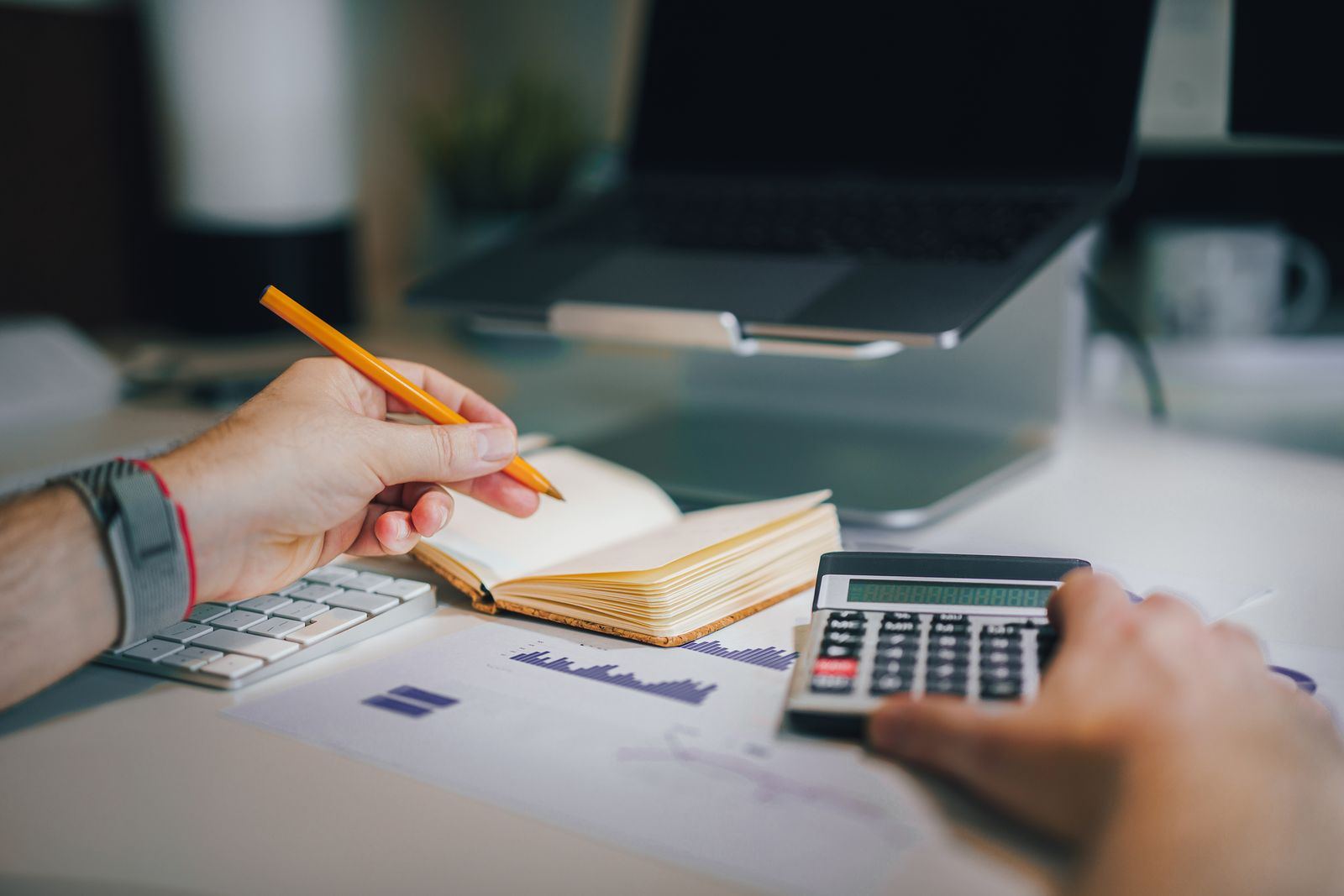
Ten minutes with a calculator beats a week of guessing at bids. Photo: Jakub Zerdzicki / Pexels
Set a budget you can afford to lose while you learn
Apple Ads campaigns run on a daily budget. According to Apple's budget guide, a day can go over that amount, but "your monthly spend won't be more than your daily budget times" 30.4 days. A $10 daily budget can never spend more than $304 in a month. Pick a figure you would spend on an experiment, and decide in advance how many weeks you will run it before judging the results.
A small-budget campaign structure that works
Apple's campaign structure guide recommends four search results campaigns, separated by keyword theme. Here is how to adapt it when every dollar counts:
- Brand campaign. Your app and company name, exact match only. It is cheap, and it stops a competitor's ad from sitting above your own name. Start here.
- Category campaign. Five to fifteen exact-match keywords that describe what your app does, in the words people use. Long, specific phrases cost less and convert better than one-word terms.
- Discovery campaign. Apple suggests two ad groups: one with your keywords on broad match and Search Match off, and one with no keywords and Search Match on. Give it the smallest budget. Its job is to find search terms, not to win installs.
- Competitor campaign. Other apps' names, exact match. Add it last, once you know your numbers: these taps often convert worse and cost more.
Two rules keep the structure honest. Keep each keyword theme in its own campaign so you can set its budget separately. And when a discovery search term proves itself, move it into the category campaign on exact match and add it as a negative keyword in the discovery campaign, so you stop paying twice for the same query. Apple notes that new keywords "default to the broad match type", so check the match type every time you add one.
Separate campaigns per keyword theme make it easy to see which kind of search actually pays for itself. Photo: Kaboompics.com / Pexels
Maximize Conversions or Manage Bids?
Since February 2026, a search results campaign uses one of two bid strategies. Apple's Maximize Conversions page describes the new one as "a bid strategy for search results campaigns designed to help get you the most tap-through installs."
| Maximize Conversions | Manage Bids | |
|---|---|---|
| What you set | A target cost per install (target CPA) and a daily budget | Keywords, match types and max CPT bids |
| Keywords | Search Match is on, and required, in the automatic ad group | You choose; Search Match is optional |
| Keyword bids | You "can't add or manage keyword bids" | Per keyword |
| Learning period | Apple asks you to wait "at least two weeks before making changes" | Results from day one |
| Placements | Search results only | Search results only |
On a very small budget, Manage Bids is usually the better start. Apple's best practices recommend "a daily budget that allows for at least five conversions per day": at a $3 target cost per install, that is $15 a day before the strategy has enough data to work with. Below that, keep control yourself. Once you know what an install is worth and have a few weeks of search terms, a Maximize Conversions campaign with that number as its target CPA is a sensible way to scale the category and discovery side. Apple quotes one advertiser who "was able to get over 30 percent more installs with the same budget", but your results will depend on your category. Apple also notes that the strategy is "designed for post-launch campaigns only, not for pre-order campaigns."
Read the results and decide what to keep
Check your campaigns once a week, not every day. Small budgets produce noisy daily numbers.
- Search terms report. Promote converting terms to exact-match keywords, and add irrelevant ones as negatives.
- Cost per install by campaign. Compare it with what an install is worth. Brand should be far below; category should be at or below; discovery can run above while it is finding terms.
- What happens after the install. App Store Connect counts ad installs under the "App Store search" source, which "includes views and downloads from ads that appear in App Store search results." Use Apple Ads reporting, or the AdServices attribution API, to separate paid from organic, and compare retention and proceeds for both.
Set your stop rule before you start: for example, pause any keyword that spends twice your target cost per install without a single install, and stop the experiment if, after four weeks, paid users are worth less than they cost.
Does Apple Search Ads help your organic App Store ranking?
Apple does not say that buying ads improves organic ranking, and you should not plan as if it does. What ads do give you is real data on which searches lead to installs, and a way to appear for your own brand name above a competitor. If your organic rank for a keyword is already first, ads on that keyword mostly buy installs you would have had anyway, so test pausing them.
Beyond the App Store
Apple Ads only reaches people who are already in the App Store. To be found by people browsing for new apps elsewhere, you need placements outside the store as well. Our guide on how to promote your app for free covers the no-cost channels.
On AppRanker, a listing's rank on the leaderboard is a plain sort on what each listing has paid: one payment, a public position that does not decay, and a row that links straight to your App Store page. If you are comparing it with a month of ad spend, our post on what a paid leaderboard listing buys sets out what you get and what you do not. To see today's prices, paste your App Store link on the AppRanker home page.
Apple Search Ads small-budget checklist
- Product page conversion rate known, and the first screenshots fixed if it is low.
- Advanced chosen if you want keyword data; Basic if you only want a capped cost per install.
- Value of one install estimated, and max CPT bid worked out from it.
- Daily budget set, with the monthly maximum (daily budget x 30.4) written down.
- Brand and category campaigns on exact match; a small discovery campaign with broad match and Search Match in separate ad groups.
- Competitor campaign left until you know your numbers.
- Converting search terms promoted to exact match, and added as negatives in discovery.
- Stop rule decided before the first dollar is spent.
FAQ
Is Apple Search Ads worth it for indie developers?
It can be, if the product page already converts and you limit spend to keywords that describe your app closely. Brand and specific category keywords tend to pay off; broad one-word keywords usually do not on a small budget. Treat the first month as paid keyword research and judge it on what you learned as well as on installs.
How much should I spend on Apple Search Ads?
Enough to get a few dozen taps per keyword theme in your test period. Apple Ads uses daily budgets, and monthly spend never exceeds the daily budget times 30.4, so $10 a day caps a month at $304. Apple Ads Basic is capped at $10,000 per app per month.
What is the difference between Apple Search Ads Basic and Advanced?
Basic charges per install, runs only in search results and picks keywords for you. Advanced charges per tap, runs across four placements, and gives you keywords, match types, negative keywords, custom product pages and a search terms report.
Does Apple Search Ads improve organic ranking?
Apple does not say it does. Ads give you visibility above organic results and data about which search terms convert, which you can use to improve your listing. Measure organic and paid installs separately.
Should I use Maximize Conversions on a small budget?
Usually not at first. It needs at least two weeks to learn and works best when you already know your target cost per install. Start with Manage Bids on exact-match keywords, then try Maximize Conversions to scale once your numbers are stable.
Image credits
- Cover, iPhone open on a Utilities folder with the App Store icon: photo by Ravi Roshan on Pexels, Pexels License. Cropped to 1200x630.
- Notes and a calculator over printed charts: photo by Jakub Zerdzicki on Pexels, Pexels License. Resized.
- Calculator on a laptop keyboard: photo by Kaboompics.com on Pexels, Pexels License. Resized.