- App promotion
- Indie makers
- Marketing
How to promote your app for free: a practical playbook for indie iOS and Android developers
How to promote your app for free: tracked store links, Smart App Banners, promo codes, communities, content and store features that bring installs.
AppRanker team12 min read
On this page
If you are searching for how to promote your app for free, you have probably already met the hard part: the app ships, the store page goes live, and nothing happens. The stores do not hand traffic to a new app with no installs, no ratings and no history. As one commenter in a Hacker News thread on promoting projects with a limited budget put it, the job is to "get into the heads of a bunch of likely users, or ideally actual users, and then help them do what they're trying to do."
This playbook covers the free channels that work for mobile apps, in the order worth doing them: measure first, make your own website and store tools work for you, then go where your users already are. Every step uses free tools from Apple and Google or your own time, and a short section at the end covers low-cost options for when time runs out.
Key takeaways
- Set up tracked store links before you promote anything: Apple campaign links and Google Play UTM referrers are free and show which channel brought installs.
- Your own website is a promotion channel: add a Smart App Banner on iOS and the official store badges everywhere.
- Promo codes are free on both stores. Apple still offers app download codes; Google Play offers codes for paid apps, one-time products and subscriptions.
- Communities reward people who help, not people who post links. Read each community's rules before you share.
- Content that answers a real problem keeps bringing visitors long after a launch post is forgotten.
Before you promote: fix the store page
Every free channel below sends people to your store page, and the page decides whether they install. If your first screenshot does not say what the app does, more traffic just means more people leaving.
Check three things before you spend time on promotion:
- The first two screenshots say the outcome, not the feature list. Our guide to writing a store listing that converts goes through the name, icon, description and screenshots in order. Once you have traffic, App Store A/B testing tells you which version actually converts better.
- The app is findable for its own name. If it is not, start with why an app is not showing in App Store or Google Play search.
- You know your baseline. Write down this week's store page views, installs and conversion rate in App Store Connect and Play Console, so you can see what changes.
Step 1: Track every link you share
Free promotion is a numbers game across many small channels, and you need to know which ones work. Both stores give you free attribution for links you share.
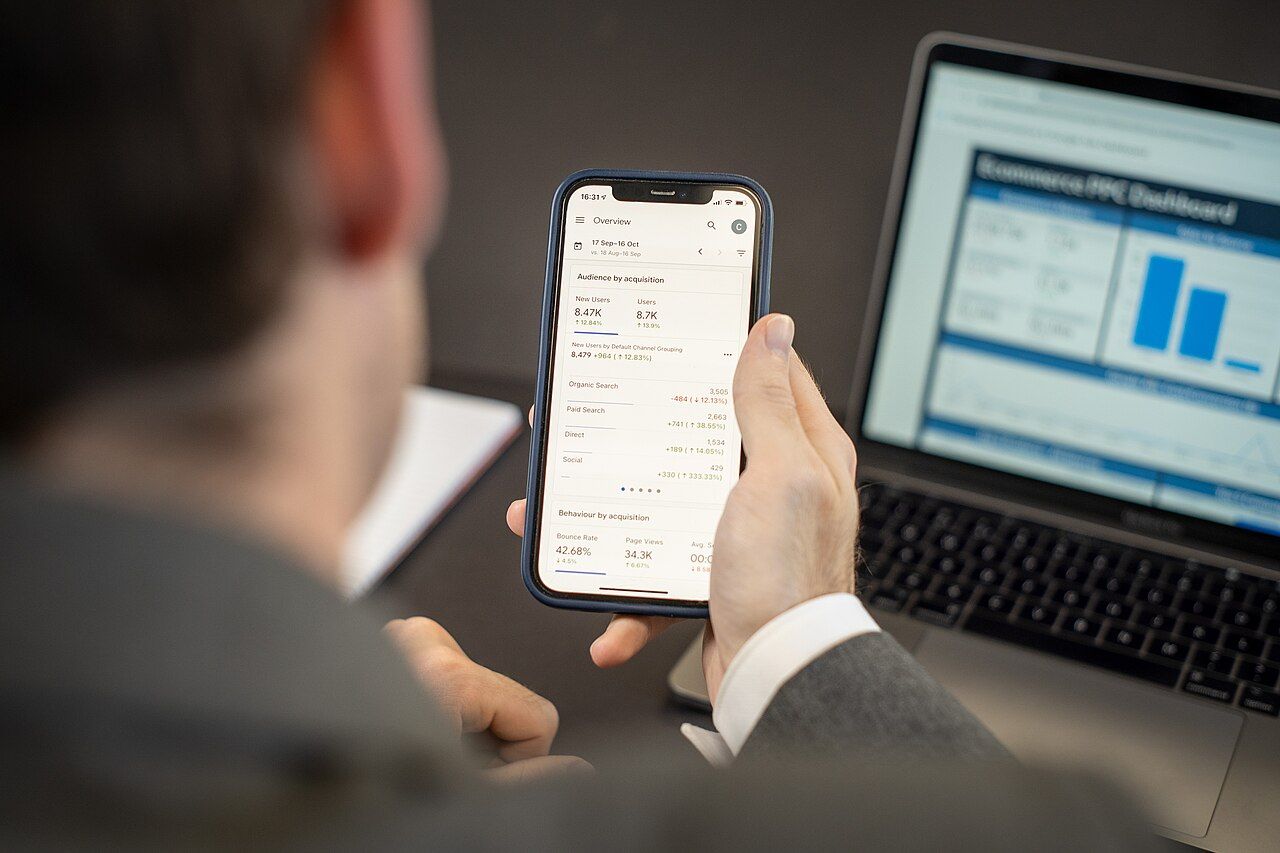
Know which channel brought each install before you decide where to spend more time. Photo: Zuko.io Images, Wikimedia Commons, CC BY 2.0
App Store campaign links
In App Store Connect, open your app, click the Analytics tab, then Campaigns under Acquisition, and add a campaign. Apple's help page on campaign links explains the tokens in the generated link:
https://apps.apple.com/app/apple-store/id123456789?pt=123456&ct=reddit-launch&mt=8
ptis your provider token. It identifies your developer account and stays the same for every campaign.ctis the campaign token: one per channel or post, such asreddit-launchornewsletter-oct.mt=8is the media type for apps.
A download counts for a campaign when someone downloads for the first time within 24 hours of using the link. Campaigns show in Analytics after 24 hours and once a campaign has at least five first-time downloads, so small campaigns may not appear at all. That is a privacy threshold, not a bug.
Google Play UTM referrers
Google Play reads UTM tags from a referrer parameter on the store URL, not from ordinary web UTM parameters. The value must be URL-encoded:
https://play.google.com/store/apps/details?id=com.example.app&referrer=utm_source%3Dreddit%26utm_medium%3Dpost%26utm_campaign%3Dlaunch
Play Console's acquisition reports group visitors from these links under Tracked channels (UTM), and the conversion analysis view lets you filter by UTM source and campaign. Sources with too few visitors are grouped as "Other."
A tiny script keeps the links consistent, so you never hand-type an encoded referrer:
from urllib.parse import quote, urlencode

APPLE_ID = "123456789"      # App Store Connect > App Information > Apple ID
PROVIDER_TOKEN = "123456"   # from your first campaign link
PACKAGE = "com.example.app"


def store_links(source: str, medium: str, campaign: str) -> dict:
    apple = (
        f"https://apps.apple.com/app/apple-store/id{APPLE_ID}"
        f"?pt={PROVIDER_TOKEN}&ct={quote(f'{source}-{campaign}')}&mt=8"
    )
    referrer = urlencode(
        {"utm_source": source, "utm_medium": medium, "utm_campaign": campaign}
    )
    play = (
        "https://play.google.com/store/apps/details"
        f"?id={PACKAGE}&referrer={quote(referrer)}"
    )
    return {"apple": apple, "play": play}


print(store_links("reddit", "post", "launch"))
Keep Apple's campaign token short: App Store Connect accepts up to 30 characters when you create a campaign there.
Step 2: Turn your website into an install channel
Your website, docs and blog are the cheapest promotion you own. Make each page hand visitors to the store with as little friction as possible.
Add a Smart App Banner for iPhone visitors
Apple's Smart App Banner is a single meta tag that shows a native banner at the top of your page in Safari on iOS. If the app is installed, the banner opens it; if not, it goes to your App Store page. Apple notes that the banner hides itself on devices the app does not support and where the app is unavailable.
<meta name="apple-itunes-app" content="app-id=123456789, app-argument=https://example.com/recipes/42">
The optional app-argument passes the current URL to your app, so a visitor reading a recipe on your site lands on the same recipe in the app. Banners do not appear in the iOS Simulator or inside frames, so test on a real device.
There is no Google equivalent built into Chrome, so for Android visitors use a normal button with the Play badge.
Use the official badges
Apple and Google both publish official badges and rules for using them: Apple's marketing guidelines and the Apple Marketing Tools site for badges, links and promotional artwork, and Google's Google Play badge generator. Visitors recognize them instantly, which is the point. Put them in your site header, your docs, your email signature and your press kit, each with the tracked link from step 1.
Add a QR code where people are not on a phone
Laptop visitors and people looking at a poster or slide cannot tap a store link. A QR code with a tracked link turns them into phone visitors. Use one per placement (ct=conference-slide, ct=flyer) so you can tell them apart.
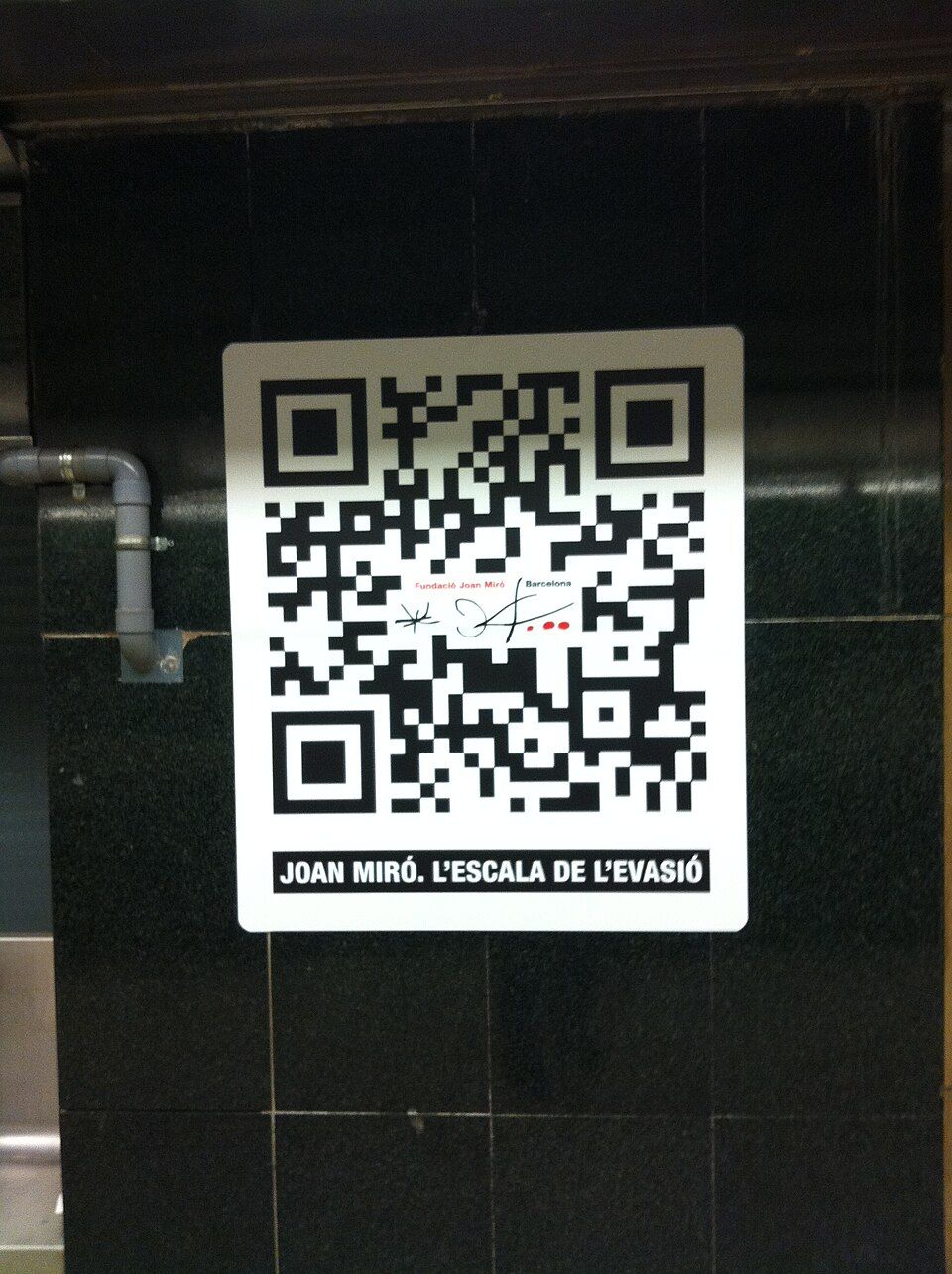
A QR code on a poster turns passers-by into store visitors. Photo: Kippelboy, Wikimedia Commons, CC BY-SA 4.0
Step 3: Use the free promotion tools in the stores
Both stores give developers free tools that many never open.
- Apple promo codes. You can request up to 100 promo codes per version of each platform your app supports, each valid for four weeks. They are ideal for paid apps and for reviewers. Since March 26, 2026, new promo codes cannot be created for In-App Purchases; use offer codes for those.
- Google Play promo codes. Google's promo code help covers free paid apps, one-time products and subscription trials of 3 to 90 days. You can create up to 500 codes per quarter across non-subscription promotions.
- Store events and promotional content. Apple's In-App Events and Google Play's promotional content put time-limited events in front of store visitors. Play's promotional content is available for all games and for apps that meet Google's eligibility criteria, and must be about something new and noteworthy, not an evergreen description.
- Featuring nominations. Apple accepts featuring nominations from App Store Connect, and Apple's promoting your apps page collects its official marketing resources in one place.
Step 4: Go where your users already talk
Communities can bring your first real users, but only if you show up as a member, not an advertiser.
User meetups and online communities reward people who show up to help. Photo: Heisenberg Media, Wikimedia Commons, CC BY 2.0
- Pick niche over big. A subreddit, forum or Discord about the problem your app solves (sourdough, running, ADHD planning) beats a general "app promotion" board full of other developers.
- Read the rules first. Many communities limit self-promotion, require a flair, or allow it only in a weekly thread. Following them is the difference between a useful thread and a ban.
- Lead with the story. The Hacker News advice holds everywhere: "Post about your project and position it as a story." Explain what problem you had, what you built and what you learned, and ask for feedback.
- Answer questions with no link. When someone asks for a tool like yours, a helpful answer that mentions the app once builds more trust than a drive-by link.
- Show HN, if it fits. Hacker News's Show HN guidelines say it is "for something you've made that other people can play with," without barriers "such as signups or emails," and ask you not to recruit upvotes. A free app people can install and try fits; a landing page does not.
Use a separate campaign token for each community, and look at installs, not upvotes.
Step 5: Create content that keeps working
Launch posts fade in a day. Content that answers a question people search for keeps bringing visitors for years, which is why it is the best free channel for most apps once the first push is over.
- Write about the problem, not the app. Another commenter in the same Hacker News thread advised: "Write blog posts that clearly show the real-world problems that your software solves. People who Google for those problems, may find your blog post." A meal-planning app gets more from "how to meal prep for a week on a budget" than from "Announcing version 2.0."
- Record short demos. Another suggestion from the thread: "Make YouTube videos sharing how you use the product." A 60-second screen recording of the app solving one problem works on YouTube Shorts, TikTok and Instagram Reels, and you can reuse it as an App Store app preview.
- Build in public. Share progress, numbers and lessons on X, Bluesky, LinkedIn or Indie Hackers. Readers who followed the build become your first users and reviewers.
- Get listed where it fits. If your app is open source, add it to relevant "awesome" lists on GitHub. If it serves a profession, ask the newsletters and sites that profession reads.
Step 6: Make your users your promoters
Your existing users are the most credible promotion you have.
- Add a share action. A "Share this app" button using the system share sheet (
ShareLinkin SwiftUI, anACTION_SENDintent on Android) with your tracked store link costs an afternoon and works forever. - Make shareable output. If the app creates something (a workout summary, a playlist, a design), let users share an image of it with the app name on it.
- Ask for ratings at the right moment. Ratings drive conversion on both stores. Ask after a success, not at first launch, using the stores' own review prompts.
- Reply to reviews. Both stores let you reply publicly. A thoughtful reply to a 2-star review is promotion that every later visitor reads.
Step 7: Reach press, reviewers and other developers
- A one-page press kit with your icon, three screenshots, a short description, a demo video and your contact details makes it easy to write about you. Link it from your site footer.
- Pitch small and specific. A niche blogger or podcast host whose audience matches your app is more likely to reply than a big tech site, and their readers convert better. Offer a promo code.
- Cross-promote with other indie developers. Two apps with the same audience but different jobs (a habit tracker and a journaling app) can mention each other in their settings screens or newsletters at no cost.
Low-cost options when free is not enough
Free channels take time. When time is the constraint, a few low-cost placements can complement them:
- Launch and discovery sites such as Product Hunt and app directories put your app in front of early adopters on a specific day.
- Leaderboards and listing sites. AppRanker is a pay-to-rank listing platform for apps and browser extensions: you paste your App Store or Google Play link, pick a position, and your app sits on a public board where every row links straight to your store page. Rank is a plain sort on what each listing has paid, and at the time of writing joining the board starts at $5. Use a tracked campaign link on it like any other channel, so you can judge it on installs.
Our launch-week visibility checklist covers how to line these up around a launch date.
A weekly plan for free app promotion
Promotion works best as a habit, not a one-day launch. A sustainable rhythm for a solo developer:
| Day | Task | Time |
|---|---|---|
| Monday | Check last week's campaign links and UTM sources; drop what brought no installs | 20 min |
| Tuesday | Answer questions in two communities where your users are | 30 min |
| Wednesday | Write or update one problem-focused article or short video | 60 min |
| Thursday | Reply to every new review on both stores | 15 min |
| Friday | Share one progress update or user story; send one pitch to a niche blogger | 30 min |
Checklist: how to promote your app for free
- Store page reviewed: first screenshots say the outcome; baseline conversion noted.
- App Store campaign links and Google Play UTM referrer links created, one per channel.
- Smart App Banner on your website; official store badges on every page.
- QR codes with tracked links for slides, posters and print.
- Promo codes ready for reviewers; offer codes for In-App Purchases.
- Store events or promotional content planned for your next update.
- Two or three niche communities joined, rules read, story post drafted.
- One problem-focused article or demo video per week.
- Share action and review prompt in the app; replies to reviews.
- Press kit page live; three niche blogs or newsletters pitched.
FAQ
How can I promote my app for free?
Start with tracked links so you can measure results, then use your own website (a Smart App Banner and store badges), free store tools (promo codes, In-App Events, Play promotional content), niche communities where your users already are, and content that answers the problems your app solves.
What is the best free way to get app downloads?
There is no single best channel, but for most indie apps the combination that lasts is store search plus content: a store page that converts, and articles or short videos that answer questions your users search for. Communities and launch sites give a spike; content and search keep bringing visitors.
Can I track which channel brought an install?
Yes, for free. Apple's campaign links (with pt and ct tokens) attribute first-time downloads in App Store Connect Analytics, and Google Play reports UTM-tagged links passed in the referrer parameter under Tracked channels (UTM) in Play Console.
Is it OK to post my app on Reddit?
It depends on the subreddit. Many limit self-promotion or allow it only in specific threads, so read each community's rules first. Posts that tell the story behind the app and ask for feedback are received far better than bare links.
Are Apple promo codes still available in 2026?
Yes, for free app downloads. Apple stopped allowing new promo codes for In-App Purchases on March 26, 2026, and points developers to offer codes for those instead. You can still request up to 100 promo codes per app version.
Image credits
- Cover, iPhone held up against a grey wall: photo by NeONBRAND, via Wikimedia Commons (from Unsplash), CC0. Cropped to 1200x630.
- Checking traffic sources on a phone: photo by Zuko.io Images, via Wikimedia Commons, CC BY 2.0. Resized.
- QR code poster on a tiled wall: photo by Kippelboy, via Wikimedia Commons, CC BY-SA 4.0. Resized.
- Phone held up at a meetup: Evernote Meetup Paris by Heisenberg Media, via Wikimedia Commons, CC BY 2.0. Resized.