- Deep links
- App promotion
- Android
- iOS
Firebase Dynamic Links alternatives in 2026: how to keep deep links and app installs working
Firebase Dynamic Links is gone. Compare Firebase Dynamic Links alternatives: Universal Links, App Links, the Play Install Referrer and deep linking vendors.
AppRanker team11 min read
On this page
If you are looking for a Firebase Dynamic Links alternative, you are probably in one of two places. Either you migrated in a hurry before the shutdown and want something sturdier, or you just found a referral link, a QR code or an invite email that has been quietly returning 404 for a year. Google shut Firebase Dynamic Links down on August 25, 2025. Since then every page.link URL returns "a HTTP 404 status response to end users," and the .page.link domains are gone for good.
Developers are still rebuilding what it did. In a September 2026 Show HN post, one developer described being asked to build a referral system where the code in a shared link is filled in automatically after install: "The classic deferred deep linking! The solution, of course, Firebase dynamic link as been deprecated. Branch and Appflyer were an overkill." This guide breaks Dynamic Links into the jobs it did, and shows the cheapest reliable replacement for each, with the code and config you need.
Key takeaways
- Firebase Dynamic Links did three jobs: open the app if installed, survive the install (deferred deep linking), and count clicks. Replace each one separately.
- Universal Links on iOS and App Links on Android cover "open the app if installed" for free, on a domain you own.
- On Android, the Play Install Referrer API gives you deferred deep linking without a vendor.
- iOS has no install referrer. Use a code, a sign-in or a paste button, and never fingerprint: Apple prohibits it.
- Put every link on your own domain, so the next shutdown only means changing a redirect.
What Firebase Dynamic Links actually did
One page.link URL handled three separate jobs. Knowing which ones you used decides what you need now:
- Routing. If the app was installed, the link opened it on the right screen. If not, it sent the person to the App Store, Google Play or a web page.
- Deferred deep linking. If the person installed the app from that link, the app could read the original link on first launch, so an invite code or a product page survived the install.
- Short links and analytics. Short URLs, click counts and campaign parameters.
Google's FAQ maps the same split onto its own recommendations: for "post-install deep linking only," use App Links and Universal Links; for "full feature parity," use a third-party provider such as Adjust, Branch or AppsFlyer, which Google notes "have not been vetted by Google."
Step 1: Find everything that still points at page.link
Before choosing a replacement, list where old links live. They hide in more places than code:
- referral and invite flows in the app, and the share text they generate;
- printed QR codes on packaging, posters and business cards;
- old marketing emails, social posts and app store descriptions;
- Firebase Authentication email links. Google says email link sign-in, password reset and email verification keep working only after you upgrade to the latest Firebase Authentication SDKs, and stop working in older app versions.
You cannot redirect a page.link URL any more, so anything printed or sent is lost. That is the strongest argument for the rule in the last step of this guide: links on your own domain only.
Option 1: Universal Links and App Links (free, native)
These cover routing: a normal https link on your domain opens the app when it is installed and your website when it is not. Both platforms verify the link against a file on your site, so no other app can claim it.
iOS: Universal Links
Create a file named apple-app-site-association with no extension and serve it at https://links.example.com/.well-known/apple-app-site-association, over HTTPS with a valid certificate and no redirects. Apple's associated domains guide documents the format:
{
  "applinks": {
    "details": [
      {
        "appIDs": ["ABCDE12345.com.example.app"],
        "components": [
          { "/": "/invite/*", "comment": "Referral invites" },
          { "/": "/p/*", "comment": "Product pages" },
          { "/": "/help/*", "exclude": true }
        ]
      }
    ]
  }
}
Then add the Associated Domains capability in Xcode with the entry applinks:links.example.com, and handle the URL when it arrives. In SwiftUI:
WindowGroup {
    ContentView()
        .onOpenURL { url in
            router.handle(url) // e.g. /invite/ABC123 -> invite screen
        }
}
One detail catches people out when they test: since iOS 14, devices do not fetch the file from your server. They get it from Apple's content delivery network, which requests your file within 24 hours, and devices check for updates about once a week after install. Use the ?mode=developer alternate mode on the entitlement while you develop.
Android: App Links
Android verifies an assetlinks.json file at https://links.example.com/.well-known/assetlinks.json:
[{
  "relation": ["delegate_permission/common.handle_all_urls"],
  "target": {
    "namespace": "android_app",
    "package_name": "com.example.app",
    "sha256_cert_fingerprints": ["14:6D:E9:83:..."]
  }
}]
If you use Play App Signing, the fingerprint must be the app signing key Google uses, not your upload key. Declare the links in the manifest with autoVerify:
<intent-filter android:autoVerify="true">
    <action android:name="android.intent.action.VIEW" />
    <category android:name="android.intent.category.DEFAULT" />
    <category android:name="android.intent.category.BROWSABLE" />
    <data android:scheme="https" android:host="links.example.com" />
</intent-filter>
On Android 15 and later, Dynamic App Links let you change routing rules on the server, in a dynamic_app_link_components field in assetlinks.json, "without needing to publish a new version of your app." Server rules can exclude paths or query parameters but cannot widen the scope set in the manifest, so declare the broadest host in the manifest and narrow it on the server. Google also notes it fixed a Play services issue in September 2026 that intermittently stopped some Android 15+ devices from applying dynamic rules.
The "not installed" path
When the app is not installed, the same link loads your website. Make that page do the job Dynamic Links did: show what the link was about, add the official App Store and Google Play badges, and on iOS add a Smart App Banner with an app-argument. Apple says that when the download finishes, the banner's Open button "opens the app while preserving the user's content from your website," by passing that URL to the app:
<meta name="apple-itunes-app" content="app-id=123456789, app-argument=https://links.example.com/invite/ABC123">
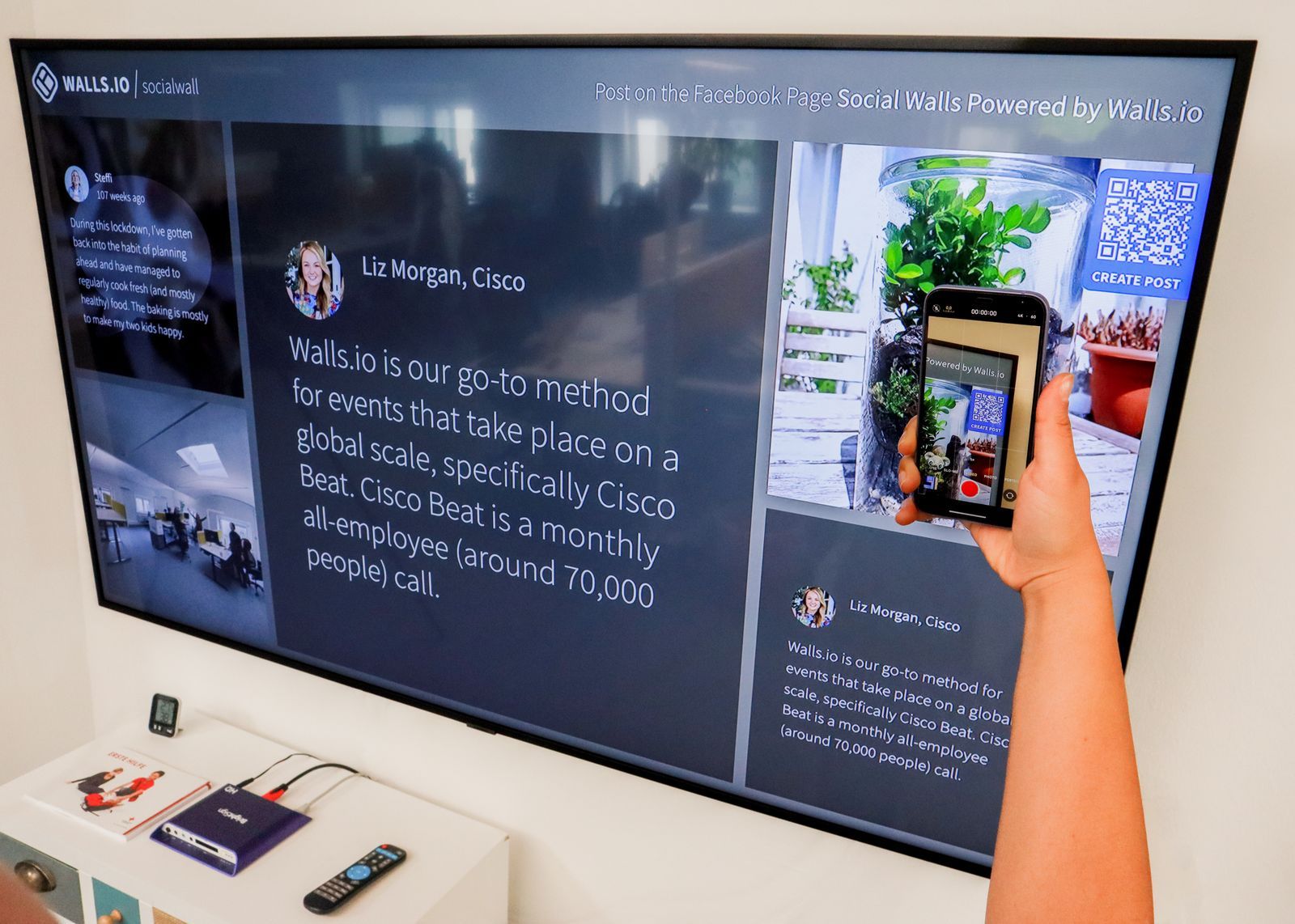
QR codes are links that outlive campaigns. Point them at your own domain, never at a vendor's. Photo: Walls.io / Pexels
Option 2: Deferred deep linking without a vendor
Routing is solved by the native links. Carrying the link through an install is the harder part, and the two platforms differ.
Android: the Play Install Referrer API
Google Play passes a referrer parameter from the store URL to your app after install. Link to Play with the context you want to keep, URL-encoded:
https://play.google.com/store/apps/details?id=com.example.app&referrer=utm_source%3Dinvite%26utm_content%3DABC123
Then read it on first launch with the Play Install Referrer library (com.android.installreferrer:installreferrer:2.2):
val client = InstallReferrerClient.newBuilder(context).build()
client.startConnection(object : InstallReferrerStateListener {
    override fun onInstallReferrerSetupFinished(responseCode: Int) {
        if (responseCode == InstallReferrerClient.InstallReferrerResponse.OK) {
            val referrer = client.installReferrer.installReferrer
            // "utm_source=invite&utm_content=ABC123"
            handleInstallReferrer(referrer)
        }
        client.endConnection()
    }
    override fun onInstallReferrerServiceDisconnected() { /* retry later */ }
})
The API also returns the click and install timestamps, which helps you discard stale referrers. Your website's "not installed" page can build the Play URL with the right referrer, so one shared link covers both cases.
iOS: no install referrer, so design around it
The App Store does not pass a link through an install. Apple's App Store Connect campaign links count installs per campaign in Analytics, but they do not hand the campaign to the app. Your options:
- A code the person types or pastes. Show the invite code on the web page and ask for it in onboarding. It is plain, and it works.
- A paste button. Copy the link on your web page, then offer a
UIPasteControlin onboarding. Because the person taps it, your app reads the pasteboard without the system's paste permission alert that a programmatic read triggers. - Account state. If the person signs in, attach the invite or the content to the account on the server and restore it after login.
- App Clips, if the flow is short enough to start before a full install.
What you must not do is match a click to an install with device signals such as IP address, model and screen size. Apple's user privacy page is direct: "you may not derive data from a device for the purpose of uniquely identifying it," and apps whose SDKs do so "may be rejected." If you use tracking-based attribution at all, read our guide to the new App Tracking Transparency prompt in the EU as well.

A promotion link is a chain: tap, store page, install, first launch. A deep link has to survive every step. Photo: Pixabay / Pexels
Option 3: A deep linking vendor
If you need cross-platform deferred deep linking with attribution, a dashboard and short links, a vendor is the closest match to what Firebase offered. Google names Adjust, Branch and AppsFlyer. Smaller tools have appeared since the shutdown, including open-source and self-hosted projects such as the one in that Show HN thread, and a round-up of open-source and paid alternatives on James O'Claire's blog. None of these have been vetted by Google, or by us. Ask any vendor:
- How do you match installs on iOS? If the answer involves IP address or device characteristics, that is fingerprinting under Apple's rules.
- Can I use my own domain? If links live on the vendor's domain, you are rebuilding the same dependency.
- Can I export my links and data? The Firebase FAQ urged everyone to export link metadata before deletion. Plan for that on day one.
- What does it cost at your expected monthly active users, and what happens to existing links if you stop paying?
Which Firebase Dynamic Links alternative fits
| You need | Use | Cost |
|---|---|---|
| Open the app on the right screen if installed | Universal Links + App Links | Free |
| Keep the context through an install, Android | Play Install Referrer | Free |
| Keep the context through an install, iOS | A code, paste button, sign-in or App Clip | Free |
| Count installs per campaign | App Store campaign links + Play referrer UTM | Free |
| All of the above in one SDK with a dashboard | A deep linking vendor | Paid |
Most indie apps need the first four rows, not the fifth. Our free app promotion playbook shows how to set up the campaign links and Play referrers in the fourth row, and a Google Play pre-registration campaign is a good first place to use them.
Migration plan
- Pick a link domain you own, such as
links.example.comor a path on your main site. This is the most important decision in the whole migration. - Publish both association files and confirm they load over HTTPS with no redirect.
- Ship an app update with the Associated Domains entitlement, the
autoVerifyintent filter and one URL router that handles every path. - Build the web fallback pages: store badges, a Smart App Banner, and a Play URL with the
referrerparameter. - Add the Install Referrer read on Android and the code or paste flow on iOS.
- Replace links at the source: the share text in your app, email templates, QR codes, and any listing that links to your app.
- Remove the Firebase Dynamic Links SDK and update Firebase Authentication if you use email links.
- Test the full chain on clean devices for both "installed" and "not installed."
Where the links point when people find you elsewhere
The same chain applies to every place your app is listed. On AppRanker, each row on the board links straight out to your App Store or Google Play page and the click-through is counted, so a visitor lands on the store page you already maintain. Rank is a plain sort on what each listing has paid; paste your store link on the home page to see the price of each position, and read what a paid leaderboard position buys before you decide.
Checklist: replacing Firebase Dynamic Links
- List every place a
page.linkURL was used, including print and email. - Choose a link domain you control.
- Serve
apple-app-site-associationandassetlinks.json, with the Play App Signing fingerprint. - Add the entitlement and
autoVerifyintent filter, and route every path in one place. - Build fallback pages with badges, a Smart App Banner and a Play URL with
referrer. - Read the Install Referrer on Android; add a code or paste flow on iOS.
- Use App Store campaign links and Play UTM referrers for counting.
- Remove the Dynamic Links SDK and update Firebase Authentication.
- Test installed and not-installed paths on clean devices.
FAQ
Do Firebase Dynamic Links still work?
No. Google shut the service down on August 25, 2025. According to its FAQ, clicked links return HTTP 404, the short link and analytics APIs return 400 or 403, and .page.link domains are no longer available.
What is the best free alternative to Firebase Dynamic Links?
For routing, Universal Links on iOS and App Links on Android, on your own domain. For deferred deep linking on Android, the Play Install Referrer API. Together they replace most of what small apps used Dynamic Links for, at no cost.
How do I do deferred deep linking on iOS without Firebase?
There is no App Store install referrer. Carry the context with a code the person enters, a paste button using UIPasteControl, account state restored at sign-in, or an App Clip. Do not match installs with device fingerprinting, which Apple prohibits.
Why does my Universal Link open Safari instead of the app?
Common causes are a file served with a redirect or from the wrong path, an appIDs value that does not match your team ID and bundle ID, or Apple's CDN still holding an old copy of the file. Devices pick up changes about once a week, so use developer mode while testing.
Can I keep my page.link domain?
No. Google's FAQ says .page.link domains will no longer be available and cannot be transferred. If you used a custom domain with Firebase Hosting, you keep the domain but need to update its rewrite rules.
Image credits
- Cover, a woman photographing a QR code: photo by Julio Lopez on Pexels, Pexels License. Cropped to 1200x630.
- Scanning a QR code from a screen: photo by Walls.io on Pexels, Pexels License. Resized.
- Steel chain links: photo by Pixabay on Pexels, Pexels License. Resized.