- iOS
- Privacy
- App promotion
App Tracking Transparency in the EU: what the new iOS 27.2 ATT prompt changes for your app
App Tracking Transparency in the EU changes with iOS 27.2: a new ATT prompt, Markdown text, an Additional Information button and a yearly re-prompt.
AppRanker team11 min read

On this page
App Tracking Transparency in the EU is about to look different. On September 16, 2026, Apple told developers that starting with iOS 27.2 and iPadOS 27.2 they can use an alternative version of the ATT prompt for people in the European Union, and that in Germany, France, Italy, Poland and Romania the alternative prompt is the only one available. The rules for when you must ask did not change. The prompt itself, the text you can show in it and how often you can ask did.
If your iOS app shows the ATT prompt because you run ads, use an attribution SDK or share data with ad networks, this post covers what changes, the new API and Info.plist key, how to handle the new Additional Information button, and what to test before iOS 27.2 reaches users. iOS 27.2 was in its third developer beta at the time of writing.
Key takeaways
- The alternative ATT prompt is optional in most of the EU and the only option in Germany, France, Italy, Poland and Romania.
- It is a full-page sheet that can show Markdown text from a new
NSUserTrackingMarkdownUsageDescriptionkey and an optional Additional Information button.- A new method,
requestTrackingAuthorization(preferExpandedInterface:additionalInformationAction:completionHandler:), requests it. Outside the EU it behaves exactly like the old call.- In the EU you can ask again one year after the person's last answer, whether they allowed or rejected.
- When you must ask has not changed, and the bans on gating features, incentives and fingerprinting still apply.
Why Apple is changing the ATT prompt in the EU
Apple says the change comes "as part of agreements with select European competition authorities." The clearest of those is Germany. On August 17, 2026 the Bundeskartellamt, Germany's competition authority, made Apple's commitments on the App Tracking Transparency Framework binding and closed a case it had opened in 2022. The authority's concern was not privacy prompts in general, but that Apple's own consent request and the one third-party apps must show were designed differently.
Under those commitments, according to the Bundeskartellamt:
- the prompts for Apple's own offerings and for third-party apps become much more alike, and "discouraging symbols and wording" are removed, including the warning hand symbol and the term "tracking";
- app publishers get more freedom to combine Apple's request with the consent they must collect under data protection law;
- the "App explanation" that publishers write can run up to 4,000 characters, where Apple's current standard is one to two sentences;
- Apple has four months from the decision to implement the changes, and the commitments run for seven years under an independent monitoring trustee.
The same press release notes that the French and Italian competition authorities fined Apple 150 million and 98.6 million euros over ATT, and that the German outcome "may also affect the future design" of ATT in other member states. Apple, for its part, "comprehensively rejects" the authority's preliminary assessment but offered the commitments anyway. Hacker News readers debated the decision in a thread of nearly 100 comments; for app makers, what matters is the prompt your users will now see.

The alternative prompt applies only to people in the EU, and in five member states it replaces the old alert entirely. Photo: Viktorya Sergeeva / Pexels
Where the alternative ATT prompt appears
Apple's documentation for the new request method says the new behaviour depends on two things at once: the device must be located in an EU country, and it must be signed in with an Apple Account whose country or region is in the EU. Where both hold, behaviour splits three ways:
| Where the person is | What the system shows |
|---|---|
| France, Germany, Italy, Poland, Romania | Always the full-page sheet, with your Markdown text if you supply it, whatever you pass for preferExpandedInterface. The Additional Information button appears if you pass an action. |
| Rest of the European Union | The full-page sheet only if you pass preferExpandedInterface: true. Markdown text and the button work the same way. |
| Outside the EU | The original system alert with your NSUserTrackingUsageDescription. Both new parameters are ignored. |
So for the five named countries there is no opt-out: even the old requestTrackingAuthorization(completionHandler:) call gets the new sheet there. If you do nothing, the people in those countries will see your plain one-line purpose string on a full-page sheet that was designed for a longer explanation.
What changes in the prompt
Apple's user privacy and data use page describes the alternative prompt as having "modified formatting and language" and an optional text button labeled "Additional Information." In practice that means:
- A full-page sheet instead of a small alert, with room for a proper explanation.
- Markdown text. A new, optional Info.plist key,
NSUserTrackingMarkdownUsageDescription, supports bold, italic, bullet lists and paragraph breaks (not underline). If you leave it out, the sheet uses your existingNSUserTrackingUsageDescription. - An Additional Information button that you control. Tapping it dismisses the sheet without recording an answer and runs your closure, where you show your own screen with more detail or finer-grained consent choices.
- New wording. The Settings switch is renamed in the EU, from "Allow Apps to Request to Track" to "Allow Apps to Request to Link Your Activity Across Companies." PPC Land reports that the two answer buttons on Apple's example sheet read Allow and Reject, replacing "Ask App Not to Track."
What does not change
The trigger for asking is the same. Apple's notice is explicit: "The requirements for when you must seek permission to track users will remain the same." If you link data from your app with other companies' data for targeted ads or ad measurement, or share it with a data broker, you still need permission through the system prompt first.
The FAQ on the same Apple page also keeps the old limits in place:
- You cannot gate functionality on allowing tracking, or offer an incentive to allow it (App Review Guideline 5.1.2(i)).
- You can explain why you are asking before the prompt, as long as you are transparent and do not manipulate.
- Without permission you cannot track with another identifier, such as a hashed email or phone number.
- You cannot fingerprint the device: "you may not derive data from a device for the purpose of uniquely identifying it," and apps that use SDKs doing so "may be rejected."
That last rule matters if you are replacing a link or attribution vendor. Some deferred deep linking tools match installs to clicks with device signals, which is the practice Apple prohibits. Our guide to Firebase Dynamic Links alternatives covers the ways to route new users that do not rely on it.
How to adopt the new ATT API in iOS 27.2
Step 1: Add the Markdown purpose string
Keep NSUserTrackingUsageDescription: it is still required, and it is what everyone outside the EU sees. Add the Markdown key next to it. The system shows your app's name in the prompt, so the text does not need it.
<key>NSUserTrackingUsageDescription</key>
<string>We use this to measure which ads bring people to the app and to show ads that fit your interests.</string>
<key>NSUserTrackingMarkdownUsageDescription</key>
<string>**Why we ask:** the app is free because of ads.

If you allow this, we can:

- measure which ad campaigns brought you here
- show ads closer to your interests

Choose **Reject** and the app works exactly the same. Tap **Additional Information** to see the partners we work with.</string>
Apple asks you to keep the text "short and specific." The Bundeskartellamt's 4,000-character ceiling is a limit, not a target: a sheet that reads like a privacy policy will not be read.
Step 2: Call the new method behind an availability check
The new method exists on iOS, iPadOS and Mac Catalyst 27.2, not on macOS, tvOS, watchOS or visionOS, so a shared code base needs an os check as well as an availability check. Keep the old call as the fallback:
import AppTrackingTransparency

@MainActor
func requestTracking(showDetails: @escaping () -> Void) async -> ATTrackingManager.AuthorizationStatus {
    #if os(iOS)
    if #available(iOS 27.2, *) {
        return await ATTrackingManager.requestTrackingAuthorization(
            preferExpandedInterface: true,
            additionalInformationAction: showDetails
        )
    }
    #endif
    return await ATTrackingManager.requestTrackingAuthorization()
}
Pass nil for additionalInformationAction if you have no screen to show: the button then does not appear. Do not add the button just because it exists.
Step 3: Handle notDetermined after Additional Information
When someone taps Additional Information, the completion handler still runs and receives .notDetermined, because no decision was made. Your closure presents your own screen; when the person is done reading, call the method again to ask once more. Apple's guidance adds one condition: if your separate consent controls let the person opt out of everything the ATT prompt describes, do not then show the ATT prompt to them. "Be consistent," as Apple puts it.
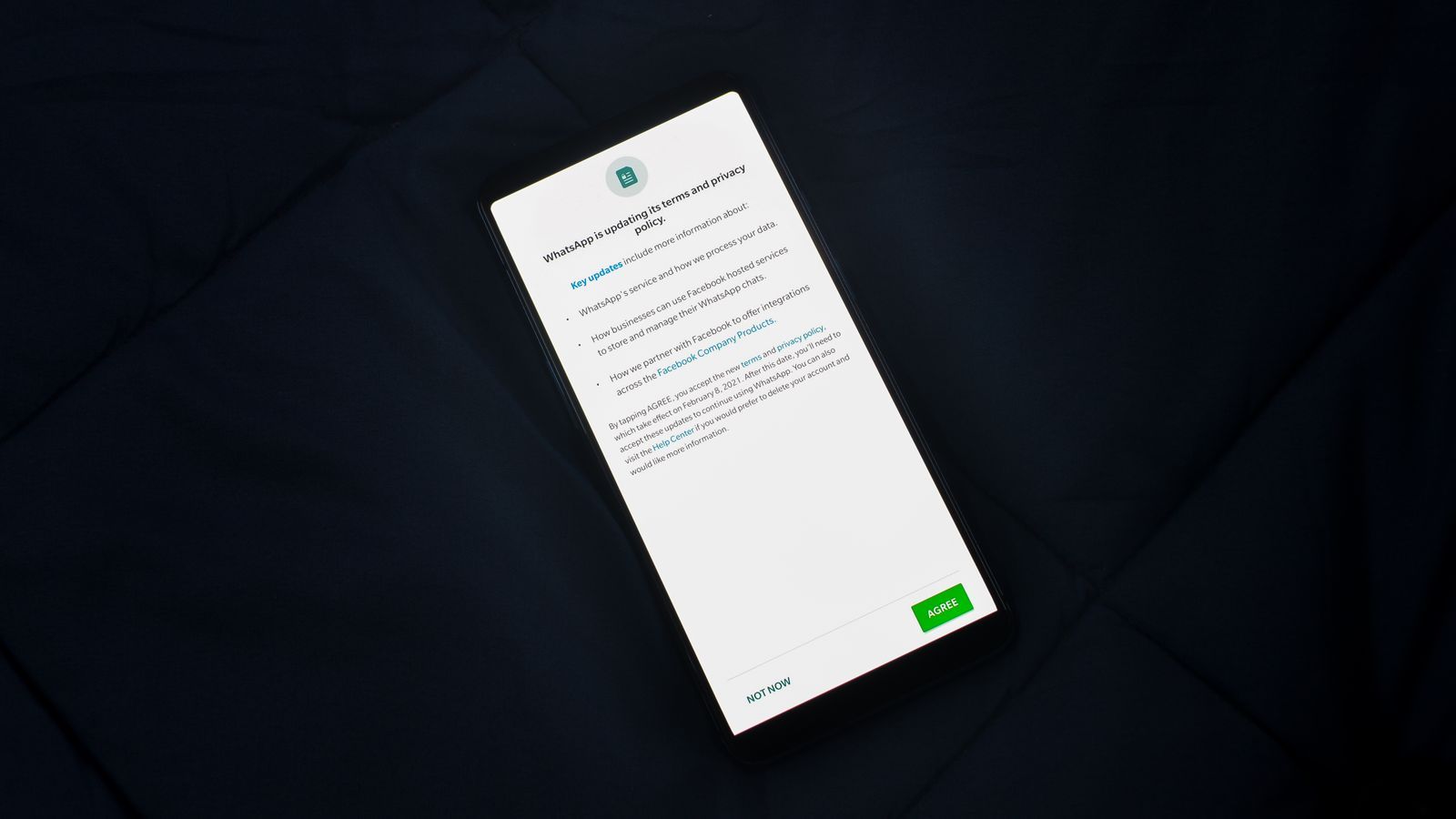
Your Additional Information screen is yours to design. Keep it as plain as the system sheet, with choices that are equally easy to make. Photo: Rahul Shah / Pexels
Step 4: Ask from one place, while the app is active
The documentation lists the cases where the system skips the prompt and calls your handler at once: tracking is restricted on the device, the person turned off the Settings switch, another permission request is still pending, the call comes from an app extension, or the app is not in the active state. In practice the pending-request case is the one that bites. If an ad SDK and your onboarding both call the API, the second caller can get notDetermined straight away. Route every request through one function, and call it after your first screen has appeared, not during launch.
Re-prompting after a year
In the EU the system records the date of each answer and will not show the prompt again for a year. After that, you can ask again "whether the person approves or denies your app's previous tracking request," unless they have turned off the Settings switch. Outside the EU the stored answer is returned without a prompt, as before.
You do not need to store dates or run a timer for this. Call the request method at your normal moment; the system decides whether a new prompt is allowed and otherwise returns the stored status. What you should plan is the moment: a re-prompt one year in reaches someone who already uses the app, so show it after a meaningful action rather than at launch.
Testing before iOS 27.2 ships
The new sheet only appears for an EU-located device signed in with an EU Apple Account, which makes the simulator a poor test bed. Developer Blake Crosley tested the betas and reported that the simulator showed only the standard alert in every region he tried, and sometimes returned notDetermined immediately with no prompt at all. Plan for:
- A real device with an EU Apple Account, located in one of the five mandatory countries, to see the forced sheet.
- A second EU country to confirm
preferExpandedInterface: truegives you the sheet where it is optional. - A non-EU account to confirm the old alert and your original purpose string are unchanged.
- The Additional Information path: tap it, confirm your screen appears, confirm you can ask again, and confirm the status is
notDetermineduntil a real answer. - The pending-prompt case: relaunch with a prompt left unanswered and check you do not stack requests.
What the new prompt means for app promotion
For apps that grow through paid ads, the ATT answer decides how well you can measure which campaigns work. Opt-in has crept up since 2021: PPC Land, citing Adjust's Mobile App Trends 2026, reports an industry average of 38% in the first quarter of 2026, up from 35% a year earlier. A neutral prompt without the warning symbol, with a real explanation and a second chance after a year, could raise EU rates further. Nobody has published data from the new sheet yet, so measure your own before and after.
Whatever your rate, a share of your EU users will always say no, so do not build your growth plan only on user-level tracking. Channels that work without it:
- App Store campaign links and Google Play UTM referrers, which report installs per campaign in aggregate. Our free app promotion playbook shows how to set them up.
- Privacy-preserving ad attribution through Apple's AdAttributionKit, which reports conversions in postbacks with data tiers designed to keep people anonymous.
- Placements you can measure by clicks rather than people. On AppRanker, a listing's row links straight to your store page and each click-through is counted, with no tracking prompt involved. Rank is a plain sort on what each listing has paid, and you can paste your App Store link on the home page to see what each position costs today.
If you are planning a launch around the iOS 27 cycle, the launch-week visibility checklist and the iPhone Duo app checklist cover the other changes landing this fall.
Checklist: App Tracking Transparency in the EU
- Confirm whether your app needs ATT at all: do you link app data with other companies' data for ads or measurement, or share it with a data broker?
- Keep
NSUserTrackingUsageDescription; add a shortNSUserTrackingMarkdownUsageDescription. - Call
requestTrackingAuthorization(preferExpandedInterface:additionalInformationAction:completionHandler:)behind#if os(iOS)and#available(iOS 27.2, *). - Decide whether you have something useful for Additional Information; pass
nilif not. - Handle
notDeterminedafter the button, and ask again only when it is consistent with your other consent choices. - Route all requests through one function, called when the app is active.
- Choose the moment for the yearly re-prompt.
- Test on real devices with EU and non-EU Apple Accounts.
- Record your EU opt-in rate before and after iOS 27.2.
FAQ
Do I have to adopt the alternative ATT prompt?
Not everywhere. In most of the EU it is optional and only appears if you pass preferExpandedInterface: true. In Germany, France, Italy, Poland and Romania it is the only prompt the system shows, even if you keep calling the old method, so your purpose string will appear on the new sheet there whether you plan for it or not.
Does the new prompt change when I have to ask for tracking permission?
No. Apple says the requirements for when you must seek permission "will remain the same." The definition of tracking, the ban on incentives and gating, and the ban on fingerprinting are unchanged.
Can I ask again after a user rejected tracking?
In the EU, yes, one year after their previous answer, whether it was allow or reject, unless they turned off the tracking request switch in Settings. Outside the EU, no: the stored answer stands.
Does the Markdown key replace NSUserTrackingUsageDescription?
No. NSUserTrackingUsageDescription is still required and is what people outside the EU see. NSUserTrackingMarkdownUsageDescription is optional and is only used for the EU sheet.
Is the new ATT API available on macOS or visionOS?
No. Apple's documentation lists it for iOS, iPadOS and Mac Catalyst 27.2. Wrap the call in #if os(iOS) so shared code still compiles for other platforms.
Image credits
- Cover, a phone locked with a chain and padlock: photo by Towfiqu barbhuiya on Pexels, Pexels License. Cropped to 1200x630.
- European Union flag against a blue sky: photo by Viktorya Sergeeva on Pexels, Pexels License. Cropped.
- Privacy update consent screen on a phone: photo by Rahul Shah on Pexels, Pexels License. Resized.