- ASO
- iOS
- Android
Reduce app size for more installs: iOS and Android guide
Reduce app size to win more installs: measure download size on the App Store and Google Play, the 200 MB cellular limit, and fixes for iOS and Android.
AppRanker team13 min read
On this page
If you want more installs from the store traffic you already have, reduce app size. Download size is one of the few things on your store listing that you control in code rather than in copy, and both stores treat it as a reason people do not install. Google's research found that "a 6 MB increase in served APK size results in a 1% decrease in install rate." Apple warns you in App Store Connect whenever any variant of your app goes over 200 MB, the point where an iPhone asks before downloading over a mobile connection.
Most size advice is written for engineers chasing kilobytes. This guide looks at size the way a store visitor sees it: which number each store shows, which limits stop or delay an install, how to measure your real download size on both platforms, the fixes that remove the most megabytes, and a small script that fails your CI build when a release grows past a budget you set.
Key takeaways
- Size costs installs. Google measured about 1% fewer installs for every 6 MB added to an Android download.
- On iOS, 200 MB is the over-the-air limit App Store Connect warns about. Above it, iPhone users with default settings are asked before downloading over cellular.
- Measure the thinned download size of the variant your users get: App Store Connect's App File Sizes table on iOS,
bundletool get-size totaland Play Console's App size report on Android.- The biggest wins are usually assets (images, video, fonts, audio), unused code and dependencies, and content that could download after install.
- Set a size budget and check it in CI, so size does not creep back one release at a time.
Why app size costs you installs
A store visit that ends without an install is usually blamed on the screenshots or the rating. Size is a quieter cause, and both platforms document it.
Apple explains its limit in Reducing your app's size: "the App Store limits the size of the apps they can install over a mobile connection. If an app's size exceeds the limit, users need to connect to a Wi-Fi network to install it. Keep your app well below the size limit to maximize your app's possible install base and minimize installation time." Since iOS 13, people can change this in Settings > App Store > App Downloads, with the options Always Allow, Ask If Over 200 MB and Always Ask, as 9to5Mac reported at the time. Anyone who has not changed the default sees a prompt for a large app, and many will wait for Wi-Fi and forget.
Google is more direct. Its reduce app size guide says "Users often avoid downloading apps that seem too large, particularly in emerging markets where devices connect to spotty 2G and 3G networks or work on plans with data limits." The 6 MB to 1% figure comes from Google research cited in its game size guide. Google also warns that larger apps can "negatively impact install success and increase uninstalls."
There is a second cost after install: storage. When a phone runs low on space, large apps are the first candidates for deletion, which shows up later as lost users rather than lost installs. Our guide to app retention rate shows how to watch for that.
What the extra installs can be worth
A rough illustration using Google's figure: if your Android listing brings 3,000 installs a month and you remove 30 MB, that is five steps of 6 MB, or roughly 5% more installs, about 150 a month, from visitors you were already getting. The research is several years old and your audience may be less size-sensitive, so treat it as a direction, not a forecast. Measure your own conversion rate before and after, as described below.
Which size number each store uses
"App size" means at least three different numbers, and it is easy to optimize the wrong one.
| Number | What it is | Where you see it |
|---|---|---|
| Download size | The compressed bytes sent to one device | App Store Connect App File Sizes; bundletool get-size total; Play Console App size report |
| Install size | Space the app takes on the device after install | App Store Connect App File Sizes; the Information section of your App Store product page |
| Upload size | Your IPA or AAB file | Not what users download. Ignore it for this purpose |
Two details from the stores' own documentation:
- Apple says the size on your product page "varies depending on the device that's viewing the page," showing "the installation size for the specific device model" (the universal size on macOS). Apps using Apple-hosted background assets show an "Up to" size that includes essential asset packs. Source: Maximum build file sizes.
- Google's Play Console help says that as of September 2025, Play Console's app size report no longer includes an estimate of size on device; you can still monitor download size. Its size limits are based on the compressed download size.
Size limits that block or delay installs
| App Store | Google Play | |
|---|---|---|
| Cellular prompt | Variants over 200 MB trigger App Store Connect's over-the-air warning; users on the default setting are asked before a cellular download | Large apps can still be installed; Google recommends keeping the download as small as possible |
| Hard limits | 4 GB uncompressed app; 500 MB for the executable's __TEXT sections (iOS 9 and later) |
Google's app bundle page puts the install-time compressed download at up to 4 GB, while its reduce-size guide still cites 200 MB for app bundles. Play Console rejects an upload over the current limit |
| Content after install | Background Assets, including Apple-Hosted Background Assets for apps targeting iOS 26 and later | Play Feature Delivery and Play Asset Delivery |
The Google Play numbers in Google's own pages disagree, so do not design around either one. The upload error is the hard stop; install conversion is the reason to stay far below it.
Step 1: Measure your real download size on iOS
Do not measure the .app, the .xcarchive or the .ipa you upload. Apple says none of these are suitable, because they include files users never download, such as dSYMs.
App Store Connect is the most accurate source. Open your app, go to TestFlight, select a build, open Build Metadata, and under General Information click App File Sizes. The table lists each device variant with its download size and install size. From Apple's build metadata help: "If any of the device variant sizes exceed the 200 MB over-the-air download limit, a yellow warning icon appears next to the build string in the Builds table and next to the variant size in the App File Sizes table." Apple also emails you.
Locally, use the App Thinning Size Report. Archive the app, export it as an Ad Hoc, Development or Enterprise build, and choose "All compatible device variants" for app thinning. The export folder contains App Thinning Size Report.txt, which lists the compressed (download) and uncompressed (install) size of each variant. To do this in CI, run xcodebuild -exportArchive with an export options plist that sets the thinning key to <thin-for-all-variants>.
Expect the App Store number to be slightly higher than your local report: Apple adds DRM and recompresses the binary after approval.
Step 2: Measure your real download size on Android
Before upload, use bundletool. Build an APK set from your bundle and measure it:
bundletool build-apks --bundle=app-release.aab --output=app.apks
bundletool get-size total --apks=app.apks
bundletool get-size total --apks=app.apks --dimensions=ABI,SCREEN_DENSITY
The second command breaks the estimate down per device configuration, which shows whether one ABI or density is much heavier than the rest.
After upload, use Play Console. The App size page under Android vitals tracks your download size, and App bundle explorer lets you download the APKs Play generates for a given device. In Android Studio, the APK Analyzer breaks an APK down by folder, so you can see whether code, resources, assets or native libraries dominate.
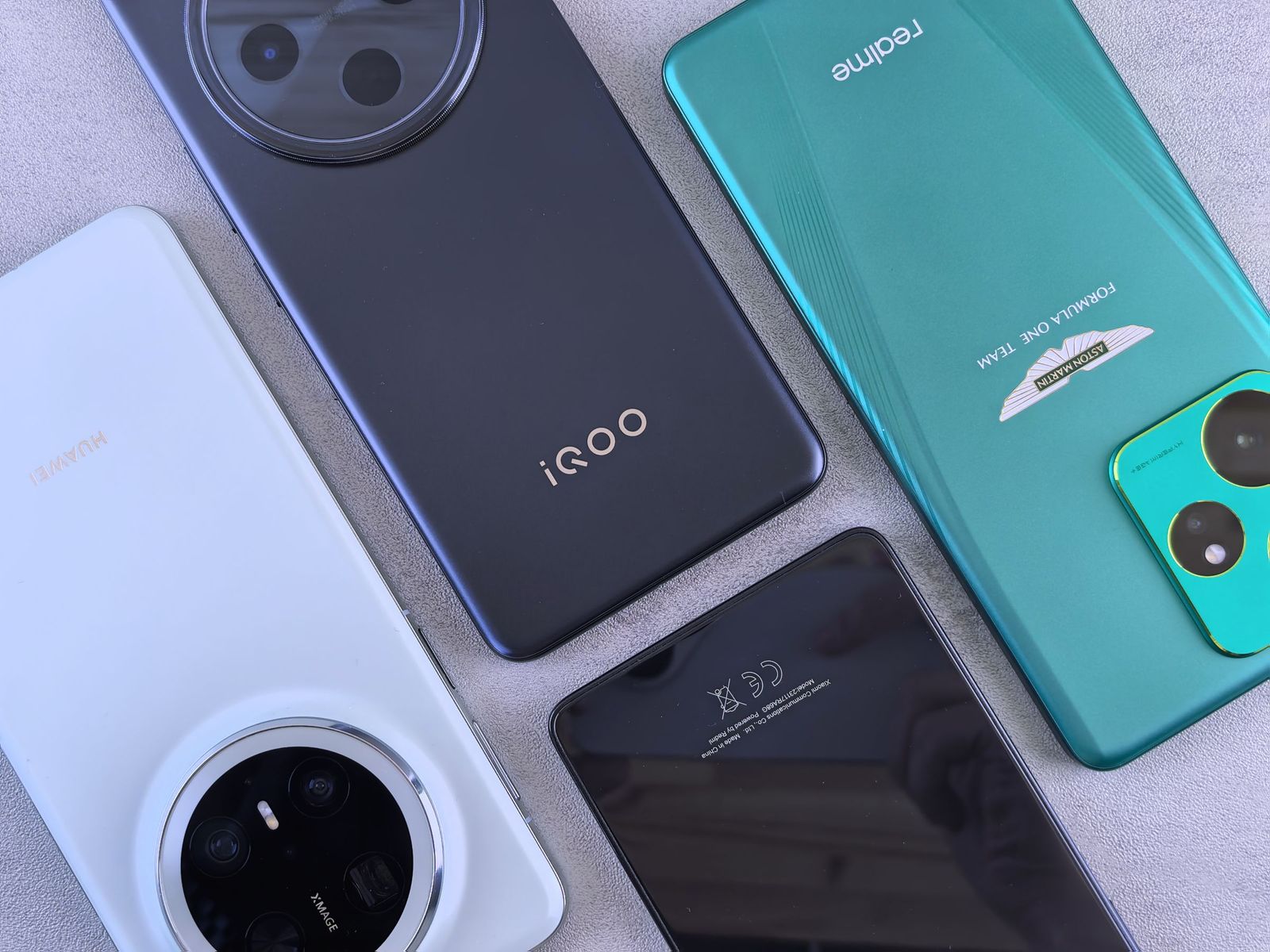
An app bundle lets Google Play build a different download for each device, so measure per configuration, not one universal file. Photo: Andrey Matveev / Pexels
Step 3: Reduce app size where the megabytes are
Look at the breakdown before you change anything. In most apps a handful of files or libraries make up most of the size.
Fixes that work on both platforms
- Compress and convert images. Google recommends WebP, which "can provide better compression than either JPEG or PNG," and vector drawables for simple icons. On iOS, put images in asset catalogs so app thinning sends each device only the scale it needs.
- Shrink or stream video and audio. An onboarding video is often the single largest file in an app. Re-encode it, shorten it, or download it after install.
- Check fonts. Google's game size guide notes that adding emoji support "can significantly increase the font file's size." Subset fonts to the characters you use.
- Remove unused dependencies. An SDK pulled in for one feature can bring megabytes of code and resources. Each one you drop makes the next audit easier.
- Move optional content out of the first download. Levels, language packs, sample content and machine-learning models rarely need to be there at install. On Android, use Play Feature Delivery for features and Play Asset Delivery for assets. On Apple platforms, use Background Assets, which Apple can now host for you.
iOS-specific fixes
- Check the optimization level. Apple's basic optimization guide says the default for Release is "Fastest, Smallest [-Os]." Projects drift; make sure your Release configuration still uses it.
- Find unused files in the thinned IPA. Rename a thinned
.ipato.zip, unzip it and inspect the app bundle for README files, unused images, headers and leftovers. - Ship data as files, not code. Apple suggests moving bundled data and images out of source code into asset files, which shrinks the binary and lets the App Store compress it better.
Android-specific fixes
- Publish an Android App Bundle. Required for new apps since August 2021, and Google says app bundles "reduce app size by 20%" on average, because each device gets only its own code, resources and ABI.
- Turn on R8 and resource shrinking for release builds:
// app/build.gradle.kts
android {
    buildTypes {
        release {
            isMinifyEnabled = true      // R8: removes and optimizes unused code
            isShrinkResources = true    // removes resources nothing references
            proguardFiles(
                getDefaultProguardFile("proguard-android-optimize.txt"),
                "proguard-rules.pro",
            )
        }
    }
}
If Play Console has flagged your app for DEX code optimization, our guide to enabling R8 in React Native, Expo and Flutter apps covers the framework-specific settings and the keep rules that stop R8 from breaking reflection.
- Run lint for unused resources. Android lint reports resources in
res/that your code does not reference;shrinkResourcesremoves them at build time. - Package native libraries uncompressed. Setting
useLegacyPackagingtofalsestops Android from extracting.sofiles at install, which Google says makes updates smaller. Strip debug symbols from native libraries in release builds.
React Native and Flutter
- Flutter:
flutter build appbundle --analyze-sizeandflutter build ios --analyze-sizeprint a breakdown by category and save a JSON file you can open in DevTools. Flutter's app size docs recommend--split-debug-infofor release builds, which "can dramatically reduce code size." - React Native: enable R8 with
enableProguardInReleaseBuilds = trueinandroid/app/build.gradle, check that Hermes is on, and auditnode_modulesfor heavy native dependencies. Expo's app size guide covers the same for managed projects.
Step 4: Set a size budget and enforce it in CI
Size grows a few megabytes at a time, and nobody notices until the 200 MB warning arrives. A budget turns it into a build failure instead. This script reads the App Thinning Size Report on iOS or the bundletool get-size total CSV on Android and fails when the largest variant's download is over your limit. It uses only the Python standard library:
"""Fail a CI build when the iOS or Android download size goes over budget.

Usage:
  python3 size_budget.py ios "Release/App Thinning Size Report.txt" 150
  bundletool get-size total --apks=app.apks > android-size.csv
  python3 size_budget.py android android-size.csv 60
"""
import csv
import re
import sys

UNITS = {"KB": 1 / 1000, "MB": 1, "GB": 1000}


def ios_largest_download_mb(path):
    """Largest compressed 'App size' across all thinned variants, in MB."""
    sizes = []
    for line in open(path, encoding="utf-8"):
        match = re.match(r"\s*App size: ([\d.]+) (KB|MB|GB) compressed", line)
        if match:
            sizes.append(float(match.group(1)) * UNITS[match.group(2)])
    if not sizes:
        sys.exit(f"no 'App size' lines found in {path}")
    return max(sizes)


def android_largest_download_mb(path):
    """Largest MAX value from `bundletool get-size total` CSV output, in MB."""
    with open(path, newline="", encoding="utf-8") as handle:
        rows = list(csv.DictReader(handle))
    if not rows or "MAX" not in rows[0]:
        sys.exit(f"expected bundletool CSV with a MAX column in {path}")
    return max(int(row["MAX"]) for row in rows) / 1_000_000


platform, report, budget = sys.argv[1], sys.argv[2], float(sys.argv[3])
size = ios_largest_download_mb(report) if platform == "ios" else android_largest_download_mb(report)
print(f"{platform}: largest download {size:.1f} MB, budget {budget:.0f} MB")
if size > budget:
    sys.exit(f"{platform} download size is {size - budget:.1f} MB over budget")
Run against a two-variant iOS report with a 50 MB budget, it prints:
ios: largest download 52.9 MB, budget 50 MB
ios download size is 2.9 MB over budget
Set the first budget a little above today's size so the build passes, then lower it each time you ship a reduction. If you need to go over, raise the budget in the same pull request, so the increase is a decision someone reviews.
Step 5: Check the result where installs happen
After the smaller version is live, compare conversion for two to four weeks before and after:
- App Store: in App Store Connect analytics, compare product page views, conversion rate and first-time downloads. Our App Store Connect analytics guide shows where each metric lives.
- Google Play: compare store listing visitors and acquisitions in Play Console, by country if you can. The effect should be largest in markets with slower networks and costly data.
If downloads moved for other reasons in the same weeks, our guide to diagnosing a sudden drop in app downloads lists the usual suspects to rule out.
App size checklist
- Download size measured per variant (App File Sizes on iOS,
bundletool get-size totalon Android) - Every iOS variant well under the 200 MB over-the-air limit
- Biggest files and libraries identified before any change
- Images compressed or converted, asset catalogs used on iOS, WebP or vectors on Android
- Videos, fonts and audio checked and trimmed
- Optional content moved to Background Assets or Play Asset and Feature Delivery
- Release builds use
-Oson iOS and R8 with resource shrinking on Android - Size budget enforced in CI
- Conversion compared before and after the smaller release
A lighter app converts the traffic you send it
Every visitor you bring to your store page, from search, ads or a link, meets the same download size. Shaving it is one of the few changes that raises conversion for all of them at once, which makes every channel you pay for a little cheaper per install. Our guide to cost per install shows how to work out what each install is worth to you.
AppRanker is one of those channels: an Outbid alternative for apps and extensions, a pay-to-rank leaderboard where App Store, Google Play and browser extension listings are ranked by what each has paid. There is no account or review queue, a listing links straight to your store page, and a new one starts at $5 at the time of writing. Rank is a plain sort on what each listing has paid, and a position buys visibility, not installs; you can check what any place costs before you pay. To make the most of the visitors who do arrive, pair a lighter app with a clear App Store subtitle, and if you sell subscriptions, see how an App Store 12-month commitment plan can lower the first payment.
FAQ
Does app size affect downloads?
Yes. Google's research found that every 6 MB added to an Android download reduces the install rate by about 1%, and Apple limits how large an app can be before iPhone users are asked about downloading it over a mobile connection. The effect is largest where data is slow or expensive.
What is the App Store size limit for cellular downloads?
App Store Connect warns when any device variant goes over the 200 MB over-the-air download limit. Since iOS 13, users can choose Always Allow, Ask If Over 200 MB or Always Ask under App Downloads in their App Store settings, so on the default setting an app over 200 MB triggers a prompt.
How do I check my iOS app's download size?
In App Store Connect, open TestFlight, select a build, open Build Metadata and click App File Sizes. It lists the download and install size for each device variant. Locally, export an archive with app thinning for all variants and read the App Thinning Size Report.
How do I check my Android app's download size?
Run bundletool get-size total on an APK set built from your app bundle, or open the App size page under Android vitals in Play Console after upload. Play Console reports download size; since September 2025 it no longer estimates size on device.
What is the fastest way to reduce app size?
Look at the breakdown first, then fix the largest items. Large images, videos, fonts and unused SDKs are the usual culprits. On Android, publishing an app bundle and enabling R8 with resource shrinking are the biggest single switches; on iOS, asset catalogs and moving optional content to Background Assets.
Does app size affect App Store or Google Play ranking?
Neither store lists size as a ranking factor. It affects ranking indirectly: both stores use downloads and other user behavior, and a smaller app converts more of the visitors it gets.
Image credits
- Cover, App Library on an iPhone: photo by Czapp Árpád on Pexels, Pexels License. Cropped to 1200x630.
- Android smartphones of different sizes: photo by Andrey Matveev on Pexels, Pexels License. Resized.