- App Store
- Subscriptions
- Monetization
App Store free trial: how to set up an introductory offer
App Store free trial setup for subscriptions: trial lengths, who is eligible, App Store Connect steps, StoreKit 2 code, sandbox testing and paywall rules.
AppRanker team12 min read
On this page
An App Store free trial is not a separate feature you switch on. It is an introductory offer on an auto-renewable subscription, with the payment mode set to Free. Set it up right and the App Store shows it on your product page, StoreKit tells your app who can claim it, and new subscribers start paying automatically when the trial ends. Set it up wrong and people see a trial they cannot get, or App Review sends the build back because the paywall does not explain what happens after day seven.
This guide covers the three introductory offer types and the trial lengths Apple allows, who is eligible, the exact App Store Connect steps, the StoreKit 2 code to show the right price, the disclosure rules your paywall has to follow, and how to test it all in sandbox. Everything is taken from Apple's help page on setting up introductory offers, the StoreKit documentation and the App Review Guidelines.
Key takeaways
- A free trial is an introductory offer of type Free on an auto-renewable subscription. Trials can run from 3 days to 1 year.
- Each person can redeem one introductory offer per subscription group, so a trial on monthly and annual plans in the same group is a choice, not a second trial.
- Check
isEligibleForIntroOfferbefore you show trial copy. It can betrueeven when no offer exists.- Your paywall must say what the subscriber gets, how long the trial lasts and what they will be charged afterwards.
- Offers cannot be edited once created. To change one, delete it and create a new one.
How an App Store free trial works
Apple supports three kinds of introductory offer, described in the StoreKit guide to introductory offers:
- Free trial. "New subscribers access content for free for a specified duration. Subscriptions begin immediately, but subscribers won't be billed until the free trial period is over."
- Pay as you go. A discounted price each billing period for a set number of periods, for example $1.99 a month for three months.
- Pay up front. One discounted payment for a set duration, for example $1.99 for two months.
In all three, "subscriptions renew at the regular price when the introductory period is over." That is what makes a trial different from a promo: the person has already subscribed, so if they do nothing, they convert. Apple's own cancellation help page tells customers to cancel "at least 24 hours before the trial ends" if they do not want to renew, which is worth repeating in your own onboarding emails or settings screen.
Once you create the offer, "it automatically appears on your app's product page on the App Store for eligible users," so the trial also works as listing copy. That makes it part of your store presence, alongside the App Store creative assets and screenshots people see before they install.
App Store free trial lengths and offer types
The durations you can pick depend on the offer type and, for pay as you go, on the length of the subscription. From Apple's introductory offer help page:
| Subscription length | Free trial | Pay up front | Pay as you go |
|---|---|---|---|
| 1 week | 3 days, 1 or 2 weeks, 1, 2, 3 or 6 months, 1 year | 1, 2, 3 or 6 months, 1 year | 1 to 12 weeks |
| 1 month | Same as above | Same as above | 1 to 12 months |
| 2 months | Same as above | Same as above | 2, 4, 6, 8, 10 or 12 months |
| 3 months | Same as above | Same as above | 3, 6, 9 or 12 months |
| 6 months | Same as above | Same as above | 6 or 12 months |
| 1 year | Same as above | Same as above | 1 year |
Two limits matter in practice. You can have "one current and one future introductory offer per storefront," so you can schedule a holiday trial while the regular one runs. And an offer is permanent once saved: "Once you create an introductory offer, you won't be able to edit it. To change the details of your introductory offer, delete it and create a new one."
Pick a trial long enough for a new user to reach the moment your app proves its worth, and no longer. Photo: Peter Olexa / Pexels
Who is eligible for a free trial
Eligibility is decided per subscription group, not per product. Apple's help page says: "Although you can create an introductory offer for each subscription product in App Store Connect, each person is only eligible to redeem one introductory offer per subscription group." Its example: a customer who uses a free trial and then upgrades to another product in the same group with a free trial is not eligible for the second one.
The StoreKit guide breaks it down by customer:
- New subscribers are always eligible.
- Lapsed subscribers are eligible if they have not used an introductory offer for that product or any product in the same group.
- Existing subscribers are not eligible for an introductory offer on any product in the group, including when they upgrade, downgrade or crossgrade.
This is why the structure of your subscription groups matters. If monthly and annual plans share one group, which is usually right because it lets people switch without double billing, a person gets one trial across both. If you want a trial on a separate add-on, it needs its own group.
How to set up an App Store free trial in App Store Connect
You need the Account Holder, Admin, App Manager or Marketing role, and the Paid Apps Agreement must be active.
- In Apps, select your app, then click Subscriptions in the sidebar.
- Choose the subscription group, then the subscription.
- In Subscription Prices, click View all Subscription pricing, then Set up Introductory Offer.
- Select the countries or regions where the trial should run and click Next.
- Choose a start date and, if you want one, an end date. A start date of today begins the offer immediately. If new offers overlap, "the latest action overwrites existing introductory offers."
- Choose Free as the type, then the duration.
- Review and click Confirm.
Repeat for each subscription in the group that should show a trial. Metadata changes can take up to an hour to reach the sandbox, according to Apple, so wait before you test. You can also manage offers through the App Store Connect API if you keep pricing in code.
Show the free trial in your app with StoreKit 2
Never hardcode "Start your 7-day free trial." Read the offer from the product, and check eligibility first. Apple's documentation is explicit that isEligibleForIntroOffer "may be true even if you haven't set up an introductory offer in App Store Connect," so check both:
import StoreKit

/// Returns paywall copy for the trial, or nil when this person cannot get one.
func trialText(for product: Product) async -> String? {
    guard let subscription = product.subscription,
          let offer = subscription.introductoryOffer,
          offer.paymentMode == .freeTrial,
          await subscription.isEligibleForIntroOffer
    else { return nil }

    let style = product.subscriptionPeriodFormatStyle
    let trial = offer.period.formatted(style)                     // "1 week"
    let renewal = subscription.subscriptionPeriod.formatted(style) // "1 month"
    return "\(trial) free, then \(product.displayPrice) every \(renewal). Cancel anytime in Settings."
}
subscriptionPeriodFormatStyle renders periods such as "1 week" or "3 months" in the customer's language. If you prefer to build the string yourself, offer.period.value and offer.period.unit give the length, and offer.periodCount is the number of periods for pay as you go. Because eligibility covers the whole group, isEligibleForIntroOffer(for:) also takes a group ID, which is handy on a paywall that shows several plans.
If the check returns false, show the regular price with no trial language at all. A paywall that promises a trial and then charges on day one is exactly the kind of mismatch that leads to refunds and one-star reviews. Our guide on how to respond to app reviews has templates for when it happens anyway.
Paywall rules for free trials
The App Review Guidelines allow trials but put the burden of clarity on you:
- 3.1.2(a): "Auto-renewable subscription apps may offer a free trial period to customers by providing the relevant information set forth in App Store Connect." The same section says apps that "trick users into purchasing a subscription under false pretenses or engage in bait-and-switch and scam practices" will be removed.
- 3.1.2(c): "Before asking a customer to subscribe, you should clearly describe what the user will get for the price," and you must meet the disclosure requirements in Schedule 2 of the Developer Program License Agreement.
- 2.3.2: your description, screenshots and previews must make clear which features need a purchase.
In practice, a paywall that passes review shows, near the subscribe button: the trial length, the price and billing period after the trial, that it renews automatically until cancelled, and how to cancel, plus links to your terms and privacy policy. Rejections under these rules are among the common ones in our list of App Store rejection reasons.
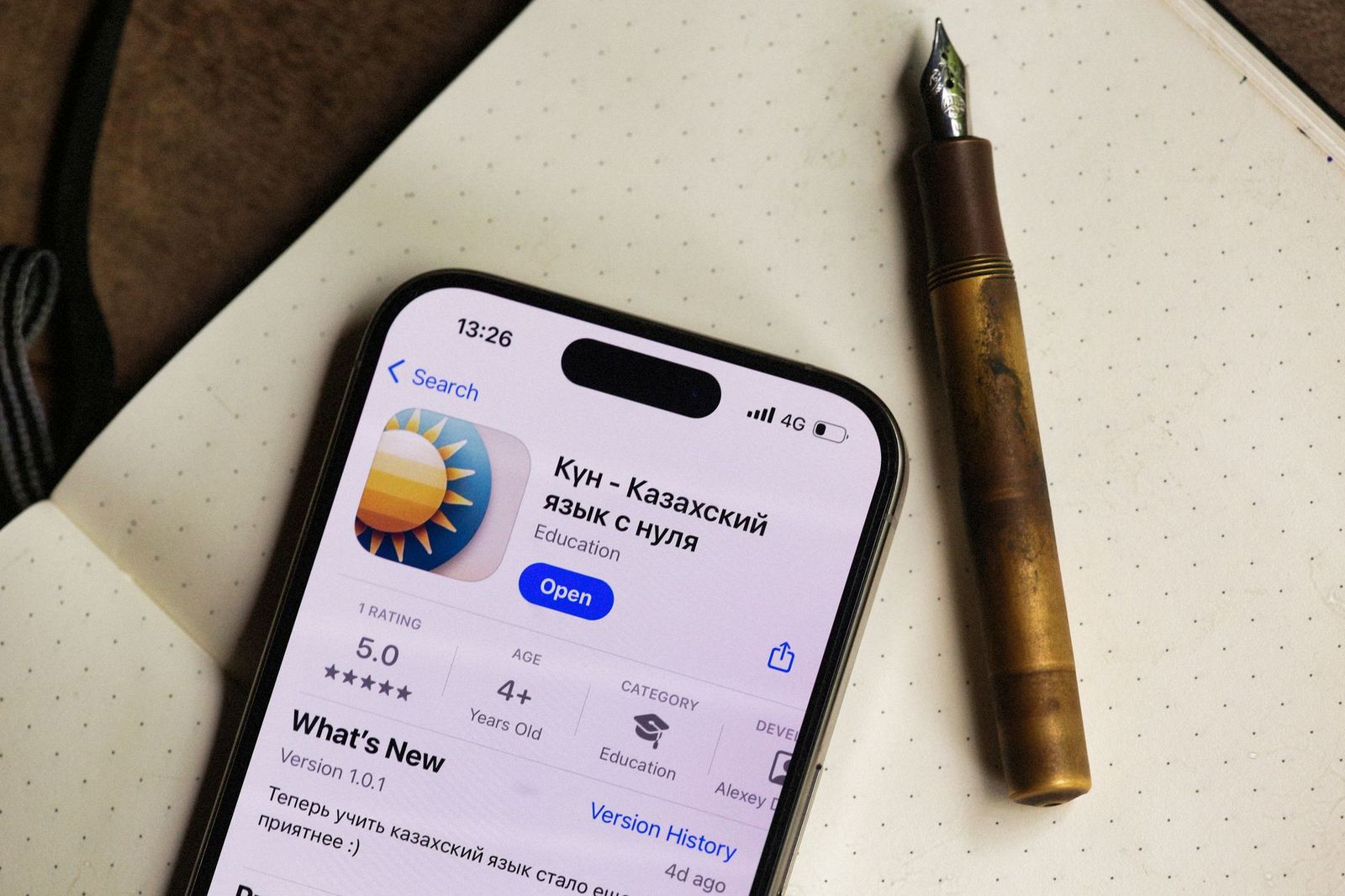
Eligible people see your introductory offer on the product page itself, so the trial doubles as listing copy. Photo: Alexey Demidov / Pexels
Test the free trial in sandbox
- In Xcode, add the subscription and its introductory offer to a StoreKit configuration file and run the paywall against it. You can delete transactions in Xcode's transaction manager to become eligible again.
- On a device, sign in with a sandbox Apple Account. Sandbox subscriptions renew fast: by default "1 month = 5 minutes," and they renew up to 12 times. You can change the speed per tester under Users and Access > Sandbox in App Store Connect.
- To test the trial again with the same tester, use Clear Purchase History on the same screen, or in the device's sandbox account settings. Apple notes it "deletes all past purchases made by the selected testers in the sandbox environment" and cannot be undone.
Test both paths: an eligible account should see trial copy and get charged nothing today; an account that already used the trial should see the plain price.
Track trials on your server
If you use App Store Server Notifications or the App Store Server API, each signed transaction tells you which offer applied. The offerType field is 1 for an introductory offer (2 is promotional, 3 an offer code and 4 a win-back offer), and offerDiscountType is FREE_TRIAL, PAY_AS_YOU_GO or PAY_UP_FRONT. Store both on the subscription record so you can measure how many trials convert to a first paid renewal, and compare cohorts in App Store Connect analytics, which added subscription reports and cohorts in 2026.
Free trials for paid apps and one-time purchases
Introductory offers only exist for auto-renewable subscriptions. For an app sold with a one-time unlock, guideline 3.1.1 allows a different pattern: "Non-subscription apps may offer a free time-based trial period before presenting a full unlock option by setting up a Non-Consumable IAP item at Price Tier 0 that follows the naming convention: 'XX-day Trial.'" Before the trial starts, the app "must clearly identify its duration, the content or services that will no longer be accessible when the trial ends, and any downstream charges." Your app tracks the trial window itself; nothing renews.
How long should your free trial be?
Apple does not recommend a length, and the right one depends on how fast your app delivers value. A few rules of thumb:
- Match the trial to the habit. A meditation or fitness app that needs a week of use to stick suits 7 days; a tool that proves itself in one session may not need a trial at all.
- Do not outlast the decision. A trial longer than the time it takes to see value mostly delays revenue.
- Use the annual plan. A trial in front of an annual plan is a common pattern because the payoff after conversion is larger; the trial still counts once per group.
- Change one thing at a time. Because offers cannot be edited, schedule a new offer, note the date, and compare conversion before and after, the same way you would track a store listing A/B test.
Price and trial interact. If you are also rethinking what the subscription costs in each country, read our guide to App Store price tiers before you launch both changes at once.
The Google Play equivalent
On Google Play, a free trial is a phase of a subscription offer on a base plan. Google's subscription offers help page says free trial phases "can range from 3 days to 3 years," and eligibility can be set to new customers who never had this subscription, new customers who never had any subscription in the app, upgrades, or developer-determined logic. Google's subscriptions guide adds that someone who cancels during the trial keeps access until it ends and is not charged. If your Android app also sells subscriptions, check that it is on Google Play Billing Library 8 before you build offers on it.
App Store free trial checklist
- Paid Apps Agreement active; subscription group structured so one trial per group is what you want.
- Introductory offer of type Free created for each subscription that should show it, in every storefront you sell in.
- Paywall reads the offer from StoreKit and checks
isEligibleForIntroOffer; no hardcoded trial text. - Trial length, post-trial price, billing period, auto-renewal and how to cancel shown near the button.
- Terms and privacy policy linked from the paywall.
- Tested with an eligible and an ineligible sandbox account.
-
offerTypeandofferDiscountTypestored on the server to measure conversion. - Description and screenshots make clear which features need the subscription.
Turn trial starts into installs first
A trial only converts people who found your app. Pair it with discovery: list your iOS app on the AppRanker leaderboard, a pay-to-rank board for App Store and Google Play apps where rank is a plain sort on what each listing has paid, and use App Store offer codes to hand out longer trials to press, partners and communities.
FAQ
How do I add a free trial to my App Store subscription?
In App Store Connect, open your app's Subscriptions, choose the group and subscription, click View all Subscription pricing, then Set up Introductory Offer. Pick the countries, start date, type Free and the duration, then confirm.
How long can an App Store free trial be?
Apple offers free trial durations of 3 days, 1 week, 2 weeks, 1, 2, 3 or 6 months, or 1 year.
Can a user get a free trial twice?
Not within the same subscription group. Each person can redeem one introductory offer per group, and existing subscribers are not eligible even when they switch plans. A lapsed subscriber who never used an introductory offer in that group is eligible.
Why is my free trial not showing in my app?
The usual causes are an account that already used an introductory offer in that group, an offer not available in the tester's storefront, a change made less than an hour ago in sandbox, or a paywall that does not read introductoryOffer from the product.
Can I change the length of an existing free trial?
No. Apple does not allow editing an introductory offer. Delete it and create a new one, or schedule a future offer with a later start date.
Can a paid app without a subscription offer a free trial?
Yes, through a free non-consumable In-App Purchase named in the "XX-day Trial" format, as described in guideline 3.1.1. The app must explain the trial length, what stops working afterwards and what the full unlock costs.
Image credits
- Cover, iPhone with the Calendar app open: photo by Alexey Demidov on Pexels, Pexels License. Cropped to 1200x630.
- Planning in a paper calendar beside an iPhone: photo by Peter Olexa on Pexels, Pexels License. Cropped to landscape and resized.
- App Store product page on an iPhone: photo by Alexey Demidov on Pexels, Pexels License. Resized.