- App Store
- Google Play
- Ratings
How to respond to app reviews on the App Store and Google Play, with reply templates
How to respond to app reviews on the App Store and Google Play: where to reply, store rules, which reviews to answer first, reply templates and API automation.
AppRanker team10 min read

On this page
Knowing how to respond to app reviews is one of the few ranking skills that costs nothing but time. Both the App Store and Google Play let you reply publicly to every review, both notify the reviewer when you do, and both let that person update their rating afterwards. Google has measured the effect: when developers reply, "users update their rating by +0.7 stars on average", according to the Android Developers Blog. Your rating feeds conversion, conversion feeds ranking, and every later visitor reads your replies.
This guide covers where and how to reply in App Store Connect and Play Console, the rules each store sets, which reviews to answer first, ready-to-edit reply templates, and how to automate the inbox with the official APIs.
Why responding to app reviews affects your ranking
Ratings are a visible trust signal on every product page and in search results. Two store rules make replies more valuable than they look:
- Recent ratings count more on Google Play. Play Console help says "the rating that users see on Google Play is weighted towards more recent ratings to reflect changes and updates." A reply that brings back a user who rated you one star last month moves the number people see now.
- Reviewers are told about your reply. Apple says "when you respond, the reviewer is notified and has the option to update their review" (Apple's ratings page). Google says users "receive a push notification and an email notification" (Play Console help).
Replies are also public copy. Apple notes that "all ratings, reviews, and responses are publicly available on your App Store product page." A calm, specific reply under a two-star review often does more for a hesitant visitor than another five-star review would.
How to reply to reviews in App Store Connect
From Apple's respond to reviews help page:
- In Apps, select your app.
- In the sidebar, click Ratings and Reviews.
- At the top right, choose the platform the review is for.
- Find the review, click Reply, write your response and click Submit.
Things to know:
- Roles: Account Holder, Admin or Customer Support. Give a support person the Customer Support role instead of Admin.
- Timing: responses "may take up to 24 hours to appear" and show as pending until then.
- One response per review. You can edit or delete it at any time, and only the latest version shows. Edited responses are marked as edited.
- Your reply stays if they edit. "Your response remains publicly visible on your App Store product page, even if the customer edits their review."
- Any age. You can respond to all reviews, "regardless of when they were written."
Ratings and reviews are shown per country or region, so check the storefront filter. A burst of bad reviews in one country often points to a localization or payment problem there.
How to reply to reviews in Google Play Console
In Play Console, open your app, go to Ratings and reviews, then Reviews. You need the "Reply to reviews" permission. Filters let you narrow by date, language, reply state, star rating, app version and device, which is the fastest way to find unanswered low ratings on the latest version.
Things to know:
- You can edit a reply at any time.
- Suggested replies exist, but "are only available for recent reviews written in English", and you can edit them before publishing.
- Keep replies short. The Play Developer API caps a reply at 350 characters, so treat 350 as your Play budget.
- Track the outcome. Play Console reports whether users who got a reply came back and changed their rating, so you can see which replies work.

Treat the review inbox as a support queue with a public audience. Photo: MART PRODUCTION / Pexels
The rules each store sets for replies
Both stores publish reply guidelines, and breaking them can get a reply removed.
Apple: "The ideal response is concise and clearly addresses your customer's feedback. Keep your responses respectful and don't include personal information, marketing language, or spam." Apple also recommends "personalizing your responses rather than using generic responses for similar reviews."
Google Play lists four rules:
- "Make it clear and relevant: Replies should directly address the user's comment in a clear, valuable, and truthful manner."
- "Be nice: Do not post content that is abusive, hateful, dismissive, or threatens or harasses others."
- "Don't solicit or promote: Users don't find solicitations and promotions relevant or useful."
- "Keep it clean: Don't post content that is sexually explicit or contains profanity."
In practice this rules out three habits: pasting the same reply under every review, using replies to advertise another app or a sale, and asking for a rating change in exchange for anything. You may tell someone the bug is fixed and invite them to try again. You may not offer them something for a better rating.
Which reviews to answer first
You will not answer everything on a busy app. Work in this order:
- Bug reports on the current version. These are the reviews most likely to change after a fix, and they warn other users away. Filter by version.
- One- and two-star reviews with a specific complaint. A clear complaint has a clear answer.
- Reviews that mention money: billing, refunds, subscriptions, ads. Unanswered, these read as a scam to visitors.
- Feature requests. A short "on the list" or "here is a workaround" reply shows the app is alive.
- Detailed positive reviews. A short thank-you that adds something useful, such as a tip.
Skip one-word reviews and abuse. Report abuse instead (see below).
Speed matters most for bugs. A reply within a day or two, while the person still has the app installed, has a far better chance of a re-rating than one three weeks later.
How to respond to negative app reviews
A good reply to a negative review has four parts, in this order:
- Acknowledge the specific problem in their words, so other readers see you understood.
- Give the fix, the workaround, or the status. "Fixed in 3.4.1" beats "we are looking into it".
- Offer a private channel for anything that needs account details: a support email or an in-app help screen. Never ask for personal data in public.
- Sign off as a person. A first name reads better than "The Team".
Keep it to three or four sentences. Long replies look defensive, and on Play you have 350 characters.
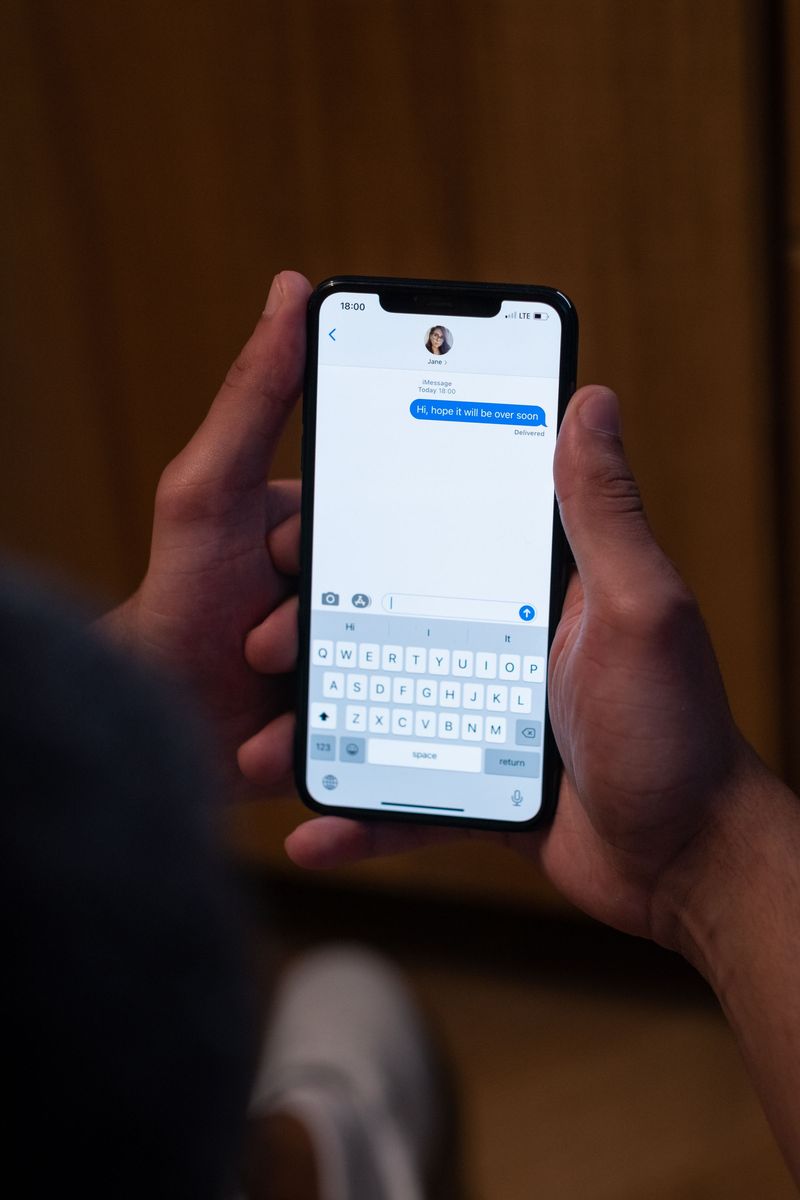
Most people read your reply on a phone. Three or four sentences is plenty. Photo: Ron Lach / Pexels
Reply templates you can adapt
Use these as starting points, then edit each one to mention the reviewer's actual problem. Apple specifically asks for personalized replies, and a reader can tell when a reply was pasted.
Bug, already fixed:
Thanks for reporting the crash when exporting to PDF, and sorry it cost you
your work. Version 3.4.1, out now, fixes it. If you still see it after updating,
please email [email protected] with your device model and we will sort it out. Sam
Bug, not fixed yet:
Sorry about the sync problem on iPad. We can reproduce it and a fix is in testing
now. Until it ships, pulling down on the project list forces a sync. We will reply
here when the update is live. Sam
Billing or subscription complaint:
Sorry for the confusion about the charge. Subscriptions are billed by Apple, so a
refund request goes through reportaproblem.apple.com. If you tell us at
[email protected] which plan you expected, we will help you check the details. Sam
On Google Play, point refund requests to Google Play's own refund flow instead.
Feature request:
Thanks for the idea. Dark mode for the editor is on our list for this quarter.
For now, the app follows your system setting on the home screen. Sam
Misunderstanding or missing feature that exists:
Thanks for the feedback. You can do this already: open a project, tap the share
icon, then Export as CSV. We will make it easier to find in the next update. Sam
Positive review:
Thank you, this made our week. Tip: long-press any task to set a reminder
without opening it. Sam
Add a note in your tracker each time you promise an update, then go back and edit the reply when the fix ships. That second reply is often the one that brings the user back.
Automate the review inbox with the official APIs
Once reviews arrive faster than you can check consoles, pull them into the place your team already works, then reply from there.
App Store Connect API
The App Store Connect API can list reviews for an app and post responses. List the newest reviews that have no published response yet:
curl -s -H "Authorization: Bearer $ASC_TOKEN" \
  "https://api.appstoreconnect.apple.com/v1/apps/$APP_ID/customerReviews?exists%5BpublishedResponse%5D=false&sort=-createdDate&limit=50"
The endpoint also accepts filter[rating] and filter[territory]. To reply, send a POST to /v1/customerReviewResponses:
{
  "data": {
    "type": "customerReviewResponses",
    "attributes": { "responseBody": "Thanks for reporting this. Version 3.4.1 fixes it. Sam" },
    "relationships": {
      "review": { "data": { "type": "customerReviews", "id": "REVIEW_ID" } }
    }
  }
}
Apple notes that if a response already exists, this endpoint "updates the response by overwriting it", and that responses do not appear instantly. The token is a short-lived JWT signed with an App Store Connect API key; give that key the least access that can reply.
Google Play Developer API
Google's Reply to Reviews API lists reviews and posts replies:
# List recent reviews
curl -s -H "Authorization: Bearer $PLAY_TOKEN" \
  "https://androidpublisher.googleapis.com/androidpublisher/v3/applications/com.example.app/reviews"

# Reply to one review (350 characters at most)
curl -s -X POST -H "Authorization: Bearer $PLAY_TOKEN" -H "Content-Type: application/json" \
  -d '{"replyText": "Thanks for reporting this. Version 3.4.1 fixes it. Sam"}' \
  "https://androidpublisher.googleapis.com/androidpublisher/v3/applications/com.example.app/reviews/REVIEW_ID:reply"
Three limits shape any integration: you can only retrieve "reviews that users have created or modified within the last week", the API "shows only the reviews that include comments", and default quotas are 200 GET requests per hour and 2,000 POST requests per day. Poll at least daily, or you will miss reviews.
A sensible setup posts each new one- to three-star review into a team channel with the version, device and a link, and keeps a human writing the reply. Drafting with a model is fine; publishing unreviewed text under your brand is how generic replies happen.
Reporting reviews that break the rules
You cannot delete a review on either store. You can report it:
- App Store: Apple says, "If you find a review offensive or inappropriate, report a concern" in App Store Connect.
- Google Play: Play Console links to a form to report inappropriate reviews that violate its policy.
Report spam, abuse, off-topic reviews and reviews about a different app. Do not report honest negative reviews: answer them.
Pair replies with more reviews
Replies improve the reviews you have; you also need a steady flow of new ones, especially from happy users. On iOS, Apple notes you "can prompt for ratings up to three times in a 365-day period", and should ask "when they've completed an action, level, or task." Google Play's in-app review API has a similar quota. Combine good prompts, fast fixes and thoughtful replies and your rating trends up, which helps your app store ranking and conversion together.
A better rating also makes paid and free traffic work harder. If you are driving visitors to your listing, from free promotion channels or a paid position on the AppRanker board, they land on the same product page, reviews and replies included. If you serve several countries, our guide to App Store localization covers how to make that page work in each language, and the launch-week visibility checklist covers the rest of the page.
Review response checklist
- Support staff have the Customer Support role (App Store) or "Reply to reviews" permission (Play).
- Review filters saved for low ratings on the latest version.
- Bug reports answered within two days, with the version that fixes them.
- Billing complaints answered with the correct store refund path.
- Replies personalized, under 350 characters on Play, free of promotions.
- Promised fixes tracked, and replies edited when they ship.
- New low-rated reviews pulled into a team channel through the APIs.
- Abusive or off-topic reviews reported, honest ones answered.
- Rating updates after replies checked monthly in Play Console.
Frequently asked questions
Can I delete a bad review of my app?
No. Neither store lets developers remove reviews. You can reply publicly, fix the problem, and report reviews that break the store's rules. Replies are often more useful than removal, because future users read them.
Does responding to reviews improve my rating?
It can. Google reported that users who get a reply update their rating by +0.7 stars on average, and both stores notify reviewers when you respond, giving them a reason to come back. The effect is strongest when the reply announces a fix.
Is there an API to reply to App Store reviews?
Yes. The App Store Connect API has GET /v1/apps/{id}/customerReviews to list reviews and POST /v1/customerReviewResponses to create or overwrite a response. Google Play has the Reply to Reviews API in the Google Play Developer API.
How long can a reply be?
On Google Play, replies sent through the API are limited to 350 characters, so keep Play replies within that. Apple's guidance is to be concise; three or four sentences is a good target on both stores.
Should I reply to every positive review?
No. Reply to detailed positive reviews when you can add something, such as a tip or a thank-you for a specific suggestion. Spend most of your time on low ratings and bug reports, where a reply can change the outcome.
Image credits
- Cover, yellow stars on a pink and blue background: photo by Towfiqu barbhuiya on Pexels, Pexels License. Cropped to 1200x630.
- Support agent at a laptop: photo by MART PRODUCTION on Pexels, Pexels License. Resized.
- Typing a reply on a phone: photo by Ron Lach on Pexels, Pexels License. Resized.