- ASO
- App Store
- Google Play
App release notes: how to write What's New, with examples
How to write app release notes for the App Store and Google Play: field limits, Apple's What's New rules, examples for each kind of update, and a lint script.
AppRanker team10 min read
On this page
App release notes are the short text that ships with every update: "What's New" on the App Store and "What's new" on Google Play. Most apps fill the field in the last minute before submission, which is why so many say "Bug fixes and performance improvements" week after week. Yet the field sits on your product page, it is often the only text a returning user reads, and Apple's App Review Guidelines say plainly what it must contain.
This guide covers where release notes appear and how long they can be, the store rules that apply, whether they affect ASO, a simple way to write them, examples you can adapt for each kind of update, and a small script that checks your notes before you submit.
Key takeaways
- Apple allows 4,000 characters of What's New text; Google Play allows 500 Unicode characters per language.
- Apple's Guideline 2.3.12 requires you to describe new features and product changes. A generic line is fine only for simple fixes.
- Google says not to use release notes "for promotional purposes or to solicit user actions."
- Release notes do not appear in Apple's list of search ranking inputs, so write them for people, not keywords.
Where app release notes appear, and the limits
| Field | Store | Limit | Where it shows | When you can change it |
|---|---|---|---|---|
| What's New in This Version | App Store | 4,000 characters | Product page and the Updates list | With each new version |
| Promotional text | App Store | 170 characters | Top of the description | Any time, without a new version |
| Release notes | Google Play | 500 Unicode characters per language | "What's new" on the store listing | With each release |
Sources: Apple's platform version information reference and product page guide, and Google's prepare and roll out a release page.
Apple describes What's New as "a description of the changes in this version of the app, such as new features, UI improvements, or bug fixes," and says the text "appears on your product page and on the Updates tab." On Google Play, you enter notes for each language between tags such as <en-US> and </en-US> when you prepare a release.
The rules each store sets
Apple. App Review Guideline 2.3.12 says: "Apps must clearly describe new features and product changes in their 'What's New' text. Simple bug fixes, security updates, and performance improvements may rely on a generic description, but more significant changes must be listed in the notes."
The October 16, 2026 revision of the guidelines added a related rule. Guideline 2.5.19 says: "Don't include any hidden, dormant, or undocumented features in your app; your app's functionality should be clear to end users and App Review." Release notes are the obvious place to document what changed.
Your notes also count as metadata, so Guideline 2.3.10 applies: don't include "names, icons, or imagery of other mobile platforms or alternative app marketplaces" in your metadata. "Now on Android too" belongs on your website, not in your iOS notes.
Google. The release notes section of Google's release page opens with: "Inform users about recent updates made in your release. Do not use release notes for promotional purposes or to solicit user actions." That rules out sale announcements, "Rate us 5 stars" and "Download our other app" in the Google Play version.
Do release notes affect ASO?
Not directly, as far as either store documents. Apple's App Store search page says results depend on matches for "your app's title, subtitle, keywords, and primary category," plus user behavior. What's New is not on that list, and Apple says of promotional text that it "doesn't affect your app's search ranking so it should not be used to display keywords." Google does not publish a list of indexed fields.
So do not stuff keywords into release notes. Their value is with people:
- Returning users see them in the Updates list and on your page, and some decide whether to update or keep using the app from them. In a Hacker News thread asking whether people care about release notes, one user wrote that they don't install updates "if the change log is 'bug fixes and performance improvements' or a variation, or if it's the same every week."
- New visitors see recent notes on your product page as a sign the app is alive and maintained.
- People who left a bad review can see their problem was fixed, which makes your replies to app reviews more convincing.
How to write app release notes
- Lead with the change users will notice. Apple's advice is to "list new features, content, or functionality in order of importance." On the product page only the first lines show before a "more" link, so put the change that matters most there.
- Describe fixes by their effect, not by the code. "Photos no longer appear sideways after export" beats "Fixed EXIF orientation handling."
- Credit feedback. Apple suggests that if you "added a feature or fixed a bug based on feedback, use What's New to let users know that you've listened to them."
- Keep each item to one line. Short bullets or short sentences scan best in a narrow column.
- Write the Google Play version separately. It has to fit in 500 characters and cannot contain promotions or calls to action, so it is not a copy of the iOS text.
- Localize the notes for every language your listing supports. Our guide to App Store localization covers which markets to start with; check that translated jokes and wordplay still work, or drop them.
- Use promotional text for time-limited news on iOS. It can change without a new version, so a sale or event announcement does not end up frozen in the notes of an old build.
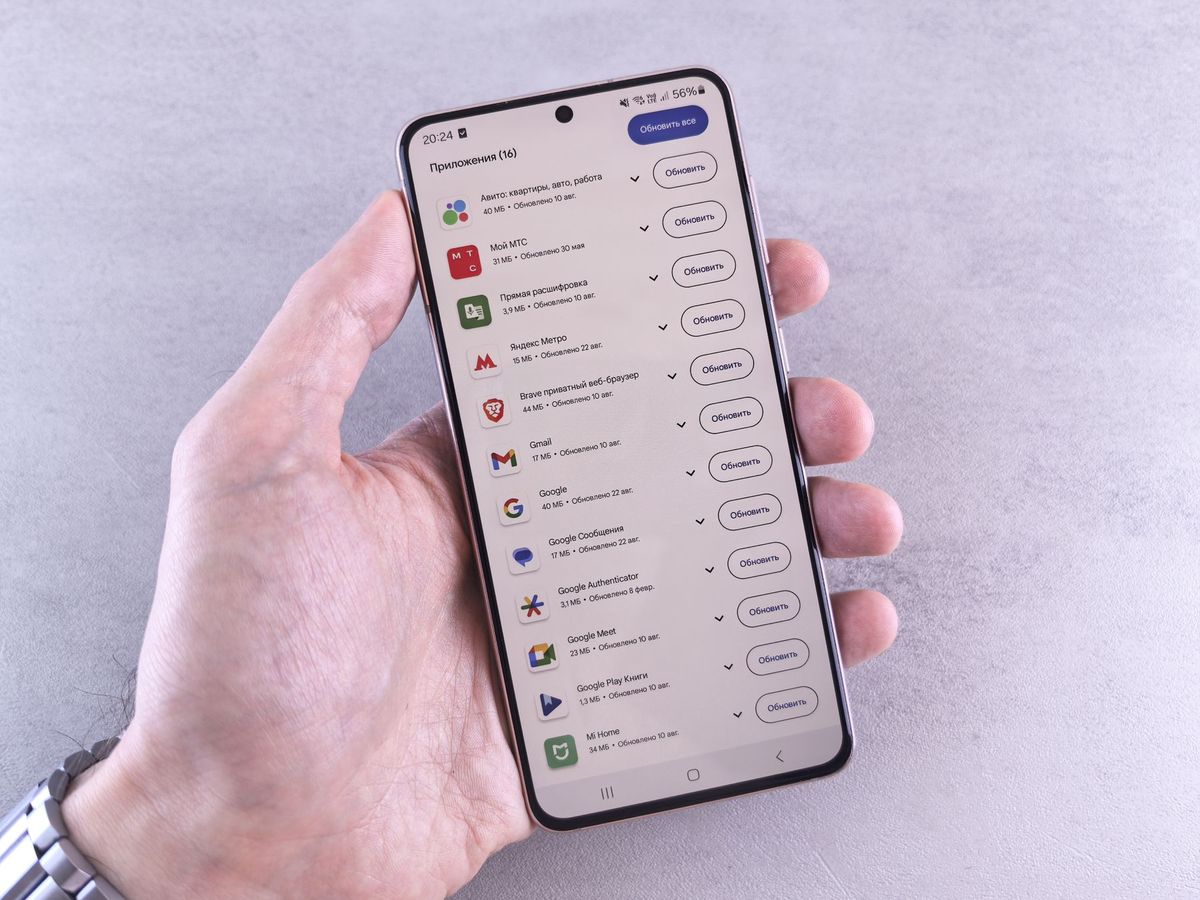
Most people meet your release notes in a long list of updates. Lead with what changed for them. Photo: Andrey Matveev / Pexels
App release notes examples
These are templates for a made-up habit tracker. Replace the details with your own and keep the shape.
A feature release (App Store):
New: weekly reviews. Every Sunday, see which habits you kept and which slipped, with one tap to adjust next week's plan.

Also in this update:
- Widgets now show your current streak on the Lock Screen.
- Reminders respect Focus modes.
- Fixed a crash when importing a backup with more than 500 entries.

Thanks to everyone who asked for weekly reviews in their feedback.
A bug-fix release:
This update fixes three problems you reported:
- Reminders no longer fire twice after you change time zones.
- Dark mode text is readable again on the Statistics screen.
- Syncing no longer stalls on slow connections.
A small maintenance release (allowed under Guideline 2.3.12):
Bug fixes and stability improvements, including a fix for rare crashes on launch.
Even here, one specific item helps. If an update only contains maintenance, say so once rather than every week.
A redesign:
A new look. Today, Habits and Stats now live in a tab bar at the bottom, so everything is one tap away. Your data and settings are unchanged.

Looking for Archive? It moved to Settings > Habits.
The last line saves you support emails: tell people where moved features went.
The Google Play version of the feature release (under 500 characters, no call to action):
<en-US>
New: weekly reviews. Every Sunday, see which habits you kept and adjust next week's plan.
- Widgets show your current streak.
- Reminders respect Do Not Disturb.
- Fixed a crash when importing large backups.
</en-US>
After an app changes hands. If the app moved to a new developer account, the developer name on the listing changes. Say so in the first update from the new account, for example "Northwind Apps is now the developer of this app. Your account, data and subscriptions are unchanged." Our guide on how to transfer an app to another developer account covers what else to check.
Mistakes to avoid
- The same generic line every release. It is allowed for simple fixes, but repeated weekly it tells users nothing and, under Guideline 2.3.12, cannot cover significant changes.
- Copying old notes without reading them. Google Play has a "Copy from a previous release" button. It is handy for translations, but check that nothing out of date comes along.
- Promising future features. Notes describe this version. Put plans in promotional text or your own channels.
- Asking for ratings or promoting sales on Google Play. Google's rule forbids promotional use and soliciting user actions. Ask for ratings in the app instead, with the Google Play In-App Review API.
- Mentioning other platforms in iOS notes. That conflicts with Guideline 2.3.10.
- Hiding a change. If a feature changes behavior, document it. Guideline 2.5.19 now names undocumented features as grounds for removal.
Automate release notes with fastlane and the store APIs
If your release notes live in your repository, they can be reviewed with the code and checked automatically:
- fastlane deliver (iOS) reads
release_notes.txtandpromotional_text.txtfromfastlane/metadata/<locale>/, according to the deliver documentation. - fastlane supply (Android) reads
fastlane/metadata/android/<locale>/changelogs/<versionCode>.txt, withdefault.txtas a fallback, according to the supply documentation. - The App Store Connect API exposes the notes as the
whatsNewattribute of an App Store version localization, next topromotionalText.
This Node.js script checks a fastlane metadata folder against the store limits and flags generic or promotional text before you upload:
// check-release-notes.mjs: node check-release-notes.mjs fastlane/metadata
import { existsSync, readdirSync, readFileSync, statSync } from 'node:fs';
import { join } from 'node:path';

const root = process.argv[2] ?? 'fastlane/metadata';
const generic = /^(bug fixes( and (performance|stability) improvements)?|minor (fixes|improvements)|performance improvements)\.?$/i;
const promotional = /\b(rate|review) (us|the app)\b|\b\d+% off\b|\bsale\b|\bdownload now\b/i;
const problems = [];
const length = (text) => [...text].length;

function check(file, limit, store) {
  const text = readFileSync(file, 'utf8').trim();
  if (!text) problems.push(`${file}: empty`);
  if (length(text) > limit) problems.push(`${file}: ${length(text)} characters, ${store} allows ${limit}`);
  if (generic.test(text)) problems.push(`${file}: generic text only, list the actual changes`);
  if (store === 'Google Play' && promotional.test(text)) problems.push(`${file}: promotional wording or a call to action`);
}

// iOS: <locale>/release_notes.txt (4,000) and <locale>/promotional_text.txt (170).
for (const locale of readdirSync(root)) {
  const dir = join(root, locale);
  if (locale === 'android' || !statSync(dir).isDirectory()) continue;
  if (existsSync(join(dir, 'release_notes.txt'))) check(join(dir, 'release_notes.txt'), 4000, 'App Store');
  if (existsSync(join(dir, 'promotional_text.txt'))) check(join(dir, 'promotional_text.txt'), 170, 'App Store');
}

// Android: android/<locale>/changelogs/*.txt (500 per language).
const android = join(root, 'android');
if (existsSync(android)) {
  for (const locale of readdirSync(android)) {
    const dir = join(android, locale, 'changelogs');
    if (!existsSync(dir)) continue;
    for (const file of readdirSync(dir)) check(join(dir, file), 500, 'Google Play');
  }
}

console.log(problems.length ? problems.join('\n') : 'All release notes pass.');
process.exitCode = problems.length ? 1 : 0;
Run it in CI before fastlane deliver or fastlane supply, and a release with an empty, oversized or promotional note fails before it reaches App Review.
Release notes are one part of a living listing
Fresh release notes, current promotional text and recent replies to reviews all tell visitors the app is maintained. If you are testing other parts of the page, our guide to App Store A/B testing covers screenshots and icons, and writing a store listing that converts covers the description and subtitle.
A big update is also a good moment to be seen outside the store. You can list your app on the AppRanker leaderboard, a pay-to-rank board where the order is a plain sort on what each listing has paid and every row links straight to your App Store or Google Play page.
App release notes checklist
- Most important change in the first line.
- Fixes described by their effect on users.
- Significant changes listed, as Guideline 2.3.12 requires.
- No hidden or undocumented behavior changes.
- Google Play version under 500 characters, with no promotion or call to action.
- No other platforms named in the iOS notes.
- Notes translated for every listing language.
- Time-limited news in promotional text, not in What's New.
- Moved or removed features explained.
FAQ
How long can app release notes be?
Up to 4,000 characters for What's New on the App Store, and up to 500 Unicode characters per language on Google Play. Apple's promotional text, which sits above the description, is limited to 170 characters.
Do release notes affect App Store ranking?
Apple does not list What's New among the fields its search uses, which are the app name, subtitle, keywords and primary category, plus user behavior. Write release notes for people; put keywords in the fields Apple indexes.
Can I just write "Bug fixes and performance improvements"?
For a release that only contains simple bug fixes, security updates or performance work, yes: Guideline 2.3.12 allows a generic description for those. New features and product changes must be listed.
Can I put a sale or a rating request in Google Play release notes?
No. Google says not to use release notes "for promotional purposes or to solicit user actions." Use your store listing's promotional features for sales and ask for ratings inside the app.
What is the difference between What's New and promotional text?
What's New describes the changes in a specific version and changes with each version. Promotional text is a 170-character line at the top of your description that you can change at any time without submitting a new version, which suits sales, events and other news.
Should release notes include emoji?
Neither store bans them in release notes. If you use them, keep them few, make sure the text still reads well without them, and follow your brand's style; Google's metadata policy does ban emoji in some fields, such as the app title.
Image credits
- Cover, typewriter with a sheet reading UPDATE: photo by Markus Winkler on Pexels, Pexels License. Cropped to 1200x630.
- Android phone showing a list of app updates: photo by Andrey Matveev on Pexels, Pexels License. Cropped to 1200x900.