- Google Play
- Android
- Checklist
Android developer verification is live: a checklist for app makers
Android developer verification starts on September 30, 2026. What changes for Play and sideloaded apps, and a step-by-step checklist to stay installable.
AppRanker team9 min read
On this page
From September 30, 2026, a certified Android phone in Brazil, Indonesia, Singapore or Thailand will only install an app through the normal path if the app is registered to a verified developer. That applies to apps from Google Play and from the other participating stores, and Google has said the same protection goes global in 2027.
For most Play developers the practical answer is short: you are probably already covered, but you should check. For anyone who ships an APK outside Play, the answer is longer, and the time to sort it out is now. This post explains what changed, who has to do what, and gives a checklist you can work through in an afternoon.
What Android developer verification is
Android developer verification ties every app to a real, identified developer. It has two parts:
- Identity. The developer account behind the app has been verified with a government-issued ID (and, for organizations, a D-U-N-S number).
- Registration. Each package name is registered to that account, together with the signing key or keys used to sign it.
When both are in place, the app is "registered", and certified devices in the enforcement regions install it as usual. When they are not, the app is unavailable for new installation through the normal install flow in those regions.
Google's reasoning, stated in its March 2026 announcement, is malware: it reports that sideloaded sources carry over 90 times more malware than Google Play, and that anonymous developer accounts make repeat offenders easy. Tying a package to a verified identity is meant to make that harder.
The timeline, in one table
| Date | What happened or happens |
|---|---|
| March 2026 | Verification rolled out to all developers in Play Console and the Android Developer Console |
| June 2026 | Google confirms the September 30 date and the four launch countries |
| August 2026 | Developer APIs, limited distribution accounts and the user-facing "advanced flow" launch |
| September 30, 2026 | Enforcement starts in Brazil, Indonesia, Singapore and Thailand |
| 2027 | Google plans to extend the protection to all certified Android devices globally |
The participating stores for the first phase are Google Play, HONOR App Market, OPPO App Market, Samsung Galaxy Store, Palm Store, V-Appstore and GetApps, according to the Android developer verification page. Google's June 2026 update confirmed the date and the four countries.
Who has to do what
Your to-do list depends on where your app is distributed.
If you only publish on Google Play
Google says over 99% of Play apps were registered automatically, using the identity and app information developers had already given Play. Identity verification you completed for Play's existing requirements counts, and new apps you create in Play Console have their package name registered to your account at creation.
What is left for you:
- Open the Play Console Home page and look for any app flagged as still needing registration.
- Confirm your details under Developer account on the Settings page.
- Register any remaining package by the deadline. Google's Play Console guide warns that unregistered apps face global removal from Google Play.
If you distribute outside Google Play
This is the group that has real work to do. If you ship an APK from your own site, through a partner store, via an enterprise channel or through F-Droid-style repositories, users on certified devices in the enforcement regions now need your app registered too.
- If you already have a Play Console account, you can register apps you distribute outside Play from within Play Console.
- If you do not use Play at all, create an account in the Android Developer Console, verify your identity and register your packages there.
According to Google's help page, a full account costs a one-time $25, individuals verify with a government-issued ID, and organizations also need a D-U-N-S number, which can take up to 28 days to obtain. Start that part first.
If you are a student or hobbyist
A limited distribution account is free and needs no government ID. The trade-off is reach: it lets you share an app with up to 20 devices. That fits a class project, a family app or a closed test group, and it does not fit a public launch.
Registering a package name and proving key ownership
Registration is per package name. Each package belongs to one developer account and is linked to one or more signing keys. What you have to supply depends on whether the package already exists in the wild, per the package registration help page:
- A new package name: provide the public key certificate from your app's signing key pair.
- An existing package name with installs: sign an APK with the matching private key and upload it, which proves you hold the key.
Where the same package name has been signed by several keys (common with forks and repackaged apps), Google gives priority to the key behind more than 50% of known installs. If no key has a majority, keys with at least 50 installs can register directly, and anything smaller goes through a request to Google.
In Play Console, the flow starts on the Android developer verification page: open the Package names tab and choose Register package name. You get an email when registration completes, and the status of each package and key is shown in the console.

Most of the registration work happens in a terminal and a console, not in your code. Photo: Marc Mueller / Unsplash, via Wikimedia Commons, CC0
Finding the certificate and fingerprint you need
If you sign your own releases, the Java keytool that ships with the JDK can print and export what registration asks for. Replace the keystore path and alias with your own.
# Print the certificate fingerprints (SHA-256 included) for a signing key
keytool -list -v -keystore release.jks -alias release

# Export the public key certificate as a PEM file
keytool -exportcert -rfc -keystore release.jks -alias release -file release-cert.pem
To check which certificate an APK you already shipped was signed with, use apksigner from the Android SDK build tools:
apksigner verify --print-certs app-release.apk
If the fingerprint printed there does not match the key in your keystore, stop and find out why before registering. It usually means an old key, a key held by a build service, or a release signed by someone else.
For an existing package, sign the APK the console asks for with the same key your users already have installed:
apksigner sign --ks release.jks --ks-key-alias release --out signed-proof.apk unsigned-proof.apk
Teams that register many packages, such as agencies or white-label app shops, can script this: Google has released the Android Developer ID Status API to check registrations and the Android Developer Console API to register and manage packages programmatically.
What users see if your app is not registered
On a certified device in an enforcement region, an unregistered app will not install through the normal path. Two routes remain:
- ADB. Installing over Android Debug Bridge is exempt, so your own development and testing are unaffected.
- The advanced flow. Google's March 2026 post describes a deliberately slow path for power users: turn on developer mode, confirm nobody is pressuring you, restart the device, wait one day, confirm with a fingerprint, face unlock or PIN, and then allow apps from unverified developers for seven days or indefinitely. A warning still appears on each install.
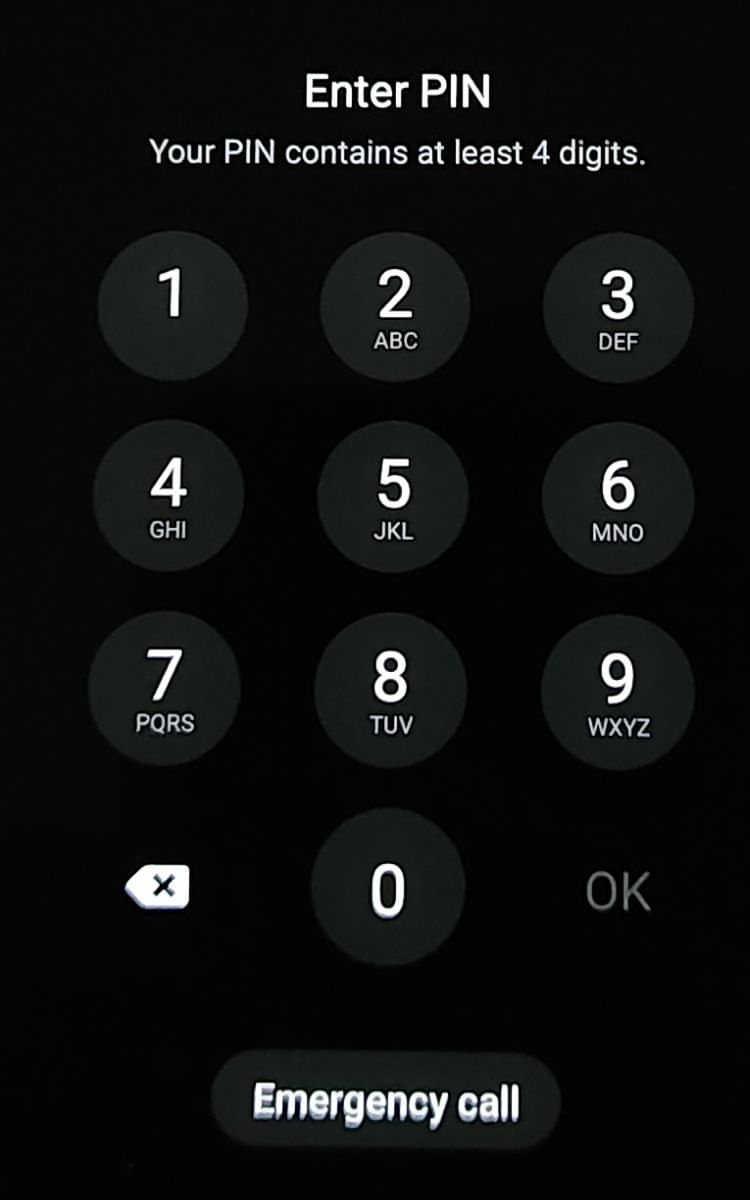
The advanced flow ends with the owner confirming it is really them, by biometrics or the device PIN. Photo: Mykhal, via Wikimedia Commons, CC0
That flow exists so that enthusiasts keep a choice. It is not a distribution strategy. Very few ordinary users will enable developer mode, restart, and come back a day later to install your app, so treat registration as mandatory if you want real installs in those countries, and everywhere once the global rollout lands.
The checklist
Work through this list once per developer account.
Identity
- Confirm your account identity is verified (Play Console: Settings, then Developer account; or the Android Developer Console).
- If you publish as an organization, confirm your D-U-N-S number is on file, and request one now if it is not.
- Decide whether a free limited distribution account (up to 20 devices) is enough, or you need a full $25 account.
Packages
- List every package name you distribute, on Play and off it, including old apps you still let people download.
- Check each one's registration status on the Play Console Home page or in the Android Developer Console.
- For any unregistered package, export the public key certificate (new packages) or prepare a signed proof APK (existing packages).
- Verify with
apksigner verify --print-certsthat the key you register is the key your users actually have. - Remove download links for packages you no longer maintain rather than leaving them unregistered.
Release process
- Record which key signs each package and who controls it, so a future release never goes out under an unexpected key.
- Register new package names before you announce them, not after.
- Add a registration check to your release checklist, next to your store listing review.
Communication
- If you have users in Brazil, Indonesia, Singapore or Thailand who installed from your site, tell them updates will keep working once you are registered.
- Update your download page to point Android users at your store listing where you have one.
What this means for discovery
Verification changes who can install, not who can find you. A registered app still has to earn its installs, and the store listing remains the page that does the converting. If yours needs work, our guide to writing a store listing that converts covers the name, icon, description and screenshots in order.
It does make the store page more central, though. When the easiest path to install is through a participating store, every link you share, from a launch post to a leaderboard row, should point at that listing. Our launch-week visibility checklist walks through lining those links up. AppRanker listings work the same way: each row links straight out to your Google Play page, and you can paste your store link on the home page to see what a place on the board costs today.
FAQ
Does Android developer verification apply to apps on Google Play?
Yes. Play apps must be registered too, but Google registered over 99% of them automatically from information developers had already provided. Check the Play Console Home page for any app that still needs action.
Which countries are affected on September 30, 2026?
Brazil, Indonesia, Singapore and Thailand, on certified Android devices. Google plans to extend the requirement to all certified devices globally in 2027.
Can users still sideload apps from unverified developers?
Yes, through ADB or the advanced flow, which requires developer mode, a restart, a one-day wait and re-authentication. It is designed for power users, not as a normal install route.
How much does verification cost?
A full account is a one-time $25. A limited distribution account for students and hobbyists is free and needs no ID, but it only reaches up to 20 devices.
Do I need to do anything to test my own builds?
No. Installing over ADB is exempt, so local development and testing work as before.
Image credits
- Cover, three Android phones: photo by Wikimedia Commons user Samsung Galaxy Note 10, incorporating the Android robot and logo by Google, CC BY 3.0. Cropped to 1200x630.
- Laptop with code: photo by Marc Mueller, originally on Unsplash, via Wikimedia Commons, CC0.
- Android PIN lock screen: photo by Mykhal, via Wikimedia Commons, CC0.