- Google Play
- Android
- Monetization
Google Play service fees in 2026: the new rates, the 5% billing fee and the Apps Experience Program
Google Play service fees in 2026: 10% on your first $1M and on subscriptions, 20% or 25% above it, a 5% billing fee, and when the Apps Experience Program helps.
AppRanker team13 min read
On this page
Google Play service fees stopped being a simple "15% or 30%" in 2026. Since June 30 in the US, UK and EEA, and since September 30 in Australia and Japan, Google charges a service fee that depends on whether the buyer is a new or an existing install, plus a separate 5% billing fee when the purchase goes through Google Play Billing. A new Apps Experience Program cuts the rate further for apps that meet a long list of technical requirements, and Google said on October 13 that developers can now enroll directly in Play Console.
This guide explains the new rate card in plain numbers, what changes (and what does not) for an indie developer under $1M a year, how alternative billing and external links are charged, and whether the Apps Experience Program is worth your time. Every rate below comes from Google's own help pages, linked where it is quoted. Fees and dates can change, so check those pages before you set prices.
Key takeaways
- Your first $1M (USD) of annual earnings is charged a 10% service fee, and auto-renewing subscriptions are 10% at any revenue level.
- Above $1M, one-time purchases cost 20% for new installs and 25% for existing installs, or 15% and 20% with the Apps Experience Program (Games Level Up for games).
- Purchases through Google Play Billing add a 5% billing fee in Australia, Japan, the US, the UK and the EEA. Alternative billing and external web links do not pay it.
- Under $1M with Play Billing, you still pay about 15% in total (10% + 5%), so most indie apps see little change. The new choice is to use your own billing for 10% plus your processor's cost.
- The Apps Experience Program does not affect Play Store ranking, and only developer account groups with at least $1M in earnings over the last 12 months can enroll.
What changed in Google Play service fees in 2026
Google announced the new business model on March 4, 2026, in the same post where it said it had resolved its disputes worldwide with Epic Games. The June 24 follow-up set out the mechanics: the old single fee is split into a service fee, charged on every transaction whatever the payment method, and a billing fee, charged only when Google Play Billing processes the payment.
Google's help page on the lower service fees puts it this way: "we have a service fee that is charged on all transactions regardless of whether the transaction uses Google Play Billing, Alternative Billing or external web links."
The rollout is staggered by the buyer's region, and the rollout date also decides who counts as a new install:
| Rollout date | New service fees and billing choice | Apps Experience and Level Up rates |
|---|---|---|
| June 30, 2026 | EEA, UK, US | Not yet |
| September 30, 2026 | Australia, Japan | AU, EEA, JP, UK, US |
| December 31, 2026 | South Korea | South Korea |
| September 30, 2027 | Rest of world | Rest of world |
The region that matters is the user's, not yours. The Apps Experience page says eligibility for the program rate card "will roll out by market, based on user location", so a developer in Vietnam selling to US users gets the new US rates on those sales, while sales to users in, say, Brazil stay on the old model until September 2027.
The new Google Play service fee rate card
For users in Australia, the EEA, Japan, the UK and the US, Google's service fees page lists these rates. "Other transactions" means one-time in-app purchases, paid app downloads and non-renewing subscriptions.
| Service fee type | Auto-renewing subscriptions | Other transactions, new installs | Other transactions, existing installs |
|---|---|---|---|
| First $1M (USD) of annual earnings | 10% + 5% billing fee | 10% + 5% billing fee | 10% + 5% billing fee |
| Standard | 10% + 5% billing fee | 20% + 5% billing fee | 25% + 5% billing fee, or 20% for external web links |
| With Apps Experience or Games Level Up | 10% + 5% billing fee | 15% + 5% billing fee | 20% + 5% billing fee, or 15% for external web links |
Google adds that the billing fee "applies when a user completes a purchase of an in-app digital service or feature using Google Play Billing or for the initial purchase of a paid app or game." So a paid app download always carries it.
Work out your own effective rate per product type before you change prices. Photo: Kaboompics.com / Pexels
New installs vs existing installs
The split that confuses most people is new versus existing. Google defines a new install as "a transaction from a user whose first-time install or first update of the app from Google Play occurred on or after the date the new fee structure launched in their region." Everyone whose first install or first update came earlier is an existing install.
Two details from Google's FAQ matter in practice:
- Google uses "the time that an app is first installed from Play or first updated from Play, if the app was not originally installed from Play." The key word is first: a user who installed in 2024 stays an existing install.
- The new/existing split only changes one-time purchases above the $1M tier. Subscriptions are 10% for both, and the first $1M is 10% for both.
So for a large app with a loyal user base, most one-time revenue sits in the 25% column for years, and only purchases from users acquired after the rollout date get the 20% rate.
What about the rest of the world?
Until the new model reaches them, users in other markets stay on the old fees, which the same help page still lists: 15% on the first $1M for developers enrolled in the 15% tier, 30% above it, and 15% on auto-renewing subscriptions.
That first-$1M rate has always required enrollment. Google's service fee table links it to the 15% service fee tier page, which asks you to create an Account Group on the Associated developer accounts page and accept the tier's terms. Earnings are counted per calendar year across every account in the group. If you never did this, do it today: it is the single biggest fee saving available to a small developer.
What it means if you earn under $1M a year
Most AppRanker readers are indie developers and small studios, so here is the honest version: with Google Play Billing, very little changes. Before, you paid 15%. Now you pay a 10% service fee plus a 5% billing fee, which is 15% again. The same holds for subscriptions.
What is new is the option to drop the billing fee. Under the billing choice program, you can offer an alternative billing system inside the app, or link users to your website, alongside Google Play Billing. Under $1M, both are charged the 10% service fee with no billing fee, so your total becomes 10% plus whatever your payment processor charges.
Whether that is worth it depends on volume. Google's requirements are not small:
- You must offer users a choice that includes Google Play Billing, not replace it.
- You must integrate the billing choice APIs, which "surface the one-time information screen, enable parental controls, and facilitate transaction reporting."
- You must handle customer support, refunds and disputes for purchases made outside Play, and give users a way to see their order history and manage subscriptions.
- External links "can only direct users to your owned offers" and must tell the user where they are going before they leave the app.
- In the US, the billing choice program is not the route: Google points US developers to its existing alternative billing and external content links programs instead.
For a small one-time unlock, running your own checkout, refunds and tax probably costs more than the 5% it saves. For a subscription app with real volume and an existing web checkout, it may pay for itself quickly.
What it means above $1M
Above the first $1M, the rate card does change your margins, in both directions:
| Example purchase, Play Billing | Before (above $1M) | 2026 standard | 2026 with Apps Experience |
|---|---|---|---|
| One-time purchase, new install | 30% | 25% (20% + 5%) | 20% (15% + 5%) |
| One-time purchase, existing install | 30% | 30% (25% + 5%) | 25% (20% + 5%) |
| Auto-renewing subscription | 15% | 15% (10% + 5%) | 15% (10% + 5%) |
Two practical consequences. First, an app that sells mostly to long-time users through Play Billing pays the same 30% as before unless it joins the Apps Experience Program. Second, subscriptions see no difference from the program, because they are already at 10%. The Apps Experience Program only saves money on one-time purchases, so a subscription-only app has little financial reason to enroll.
The Apps Experience Program: requirements and who should enroll
The Apps Experience Program is Google's quality program for non-game apps; games have the revamped Games Level Up program. Google's developer documentation describes it as "a program to recognize and reward great app experiences with a new program rate card." Participation is voluntary.
On October 13, 2026, Google said both programs "are now available in Australia, Japan, the EEA, UK, and US", with Korea "by the end of the year", and that developers can submit and manage enrollment directly in Play Console.
The requirements
The guidelines are grouped into three pillars. The exact set that applies depends on your app's use case, and Google's guidelines planner maps them for you.
Consistent user experiences
- Phishing-resistant authentication: passkeys or an approved SSO provider for sign-in.
- Restore Credentials: users are signed in automatically when they restore to a new device.
- Engage SDK: recommendations and continuation content on Google surfaces.
- Play Content: showcase your digital offerings in Play's discovery surfaces.
- Title and feature availability: release on Android at the same time as other platforms, and ship Android features within 3 weeks of other platforms.
- Cross-platform design: Material, system emoji, dark theme, themed app icons, the Android share sheet and more.
Reach across form factors
- Phones, tablets and foldables must meet Adaptive App Tier 2, and other form factors (XR, TV, Auto, Wear) apply depending on what your app does. Googlebook desktop support becomes a requirement in March 2027, which we covered in our guide to getting Android apps ready for Googlebook.
Stable experiences
- Stability: crash, ANR, memory and jank rates below Google's thresholds.
- Jetpack Compose for UI, plus Android standards such as predictive back and edge-to-edge.
- Vertical guidelines where they apply: Media3, CameraX, Cast, the photo picker, picture-in-picture and others.
That is a large list for a small team. Engage SDK and Play Content overlap with the discovery work Google already recommends; our post on getting your app recommended in Gemini and Ask Play explains what Engage SDK puts on Google surfaces. Stability you should be working on anyway, because crashes and ANRs also drive the one-star reviews that sink your rating.
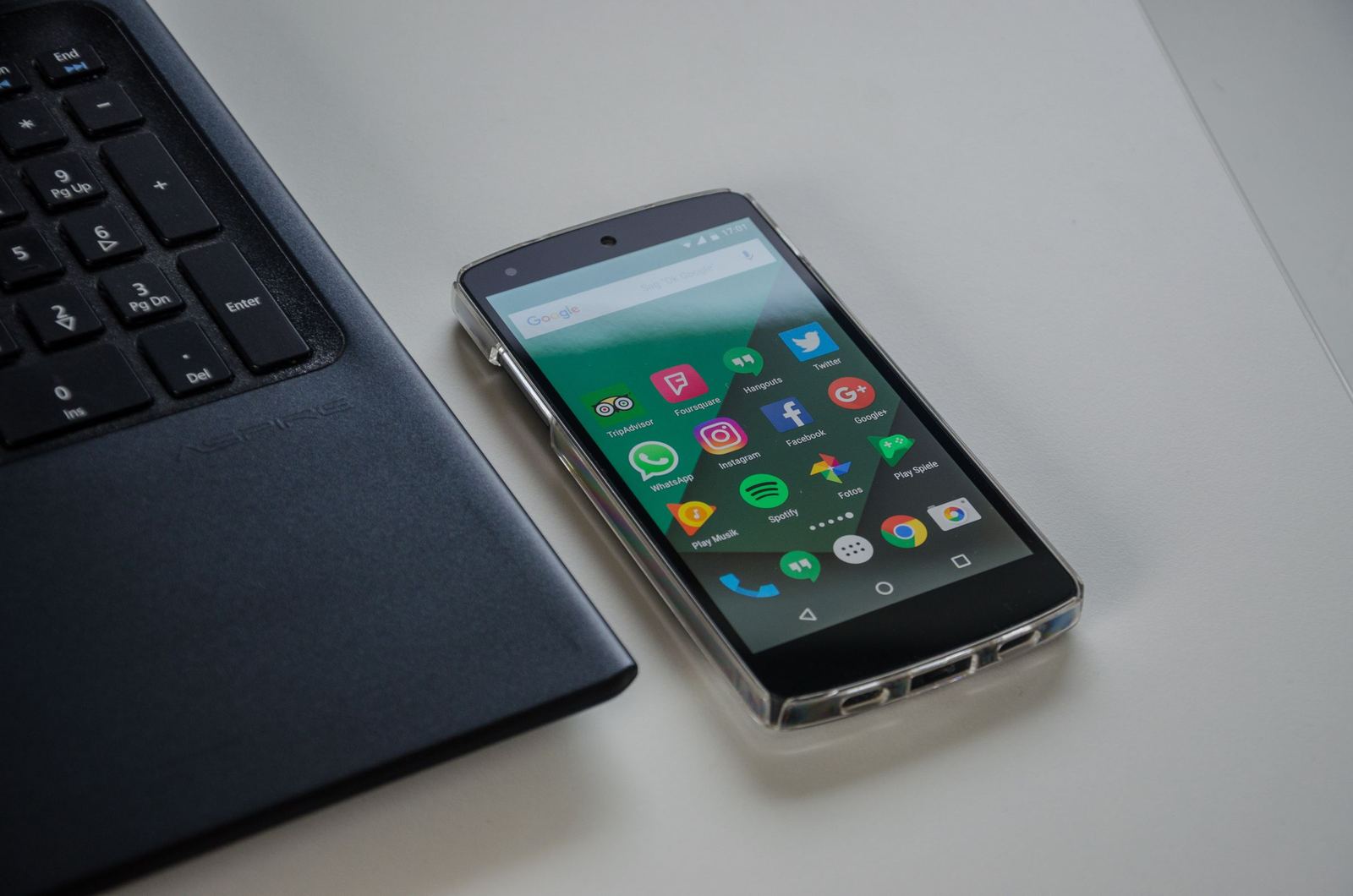
Most Apps Experience guidelines are engineering work: adaptive layouts, Compose, passkeys and stability. Photo: Pixabay / Pexels
Who can enroll
Google's enrollment help page is clear on eligibility: enrollment is open to "developer account groups that have generated at least $1M (USD) of earnings over the last 12 months", and you need admin or account owner permissions. That matches the economics: the program rate card only applies to earnings above the first $1M, which is already at 10%.
If you are under $1M, you cannot enroll yet and would not save anything if you could. Treat the guidelines as a roadmap rather than a to-do list.
Does the Apps Experience Program improve your Play Store ranking?
No. Google's FAQ answers this directly: the program does not affect Play Store ranking or visibility. Some of the work behind it, such as better stability, adaptive layouts for tablets and Engage SDK content, does help users find and keep your app, but the enrollment itself is a fee program, not a discovery boost.
How to enroll in the Apps Experience Program
If you qualify, the steps from Google's help page are:
- Prepare. Give the review team sign-in details that unlock all app functionality, check the app against every guideline, make sure it is live in production and compliant with Play policies, and submit any exemption requests first. Exemptions go through Help > Create support ticket > Play Programs.
- Open the program page. In Play Console go to Monitor and improve > Policy and programs > Programs > Apps Experience. Games use the Level Up entry instead.
- Answer the implementation questions, review the requirements and accept the Terms of Service, then submit.
- Wait for validation. Google says reviews may take up to 14 days. After September 30, 2026, Google says "program rate cards take effect within 24 hours of enrollment."
- Fix and resubmit if needed. A rejection lists the specific issues by email and in Play Console. Fix them, or appeal, from the program's View details > Submit a request page.
Enrollment is not a one-off. If a guideline issue appears later, Play Console shows a warning with a deadline, and if it is not fixed in time, "your app will be removed from the program and will lose eligibility for the program rate card."
A checklist for your Google Play pricing
- Confirm you are enrolled in the first-$1M tier on the Associated developer accounts page.
- Split last year's Play revenue into subscriptions and one-time purchases.
- Above $1M: estimate how much one-time revenue comes from existing installs (the 25% column).
- Decide whether alternative billing or external links are worth the support, refund and tax work.
- If you are a $1M+ developer group with one-time revenue, run the Apps Experience guidelines planner.
- Re-check the help pages before the December 31 (Korea) and September 30, 2027 (rest of world) rollouts.
Fees decide how much of each sale you keep; visibility decides how many sales there are. Once your pricing is settled, the next job is getting found: our guide to Google Play ASO in 2026 covers the store side, and ratings from the Google Play In-App Review API feed the rating users see on your listing. Outside the store, you can put your Google Play app on the AppRanker leaderboard, a pay-to-rank listing board and Outbid alternative for apps and extensions where the order is a plain sort on what each listing has paid and every row links straight to your store page.
FAQ
What is the Google Play service fee in 2026?
In the US, UK, EEA, Australia and Japan: 10% on your first $1M of annual earnings and on all auto-renewing subscriptions; above $1M, 20% on one-time purchases from new installs and 25% from existing installs. Google Play Billing adds a 5% billing fee on top. Other markets keep the old 15% and 30% rates until their rollout date.
Is Google Play still taking 30%?
Sometimes. Above $1M a year, a one-time purchase from an existing install through Google Play Billing costs 25% plus the 5% billing fee, which is 30% in total. Under $1M, or on subscriptions, the total with Play Billing is 15%.
What is the Google Play billing fee?
A separate 5% fee charged only when a purchase goes through Google Play Billing, in Australia, Japan, the US, the UK and the EEA. It also applies to the initial purchase of a paid app. Alternative billing and external web links do not pay it, though you then pay your own payment processor.
Do I pay Google if I use my own payment system?
Yes. The service fee applies to every transaction "regardless of whether the transaction uses Google Play Billing, Alternative Billing or external web links." Only the 5% billing fee is waived.
Who can join the Google Play Apps Experience Program?
Non-game apps whose developer account group earned at least $1M (USD) in the last 12 months, and which meet all applicable guidelines after Google's validation. Games use the Games Level Up program instead.
Does the Apps Experience Program boost my app in Play Store search?
No. Google says the program does not affect Play Store ranking or visibility. It only changes the service fee on eligible transactions.
When do the new Google Play fees reach my users' country?
June 30, 2026 for the US, UK and EEA; September 30, 2026 for Australia and Japan; December 31, 2026 for South Korea; and September 30, 2027 for the rest of the world. The buyer's location decides which rates apply.
Image credits
- Cover, a phone calculator and a fan of dollar bills: photo by Tima Miroshnichenko on Pexels, Pexels License. Cropped to 1200x630.
- Calculating on a phone next to dollar bills and a notepad: photo by Kaboompics.com on Pexels, Pexels License. Cropped to landscape and resized.
- An Android phone beside a laptop: photo by Pixabay on Pexels, Pexels License. Resized.